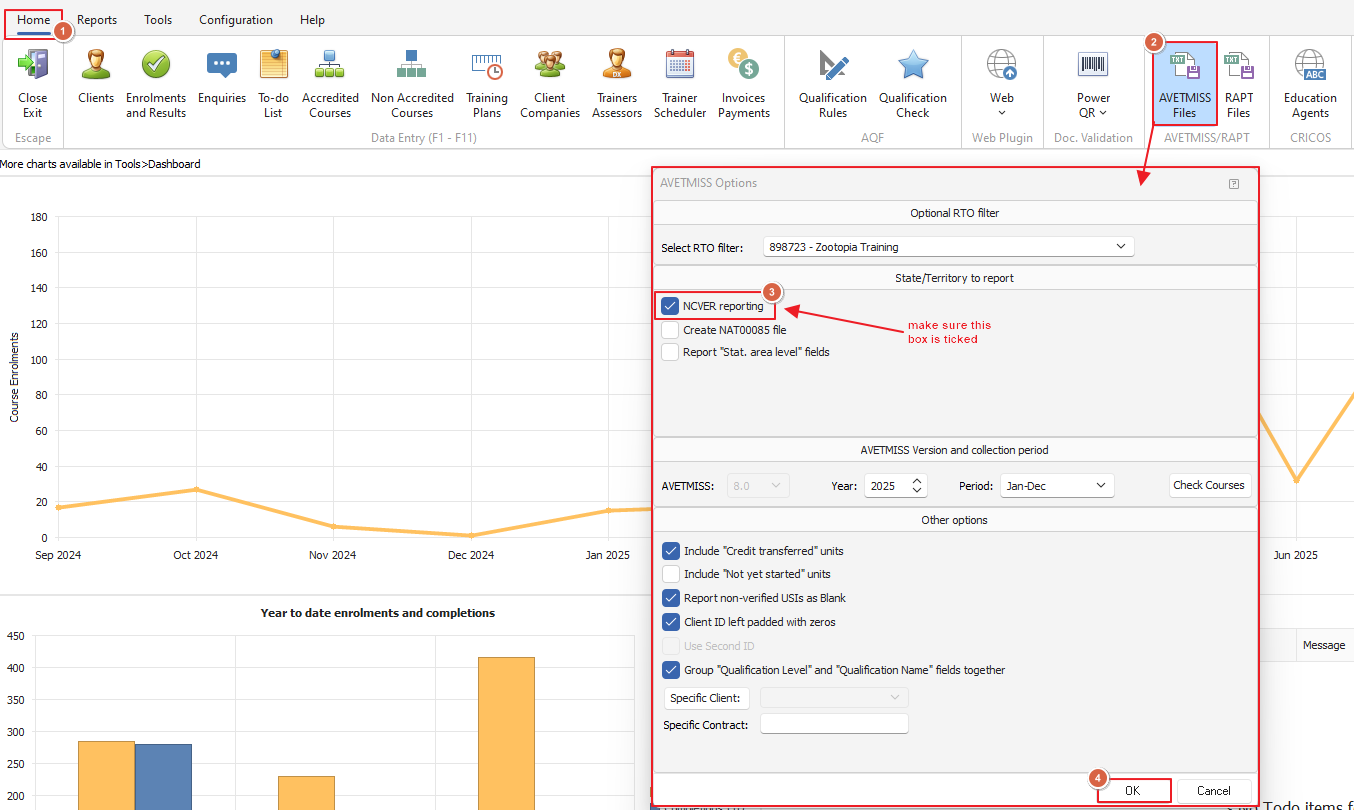
To check your AVETMSS reporting options from the Home menu click the AVETMSS Files button as shown in the screenshot further below
This will open a new window called AVETMSS Options - tick the NCVER reporting box this is important because if this box is unticked it will only report the courses with the AVETMSS field set to 'New South Wales' as per the below example in the screenshot
When the NCVER reporting checkbox is ticked then all courses would be reported regardless of the flag e.g. NSW/NAT/WA etc