

If you have a student or students who commenced a course in a previous contract year (such as with CSQ funding years) with units completed in different contract years you will need to make changes for your AVETMISS reporting to be completed as these contract years have different funding contract codes for each unit.
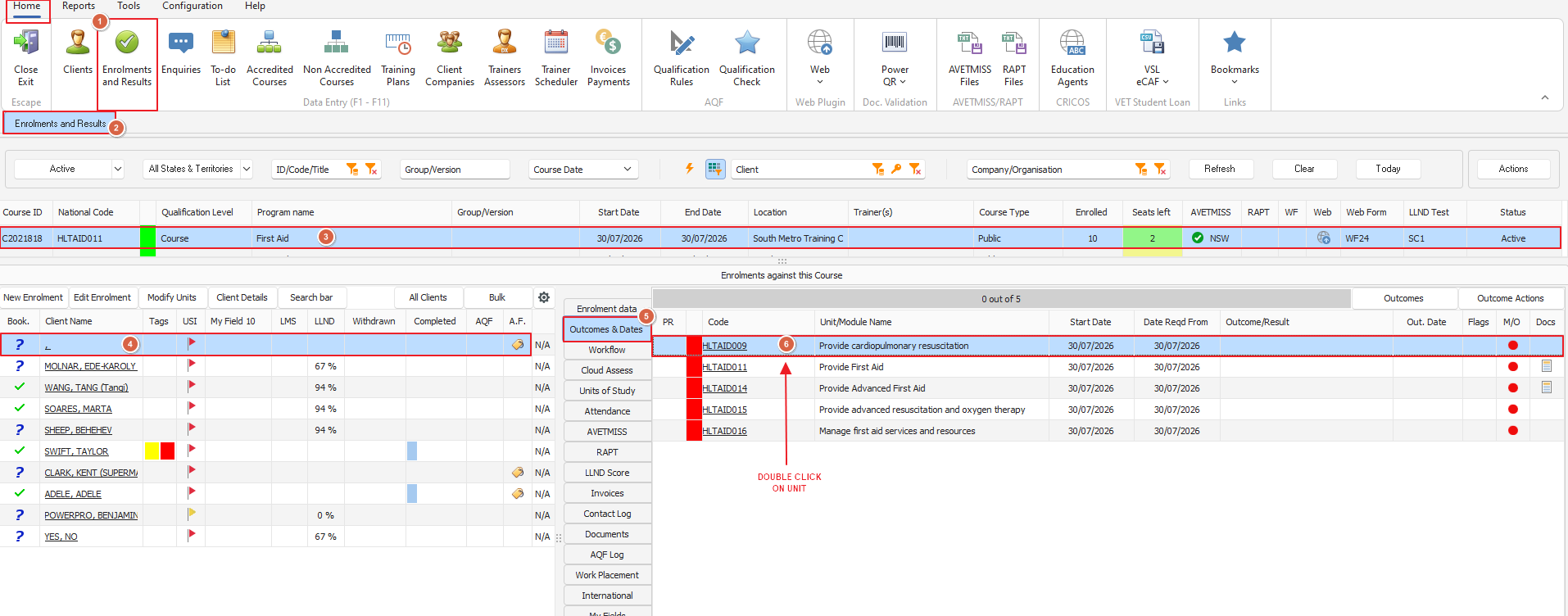
To do this from the Home menu of PowerPro go to Enrolments and Results > Select your course > Select your student > go to Outcomes and Dates for that student and double click on the unit that requires alteration. See below screenshot for further guidance
Once you've doubled clicked on the unit that requires change the Unit/Module Client Outcome window will open. In the bottom right hand corner (see screenshot below for clarity) you will see the AVETMISS Enrolment field overrides section. Here is where you will want to add in the new code for the year the unit was completed. Make sure you hit Save once done!
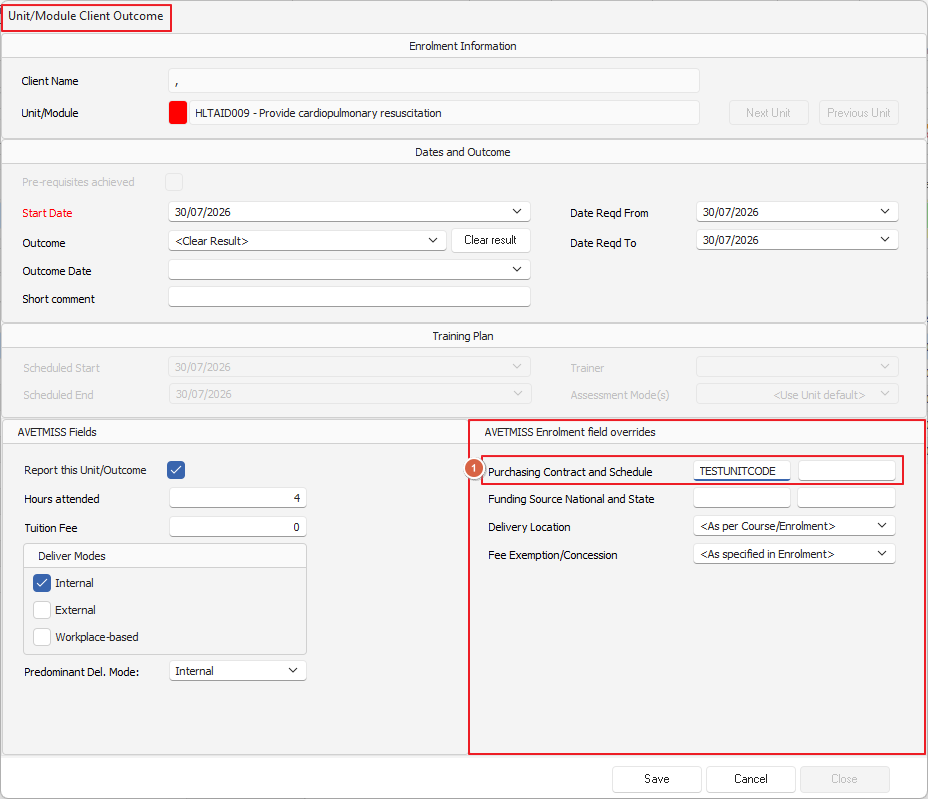
We recommend completing the override for a particular student first and then running the AVETMISS export only for that student and inspect the NAT00120 data in the PowerPro AVETMISS data preview to ensure it is generating the right codes before doing multiple students.