The user choice contract number should be entered in the AVETMISS section of the course details window as per image below
The contract schedule should be entered as well
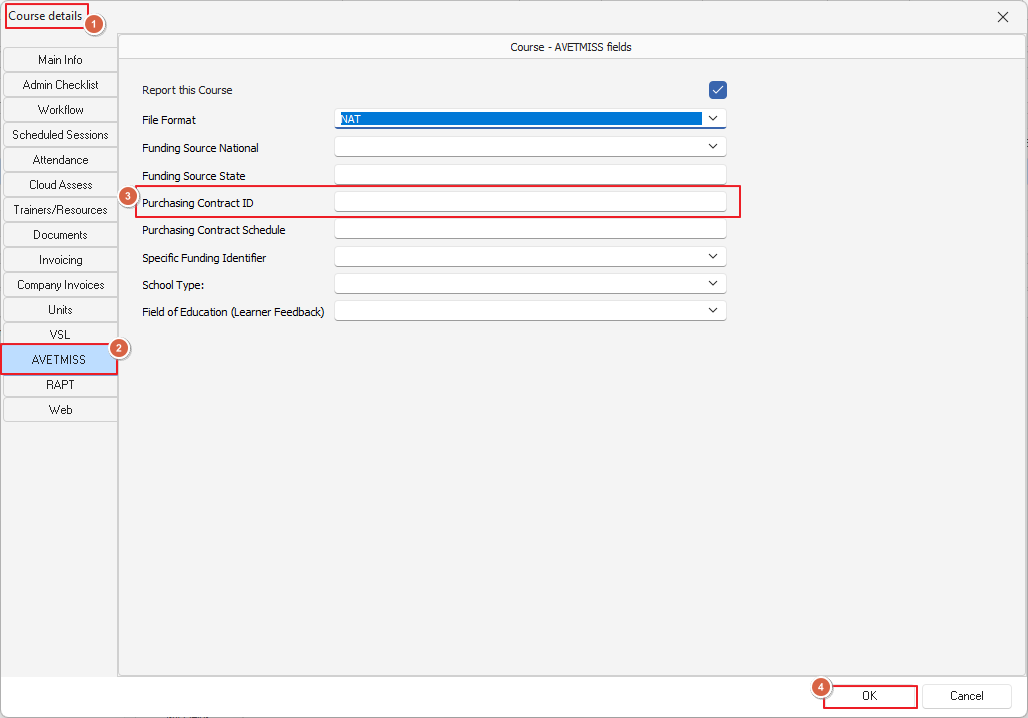
IMPORTANT NOTE: This contract number will apply to all clients (students) in that course
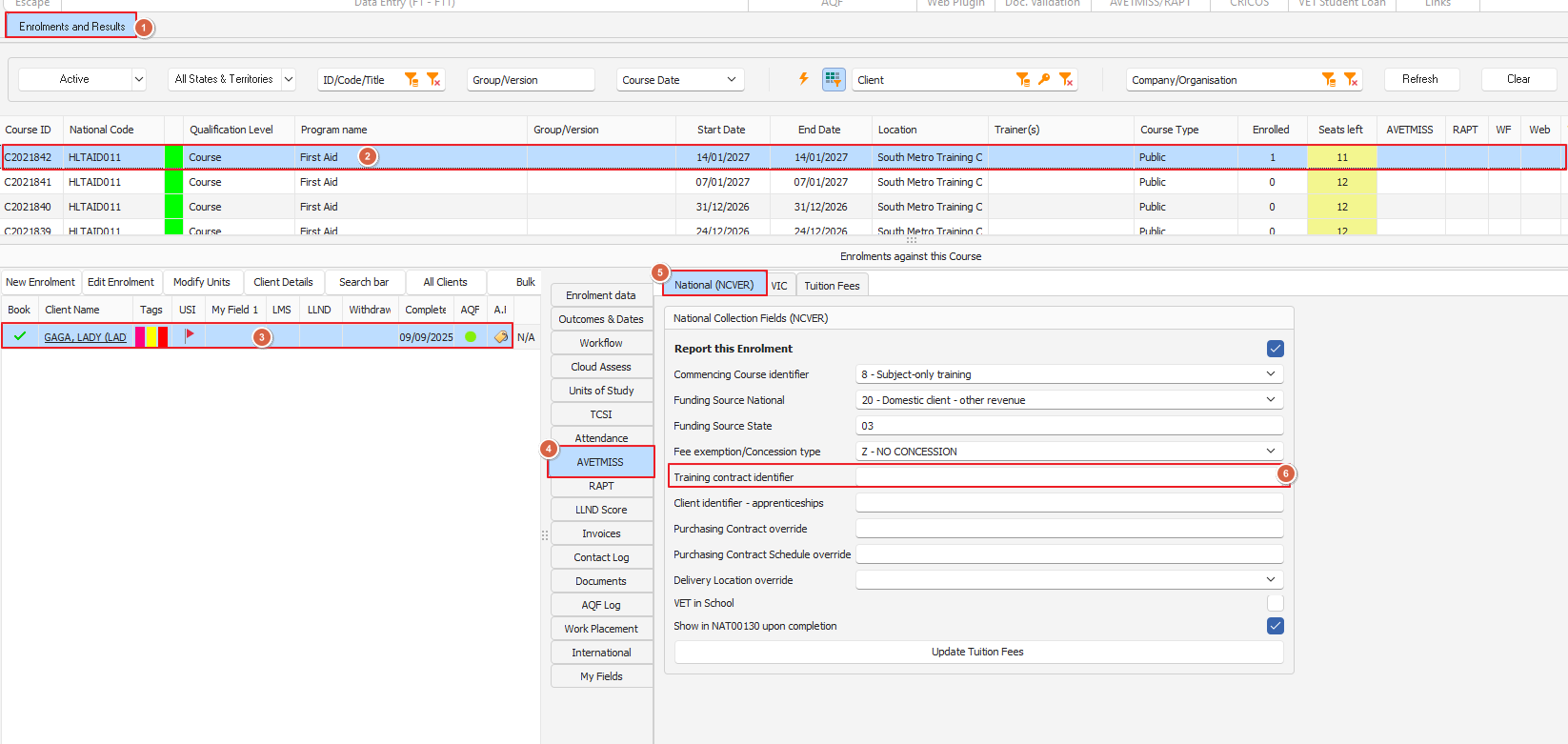
Along with the contract number you might need to record the Registration Number (which is sourced from a DetConnect spreadsheet, if using DetConnect)
The Registration number is to be recorded in the Enrolment>AVETMISS>Training Contract Identifier field see below: