
Logo

Find step-by-step guides, troubleshooting tips, and feature explainers to get the most out of our platform.

How can I control which courses to report to AVETMISS?

Compliance (inc. AVETMISS, RAPT, CRICOS, VSL)

How can I control which courses to report to AVETMISS?

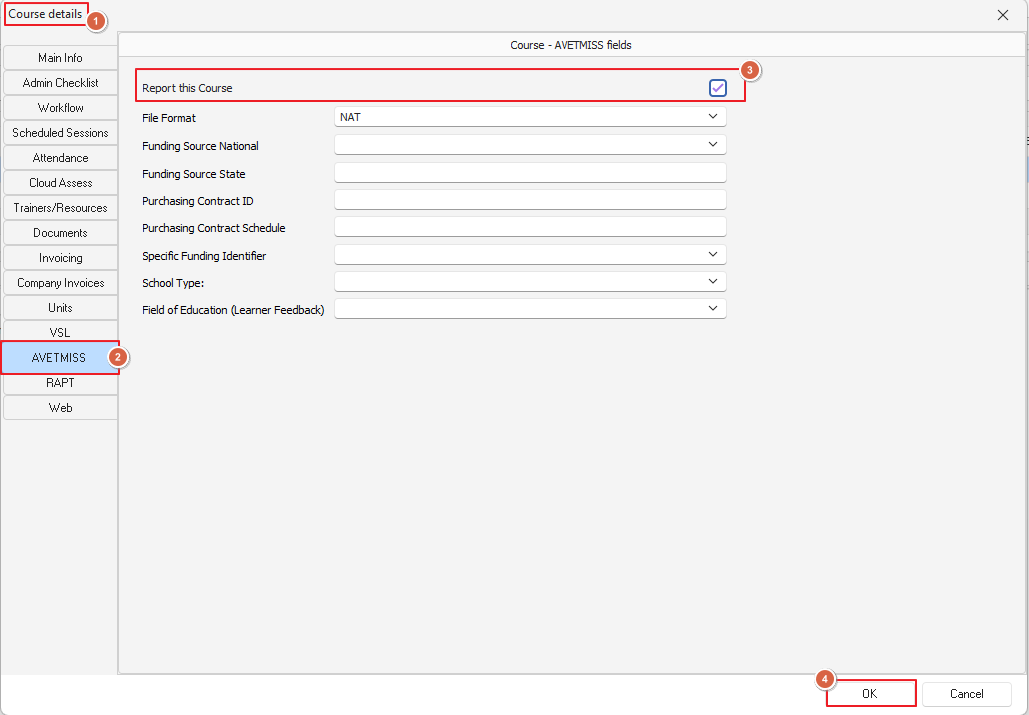
'Course details > AVETMISS > Report this Course

Last updated on 11 Sept, 2025

Use the "Report this Course" option found in the AVETMISS tab of the course details window as per image below:
Image


This works like a master switch if it is not checked then that course is not reported at all
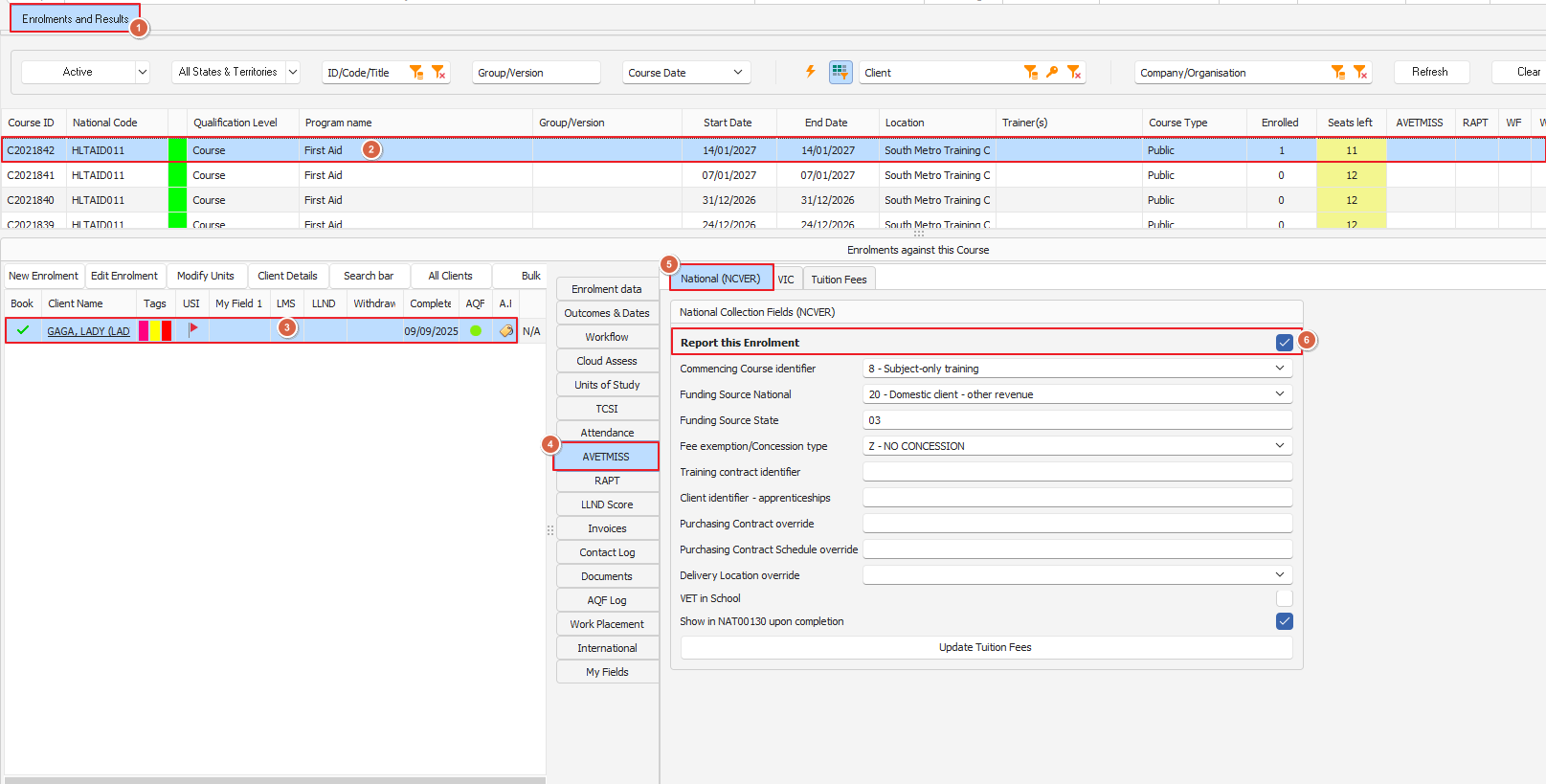
If that option is checked (meaning this course is to be reported) then you can specify whether or not to report each enrolment:
Image


Did you find this article helpful?
Previous

Which CRICOS fields/functions are available in PowerPro?

Next