

The values entered in these fields must correlate with the 'Purchasing Contract Identifier' as supplied by Queensland DET
There will be situations where a contract may expire and new one commence during a course
If this is the case, the course will need to be updated to reflect the new contract to prevent errors when reporting
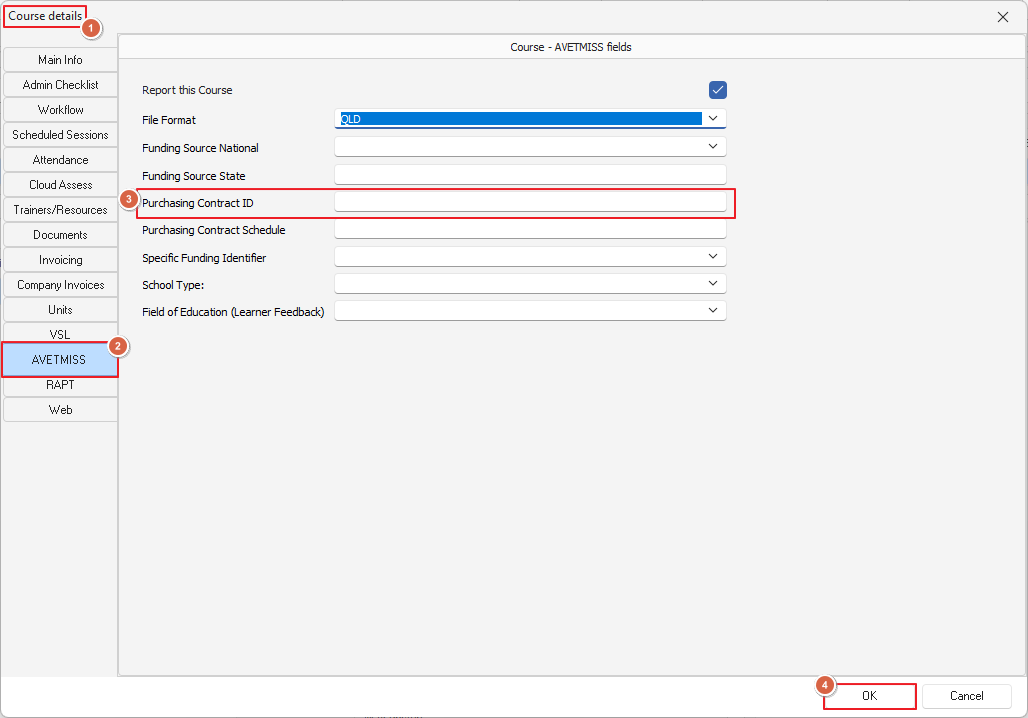
To set a new Contract Id, find the affected course under the Enrolments and Results tab, then click on the AVETMSS tab and fill in the required field:
Things to Consider: Ensure that all data entry has been completed for units and/or courses under the old Contract Id before entering the new Contract Id
Any data not updated will need to be amended manually after the new Contract Id is set