
Logo

Find step-by-step guides, troubleshooting tips, and feature explainers to get the most out of our platform.

How should I populate the Commitment ID field for Smart & Skilled NSW AVETMISS reporting?

Compliance (inc. AVETMISS, RAPT, CRICOS, VSL)

How should I populate the Commitment ID field for Smart & Skilled NSW AVETMISS reporting?

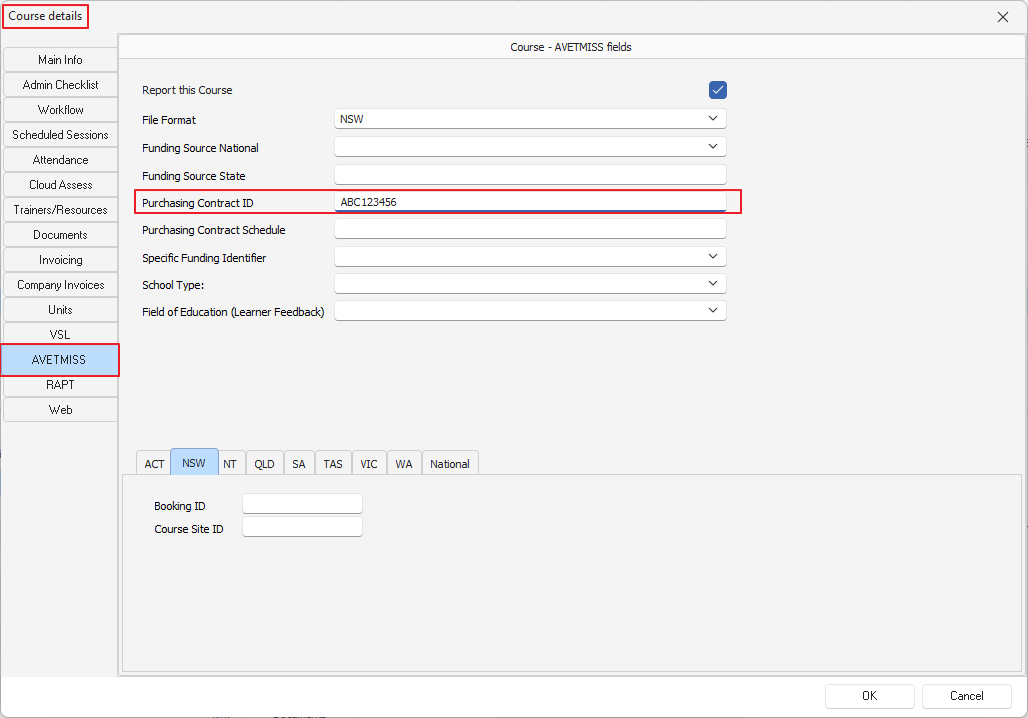
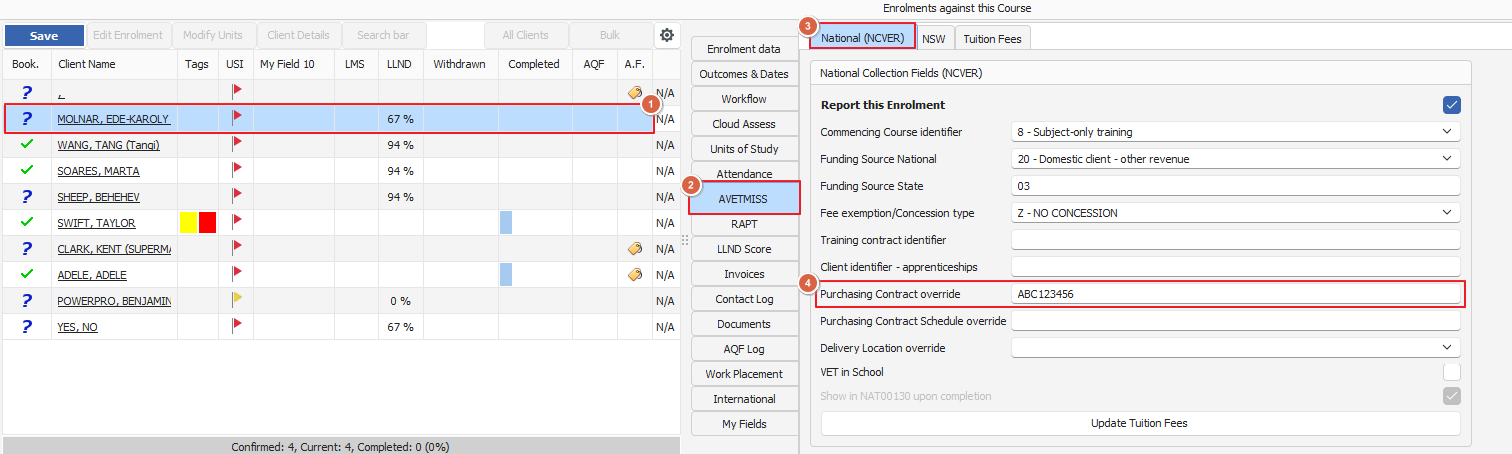
Course details > AVETMISS > Purchasing Contract or Enrolment > AVETMISS>Purchasing Contract

Last updated on 05 Sept, 2025

NSW Smart & Skilled reporting uses the "Purchasing Contract ID" AVETMISS field for this purpose
To populate the Commitment ID in PowerPro please do as follows

If the Commitment ID is the same for every client/student in the course then follow these steps and enter the Commitment ID in the Course > AVETMISS > Purchasing Contract ID as below: 
Image

If the Commitment ID is not the same for every client/student in the course then enter the Commitment ID in the Enrolment > AVETMISS > Purchasing Contract override as follows:
Image
Did you find this article helpful?
Previous

Setting a New Contract Id

Next