

Information about Smart and Skilled fees & subsidies can be found here
This link below lists all those “special” SaS skillsets and which units they comprise of
PowerPro Settings:
A Qualification Rule is needed, even for skill sets
For local skill sets use “Locally recognised skill set (code 16) and choose the appropriate ANZSCO and Field of Education
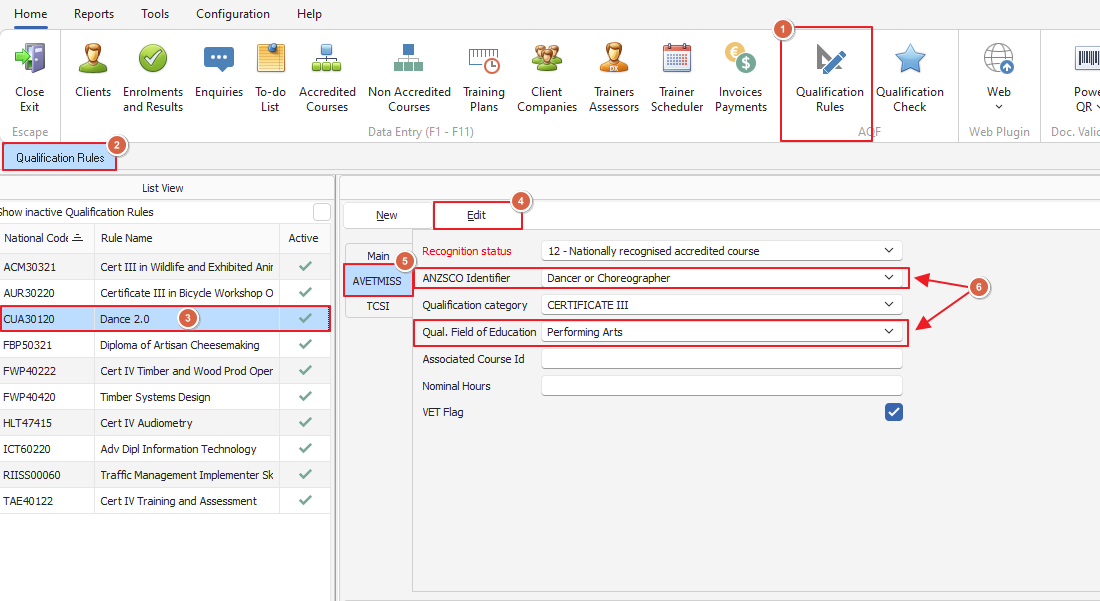
Course Settings:
AVETMISS format = NSW
Full qualification = Yes
Enrolment Settings:
Commencing course identifier = 3
National funding source = 15
State funding source = can be left blank
Purchase Contract Override = Commitment ID its a unique number belonging to the student and has a “C” in it