Unit hours are not relevant for NCVER reporting however this field can be relevant if your RTO delivers Government funded training
PowerPro has a data file containing the nationally agreed nominal hours for each unit of competency
This is usually a good start however in certain states/territories the RTO may need to adjust unit hours manually to ensure error free funding claims
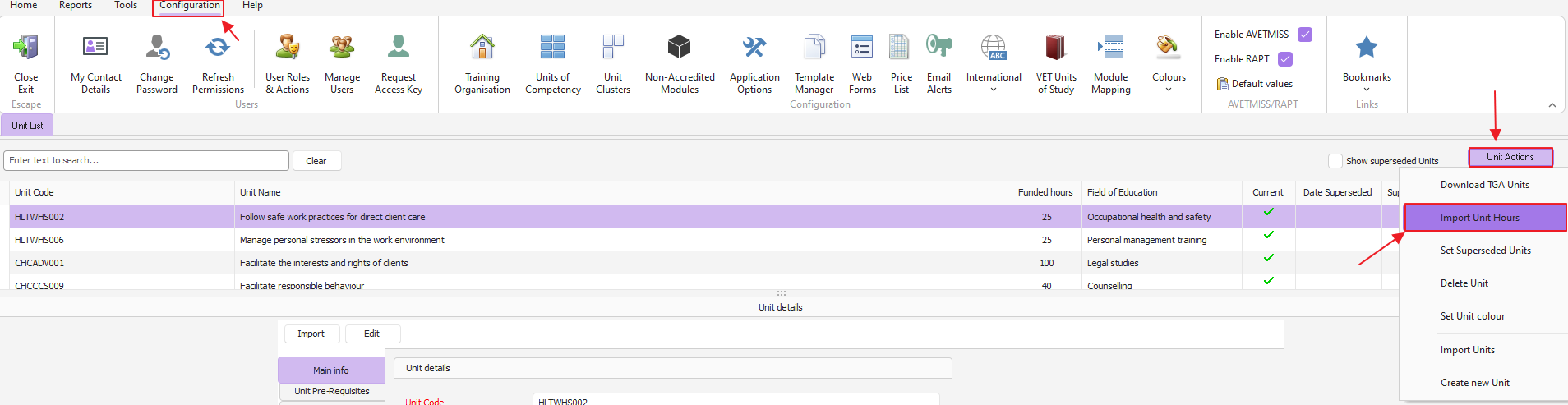
To import the nationally agreed nominal hours please do steps as per below image:
Open the configuration> units of competency window
Click on the unit actions drop-down button
Select import unit hours
A new window comes up, press OK to proceed
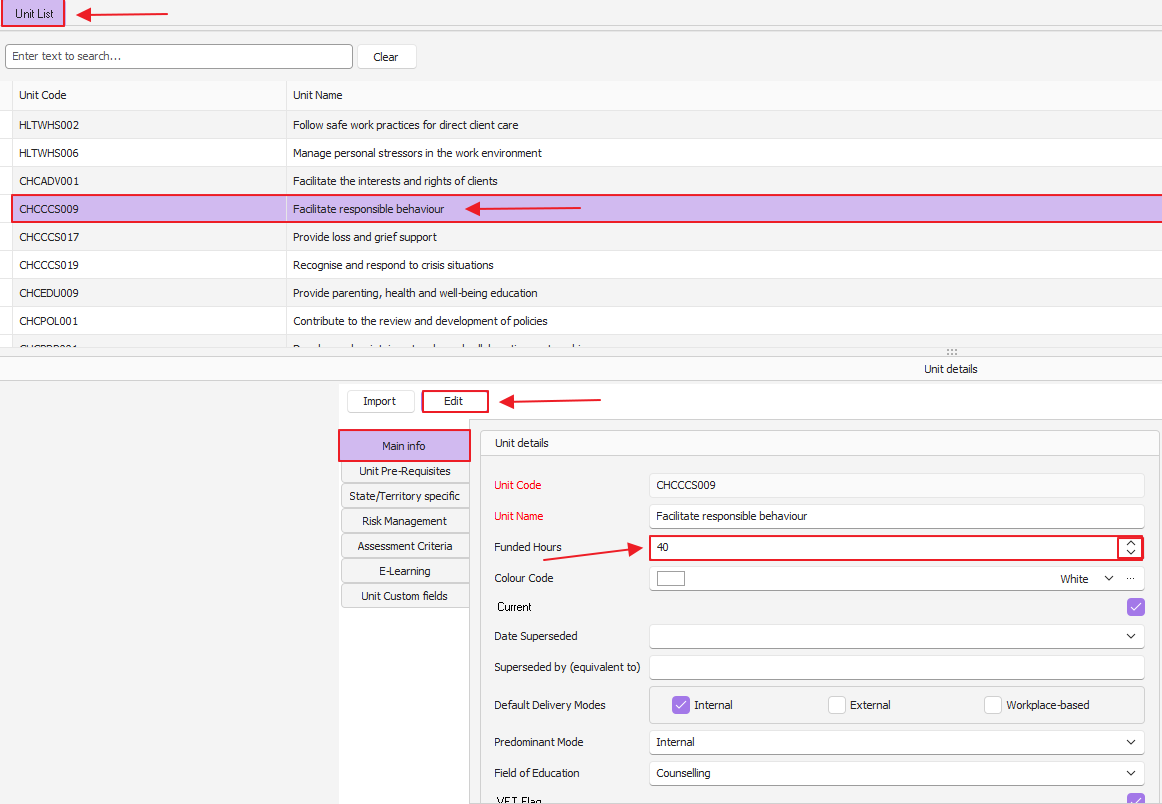
To manually adjust the unit funded hours please do steps as per below image:
Open the configuration> units of competency window
Find the relevant unit the list
Press the Edit button
Adjust the funded hours field
Press Save to apply