
Logo

Find step-by-step guides, troubleshooting tips, and feature explainers to get the most out of our platform.

How can I ensure PowerPro has my RTO contact details?

Other

How can I ensure PowerPro has my RTO contact details?

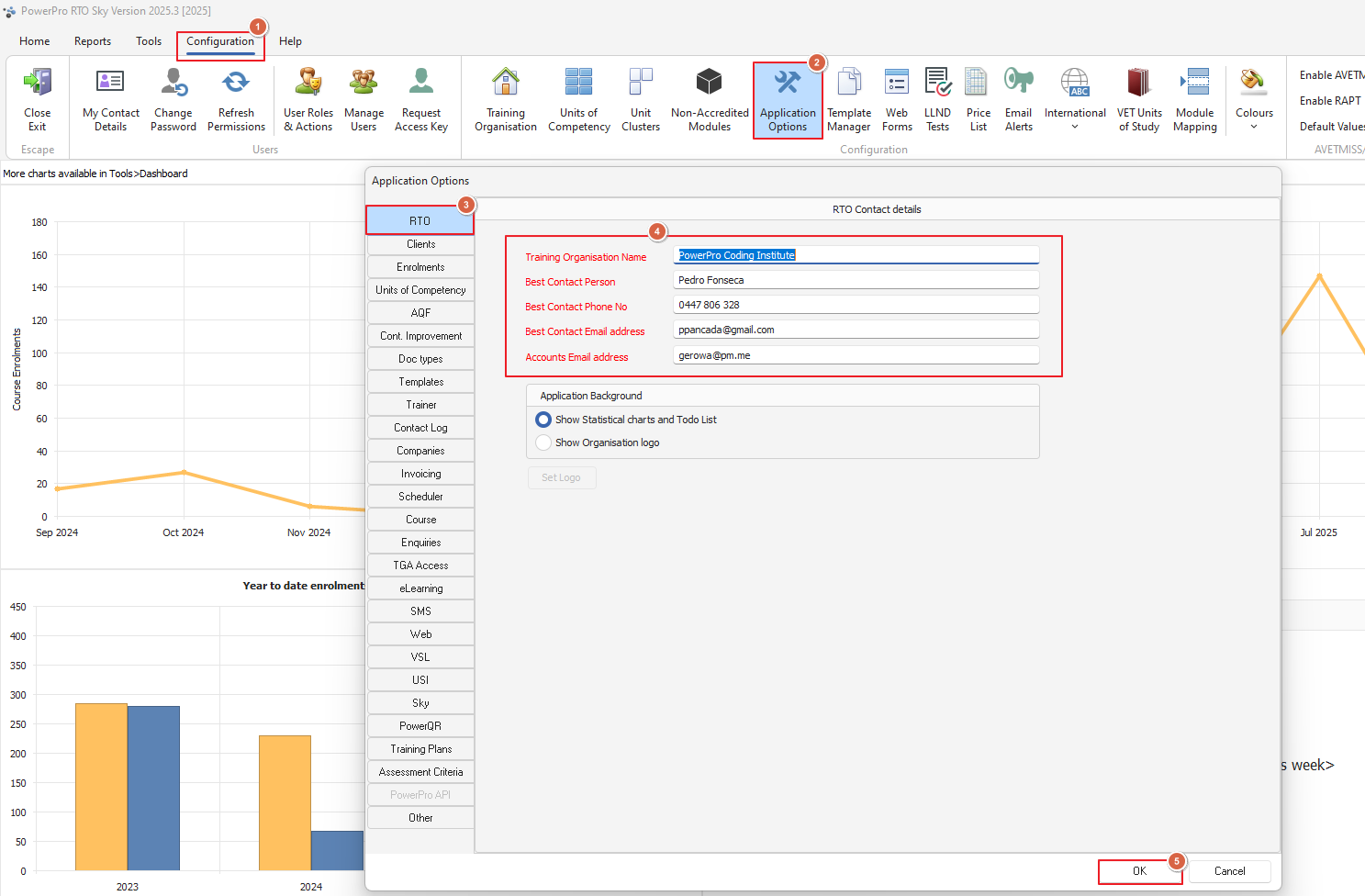
Use Application Options > RTO to update the RTO contact details

Last updated on 09 Sept, 2025

Every 45 days upon login PowerPro prompts for a confirmation/update on the RTO contact details
Should you need to update these ad-hoc, please use Configuration > Application options > RTO as per image below:
 

Image


These details are important to keep current in the event the PowerPro team needs to contact you


Did you find this article helpful?
Previous

Can I Bulk Email Company Clients in PowerPro

Next