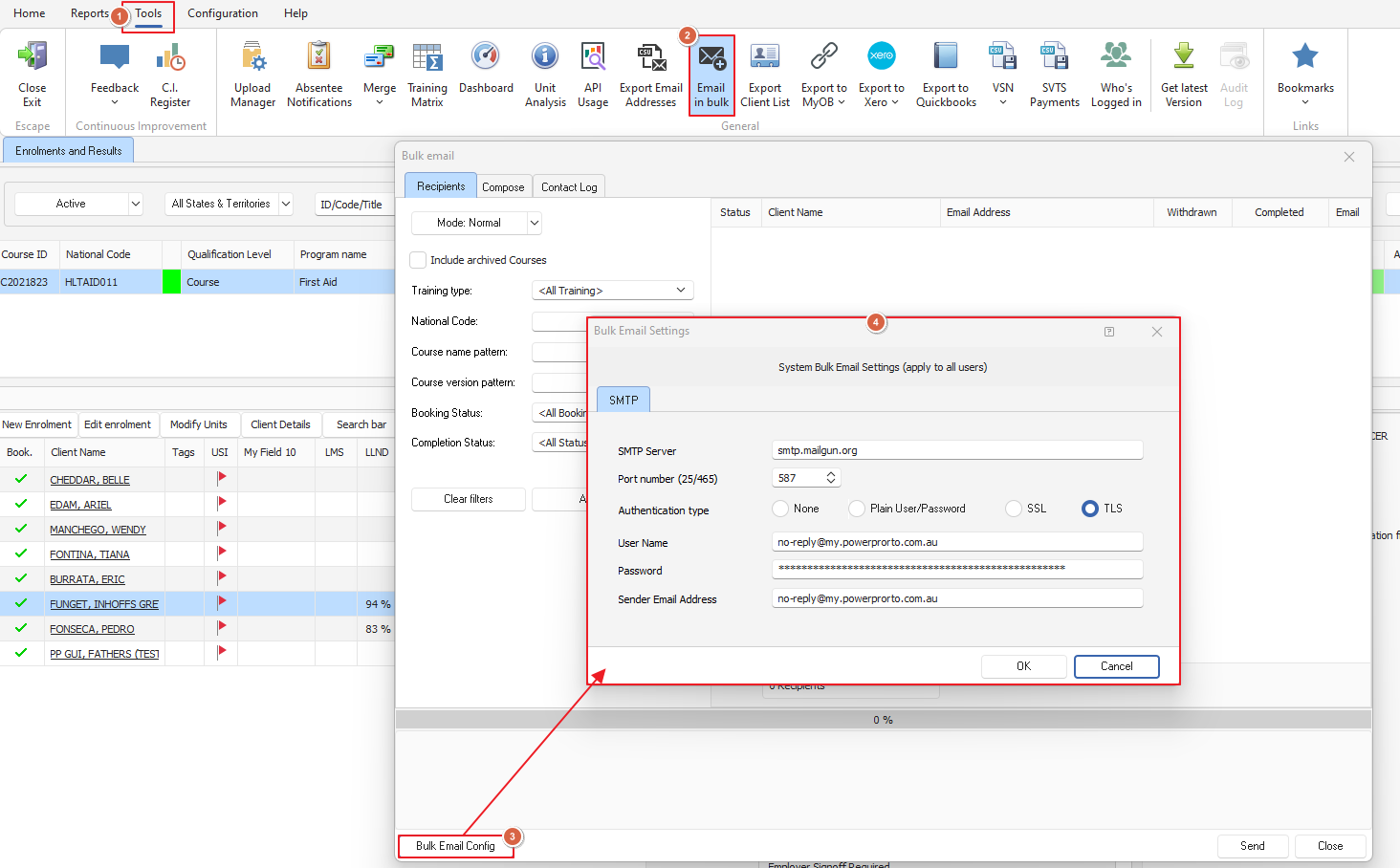
PowerPro doesn't have a bulk client button built-in, however we can still gather all of the company emails that we need and export it as a csv file so we can use a bulk emailing platform for sending those client emails in bulk
To get the CSV file for our company clients, from PowerPro head to Tools > Export Email Addresses > Check the Companies/Organisations box
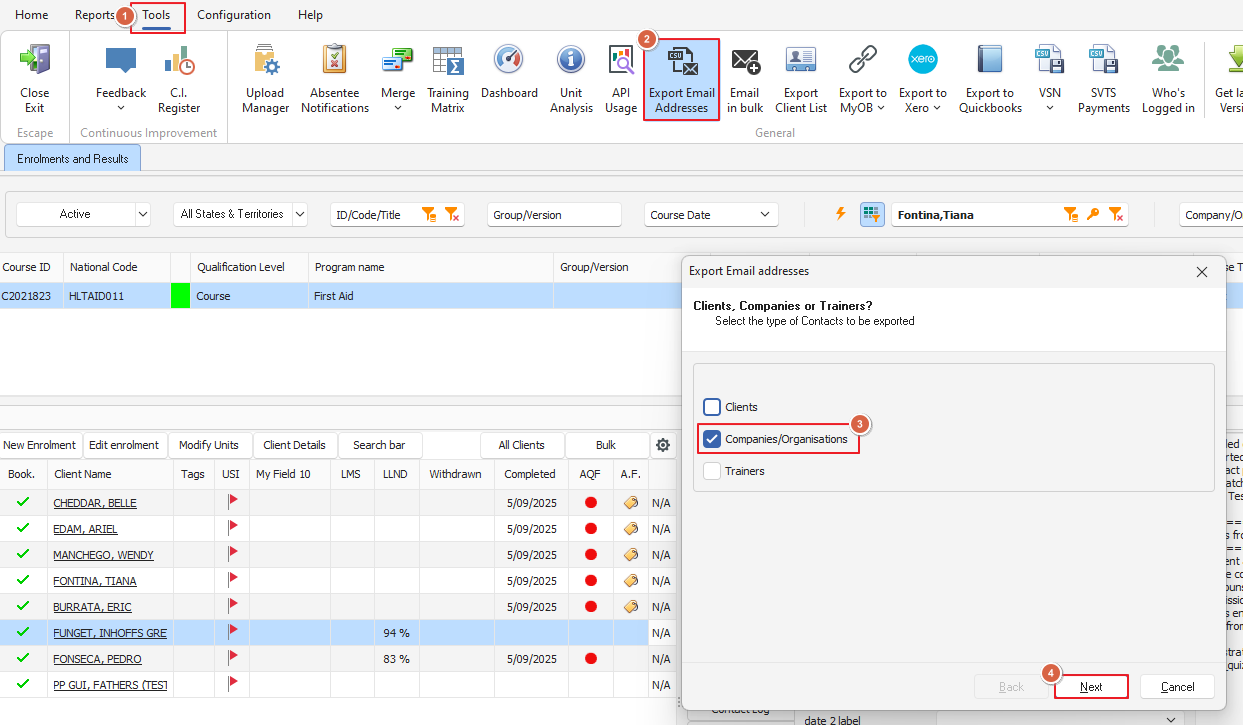
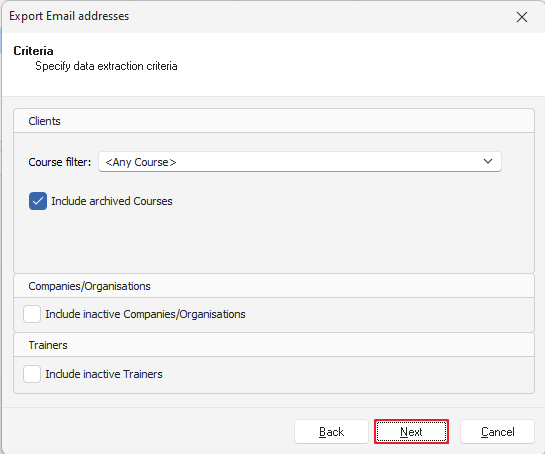
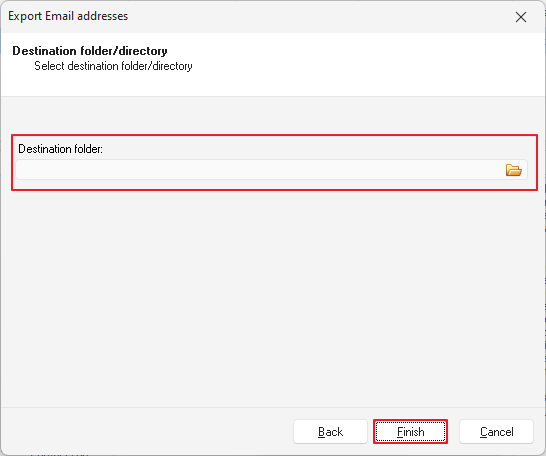
Click on the Next button, check the Include inactive Companies/Organisations checkbox if you wish to include those, then click on Next to determine the Destination folder for the file and then click on Finish to generate the file
You can then use those email addresses to send an email via your regular email app
The next step requires some help from your IT department
As far as what you need to ask of your IT Team, you will need the SMTP settings to allow you to send bulk emails to clients
The information you will need is as follows:
SMTP server name
Port number - most likely 587
User Name
Password
Sender Email Address