IMPORTANT NOTE: SMTP setup for emails in PowerPro is required for this feature, find out more on configuring this here
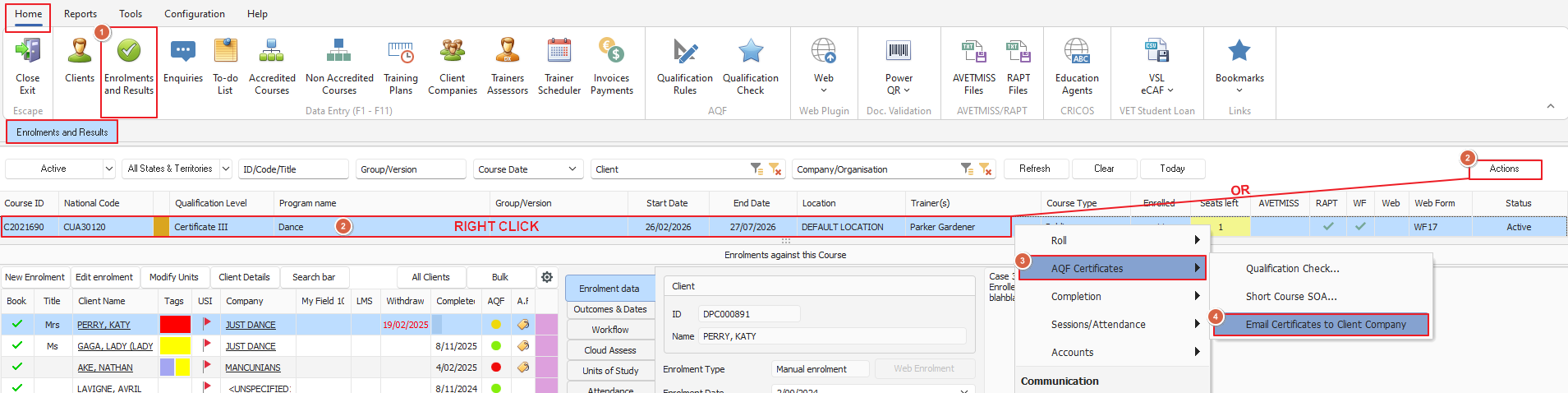
From the 'Enrolments and Results' screen highlight the desired course, then either click the 'Actions' button (top right side) or right click on the course itself to get the 'AQF Certificates' menu option
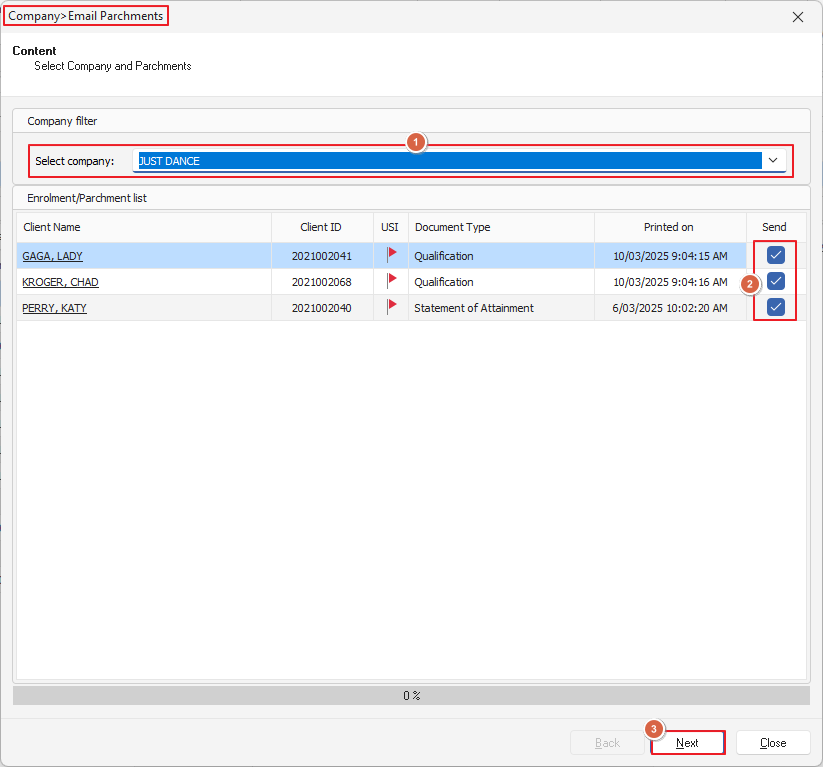
From here the 'Company>Email Parchments' window will open from here you can use the drop down to select the 'Company' you're sending the certificates to and also which students - once done click 'Next' for the next steps
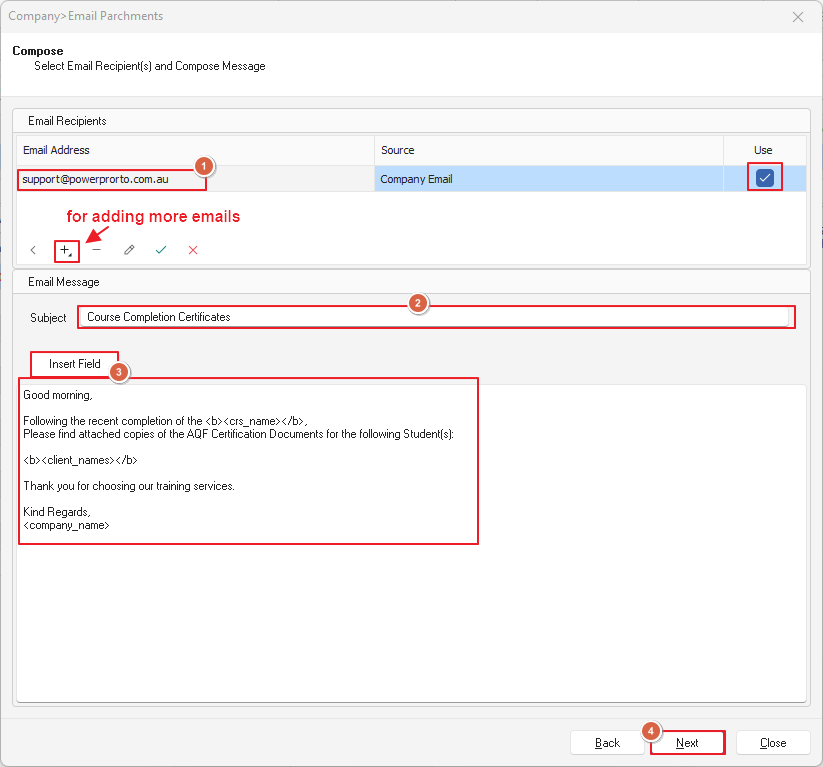
Now we can set about picking the email recipient/s and composing the email message
If you haven't already got an email address in the Company details you can type one in or add more
The 'Insert Field' button will allow you to add in fields that will pull the required info from the course in PowerPro (neat huh?) to save some typing
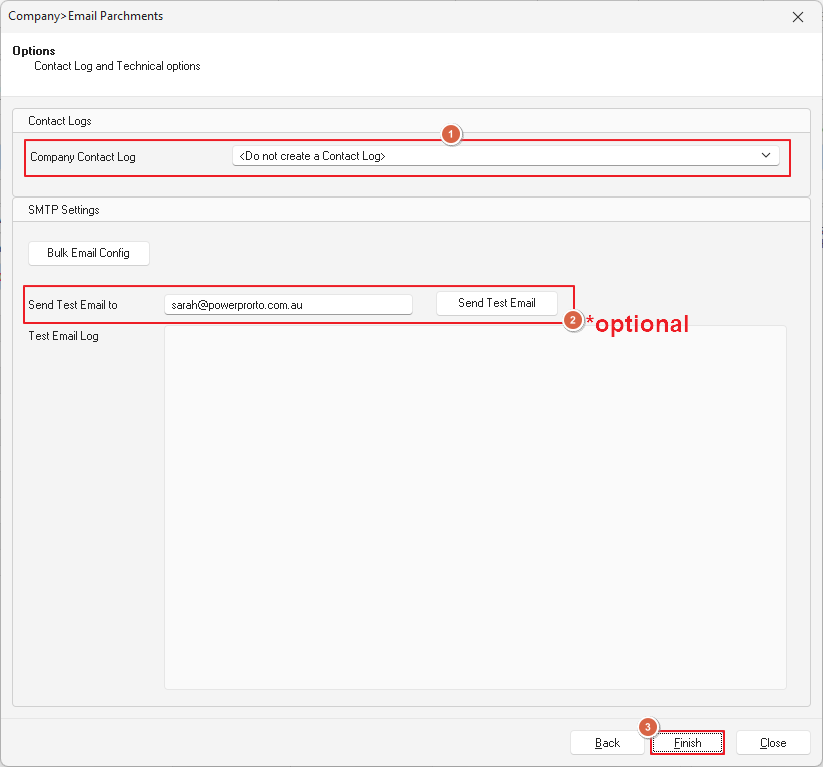
Okay final steps: Decide if you want to create contact logs (we recommend you do!) and optionally you can send yourself a test email to check how everything generates
Once that's done click 'Finished' and your email will be sent off to your chosen recipients