

With the 2025 update comes some changes to the search functions in Enrolments and Results
We'll go over how these work in this article
2025.3 offers two search options for this filter: Quick Search and Deep Search
The Quick Search, is the pre 2025 version of the client search function with the quick and simple client name dropdown:

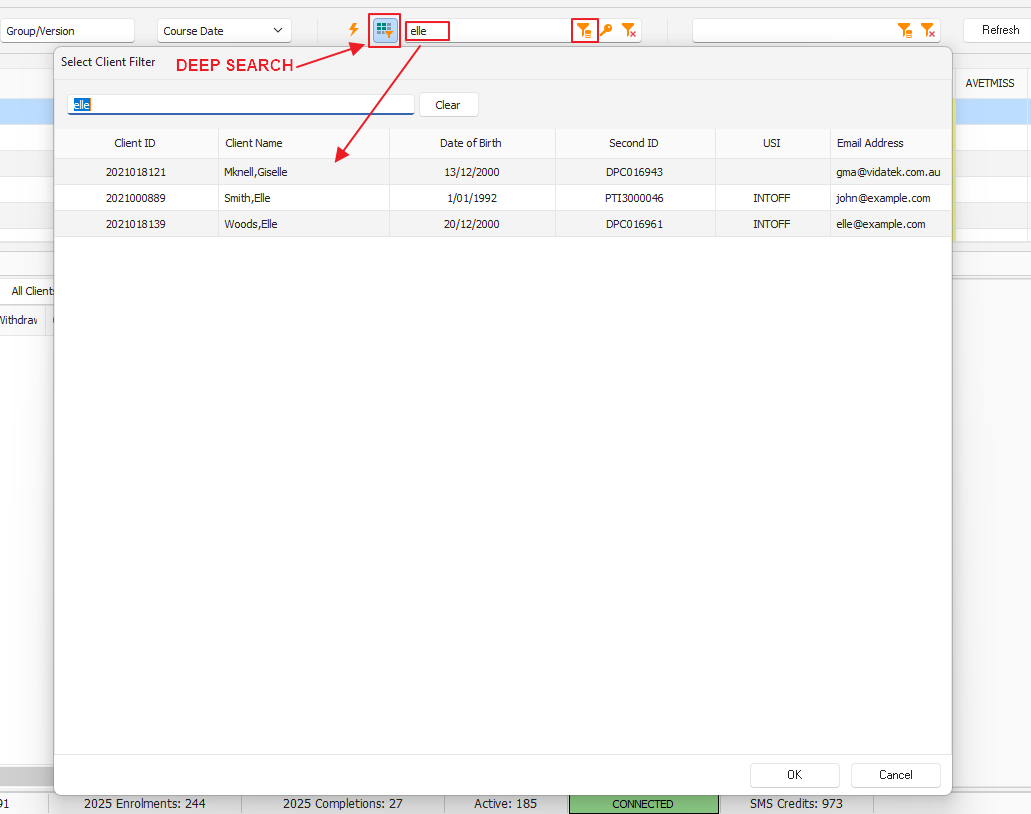
The Deep Search is the post 2025 version, offering the ability to pattern search on Client ID, Client Name, Date of Birth, Second ID, USI, and Email Address:
This is a “sticky” setting: whichever search mode you used last is the one used by default next time you open the Enrolments & Results window