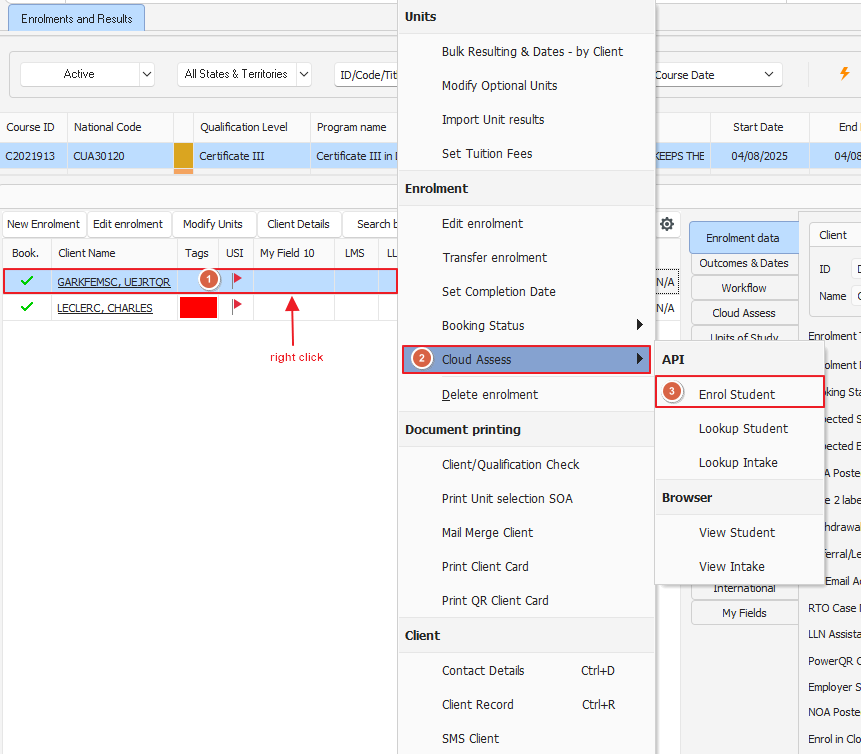
If you find yourself in the scenario where you may have to manually push a student across from PowerPro to Cloud Assess you may notice in some cases that the "Enrol Student" option in the menu is greyed out
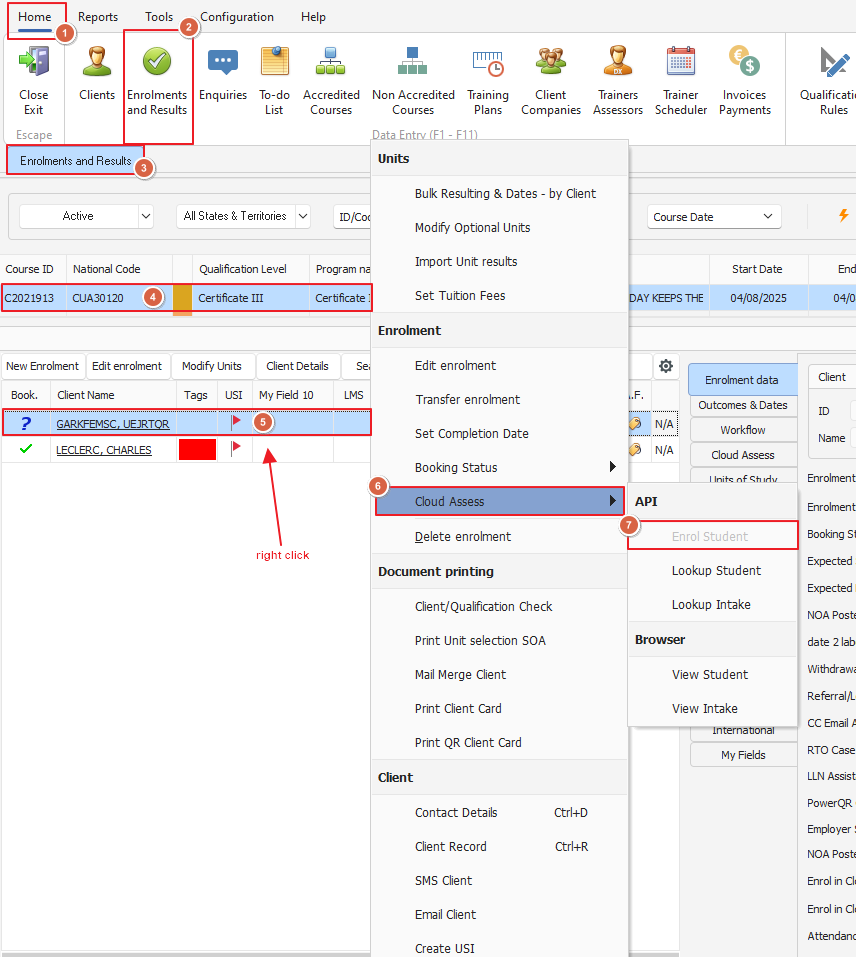
The most common occurrence of this is often caused by the student not being a "Confirmed" student within PowerPro. Part of the provisioning process for cloud assess requires the student to be a confirmed enrolment, if that criteria is not met - the software will not allow you to manually enrol your students.
From the same Right-click menu we see in the image above, you can change the booking status of the student to "Confirmed".
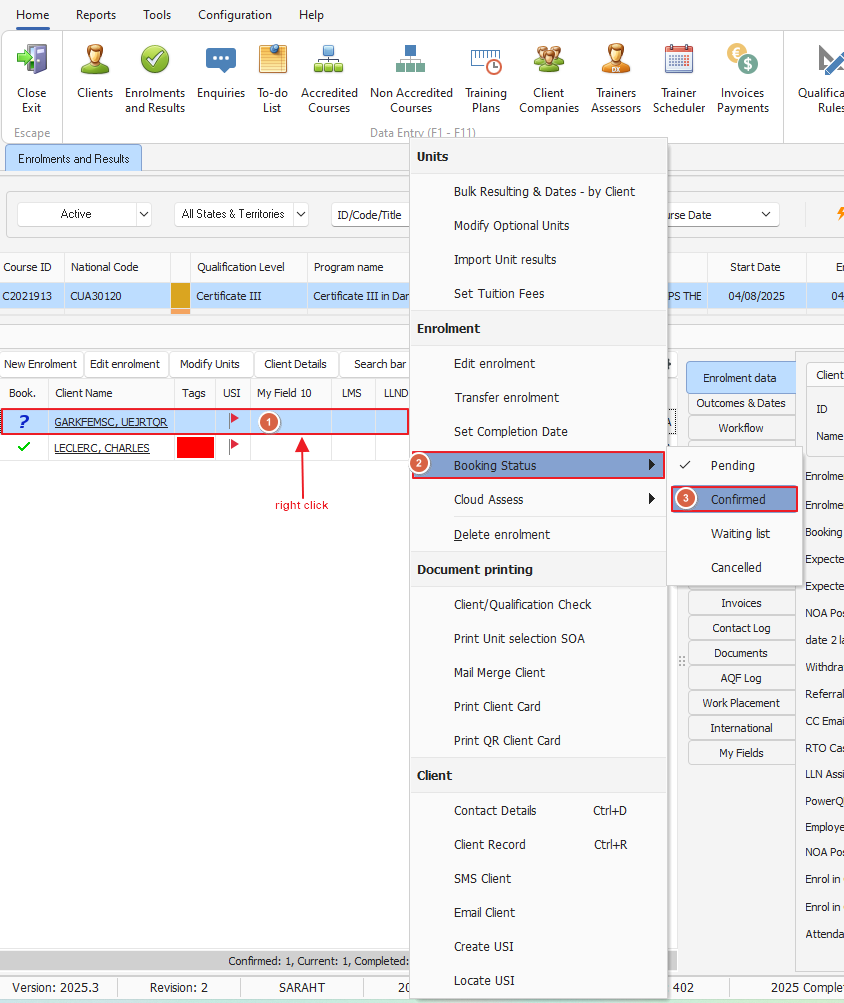
Now we are able to manually enrol our client!