

Perhaps a specific course or its enrolments are not complying with the Moodle integration provisioning criteria
Although the criteria can be customised for each RTO, we recommend checking the default integration provisioning criteria:
1 - The PowerPro course has the Export to Moodle option checked
2 - The PowerPro course has the Moodle Course short name field populated
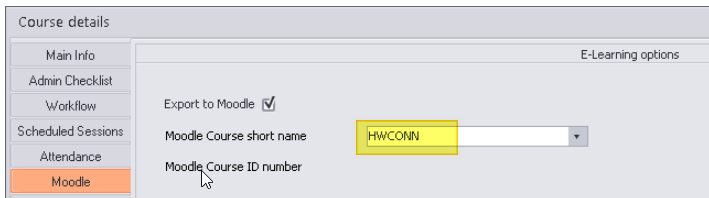
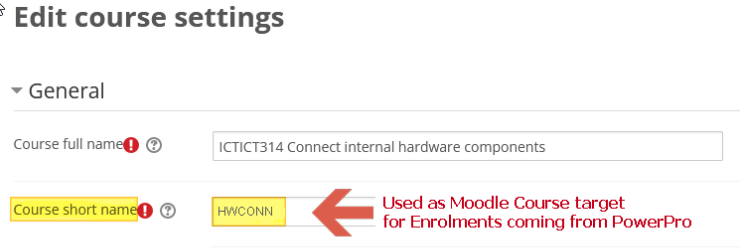
Matching the Moodle Course short name:
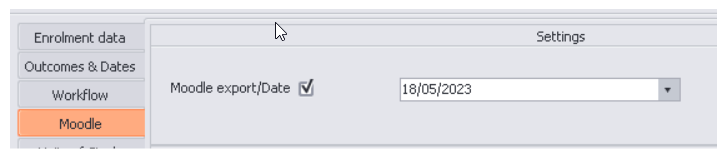
3 - The Enrolment "Moodle export" is checked and the Enrolment "Moodle export Date" is set - This means the Enrolment will be sent to Moodle on that day:
4 - The PowerPro Student has an email address assigned
5 - The PowerPro Enrolment does NOT have a Completed date
6 - The PowerPro Enrolment does NOT have a Withdrawn date
7 - At least one Unit in the PowerPro enrolment has a result different to "Not yet started"
8 - The PowerPro enrolment does not have an "Enrolment sent to Moodle" Contact Log yet