

The Victorian Registration and Qualifications Authority (VRQA) have recently* released Epsilon, which contains details of Victorian students apprenticeship and traineeship training contract details
Epsilon replaces their previous program called Delta
The Epsilon homepage can be found here
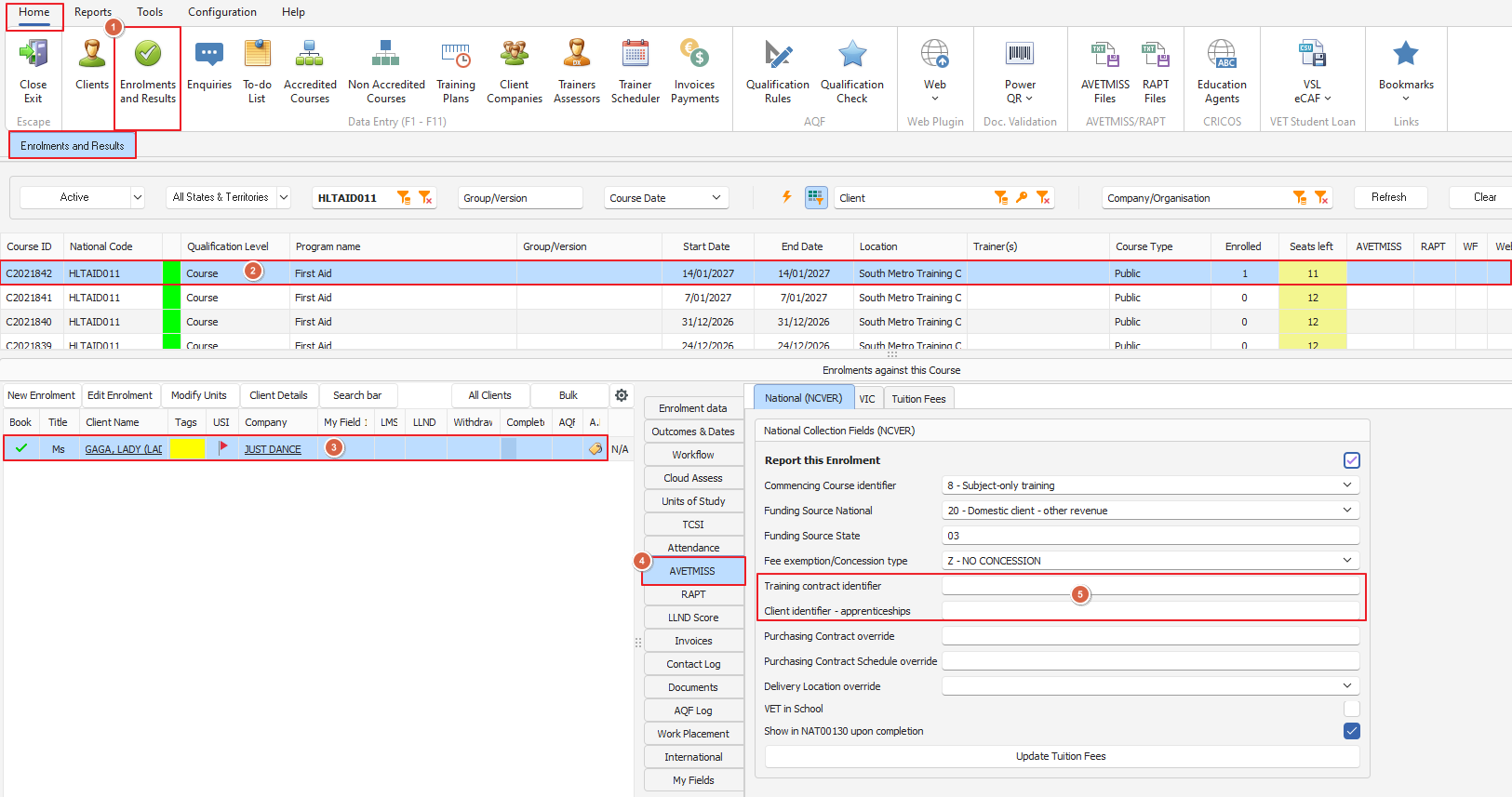
Details of a client's apprenticeship or traineeship should be included in the client's enrolment under the AVETMISS tab of the Enrolment and Results screen
The client's Training Contract Details should be entered in the Training Contract Identifier field and the Apprenticeship or Traineeship Number should be entered in the Client Identifier - apprenticeships field as shown below
* as of March 2024