

Names, names and names
When verifying or locating a client USI, PowerPro aligns the client name fields to match the name fields structure used by the USI system
Occasionally you will find this alignment does not work 100% resulting in a failed USI verification or locate operation
The next sections cover the most common issues related to name fields misalignment between PowerPro and the USI system
Mononymous Students:
Mononymous names are names made of a single word
Students (or clients as per AVETMISS specification) with a single name must be entered in PowerPro as follows:
Enter the single name in the surname field leaving the given names blank, as per image below:
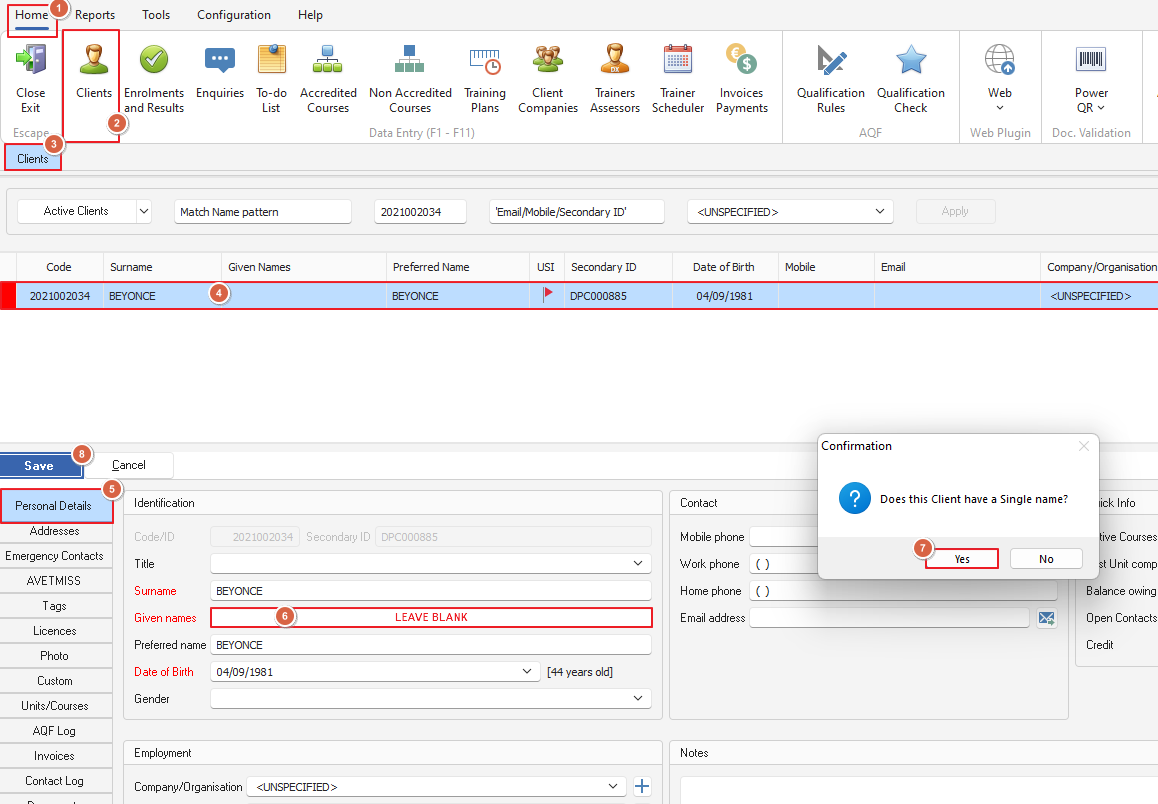
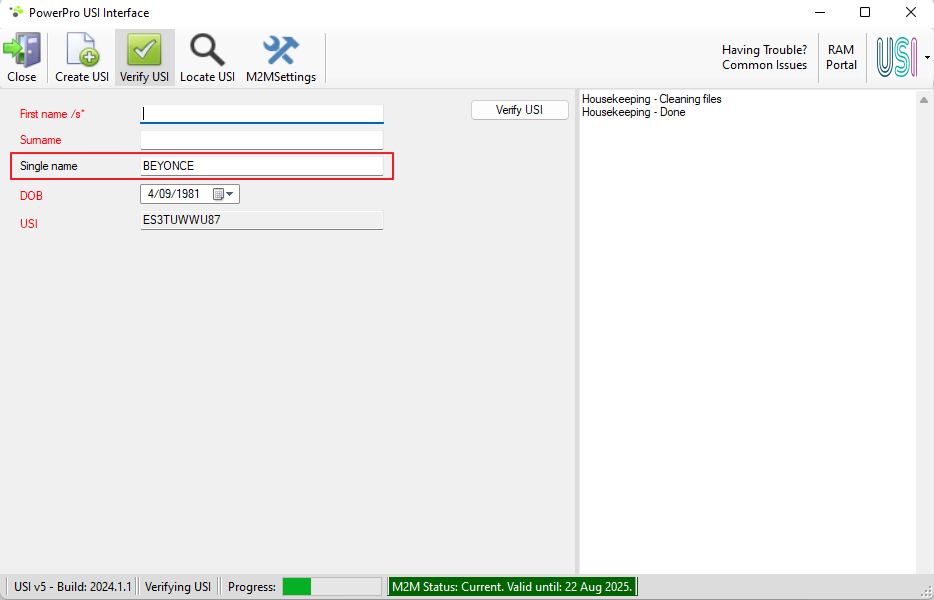
Having the given names field empty will force PowerPro to use the surname as the single name when validating and locating the USI:
Students with long names:
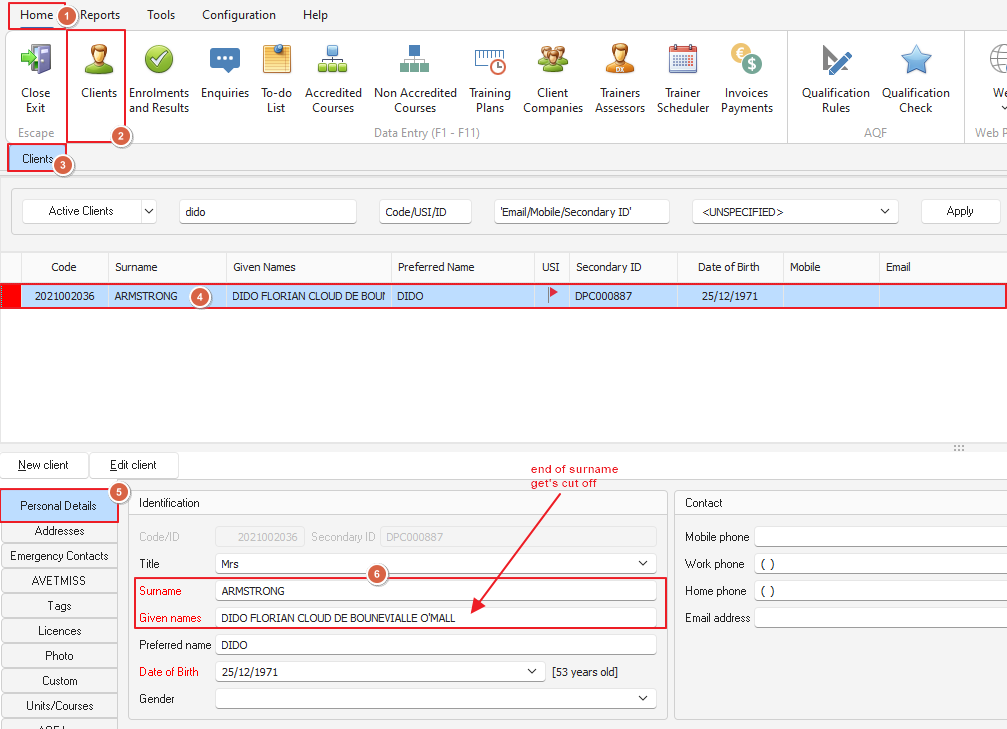
Should the client surname or given names not fit in the PowerPro fields, enter an abbreviated version of the Student name in the PowerPro fields (Main tab) and use the "Surname Override" and "Given Names Override" (AVETMISS tab) to record the full names of the Student name. The image below illustrates this:
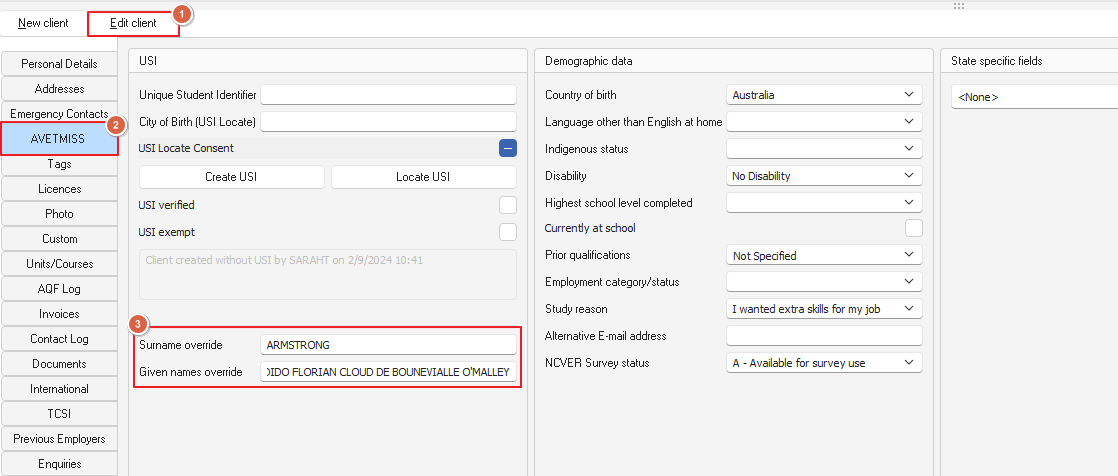
If the override fields are populated as per image above then PowerPro will use these fields when interfacing with the USI register to verify, locate or create a USI:
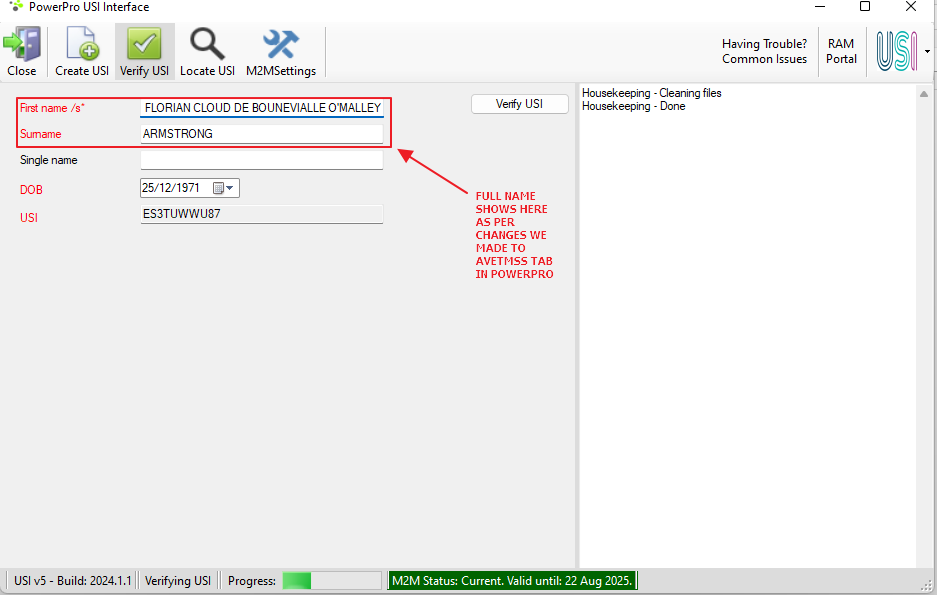
Note: The same applies when AVETMISS reporting and when issuing AQF documents: if the override name fields are populated they will be used instead of the default client (Main tab) name fields
Surname change:
Another relatively common issue is to have a student registered with the USI using a surname and in PowerPro using a different surname
This could be due to a change of marital status. In this instance, the USI validation will throw the following error:
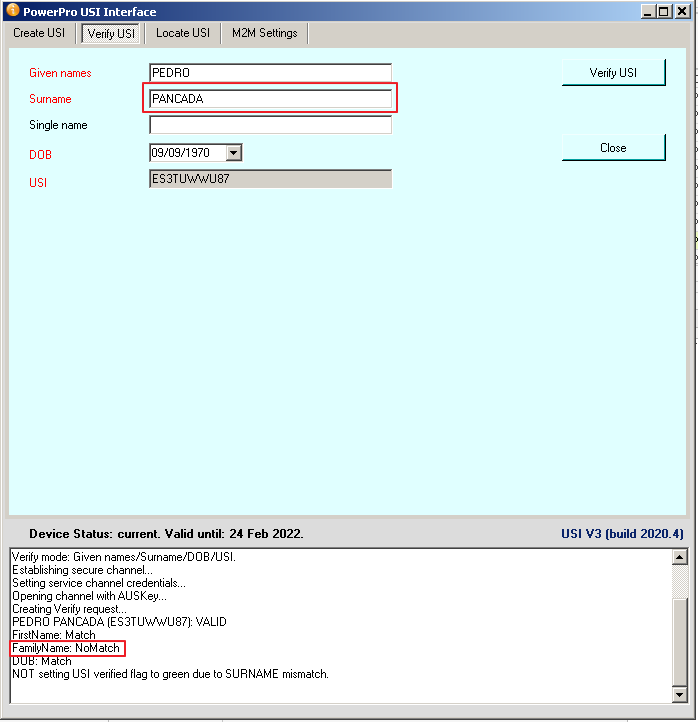
This example shows the client is recorded in PowePro as Pedro Pancada however his surname does not match what's on Pedro's USI records
Contacting the client revealed he registered in the USI system as Pedro Fonseca (as opposed to Pedro Pancada)
In this case, to validate the USI against Pedro Fonseca just update the Surname field in the PowerPro USI interface to "Fonseca" and the validation should work:
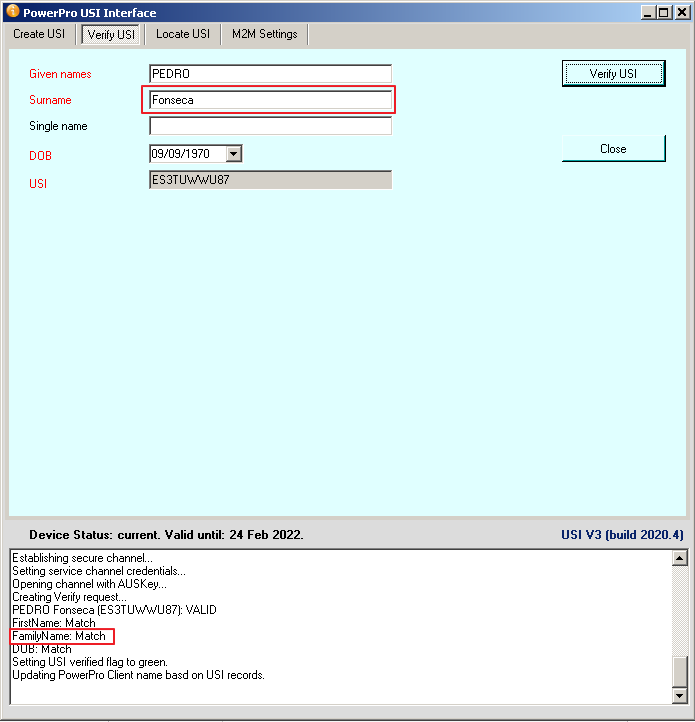
In this case, the RTO should update the client surname in PowerPro to match the one recorded (and verified) in the USI register