

This application process will only need to be done once for the RTO
Applying allows the RTO to use PowerPro to communicate securely with the USI department to validate, create and locate USIs for your students
For more information about registering with USI, go to the USI Registry page
To get started with the process, you will need to submit a "System Access Request" via a web form
The web form can be accessed here
When completing this online form, the third question must answered with one of the below highlighted options:
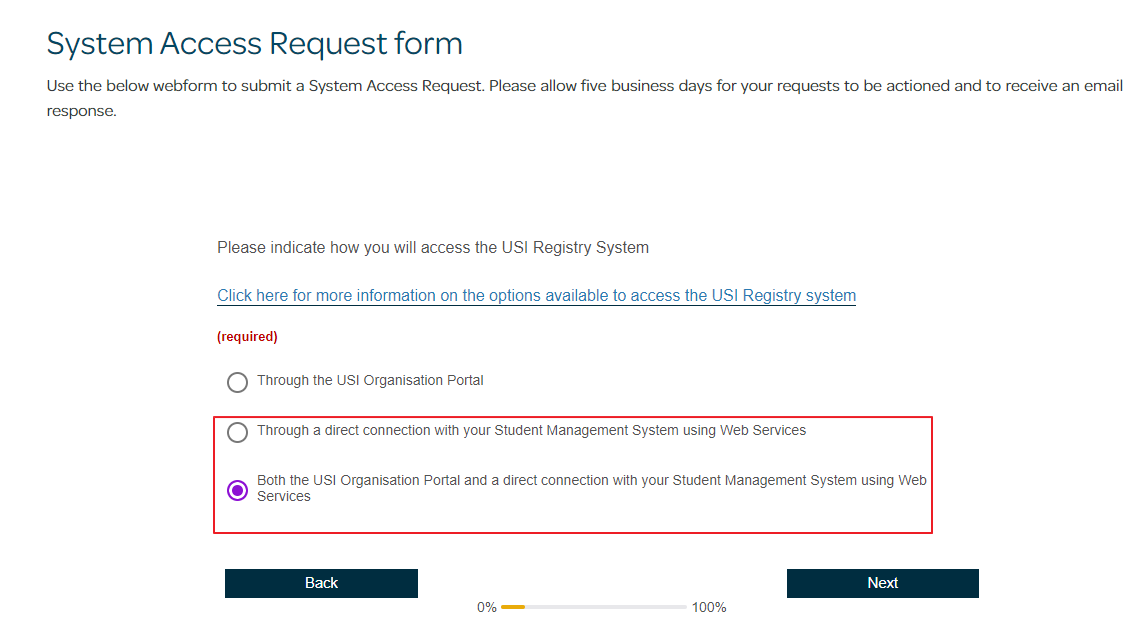
As per the USI website, please allow up to 5-7 business days for the request to be assessed and finalised
USI will contact the RTO by email to advise the outcome
Once submitted, you can get started on the USI configuration within PowerPro whilst waiting for confirmation back from USI
There are two guides to help with this process. Please refer to the links below:
Guide 1: How to obtain the M2M Key
Guide 2: How to Configure the M2M Key into PowerPro
Once these two tasks have been completed and the USI team has sent confirmation, you should be able to create, locate and verify USIs within PowerPro!