
Logo

Find step-by-step guides, troubleshooting tips, and feature explainers to get the most out of our platform.

Is there a way to add or edit absent reasons in my PowerPro?

Enrolments and Results

Is there a way to add or edit absent reasons in my PowerPro?

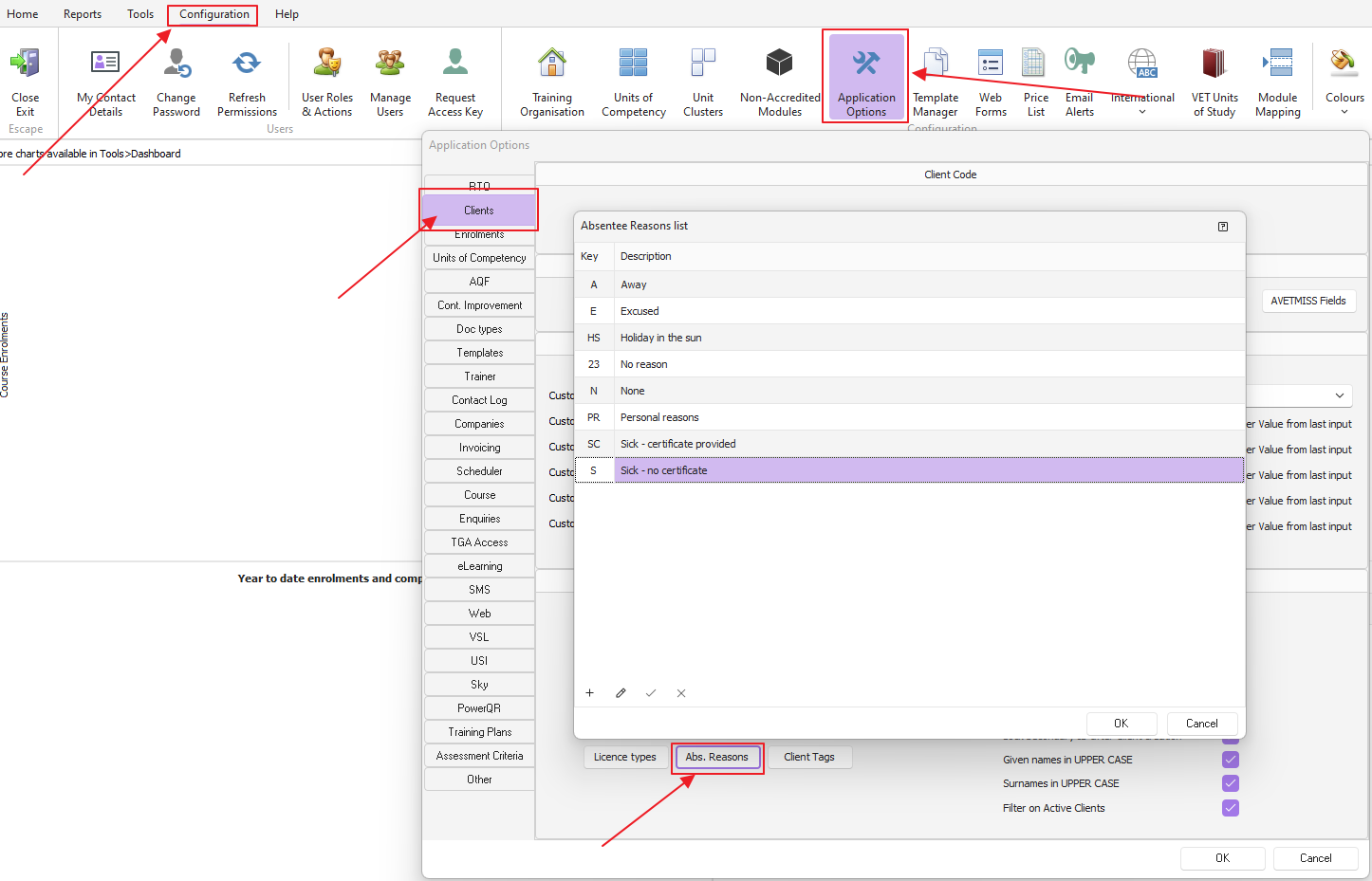
'Configuration' menu > 'Application Options' > 'Clients' tab > 'Abs. Reasons'

Last updated on 09 Aug, 2024

Head to the 'Configuration' menu > 'Application Options' > 'Clients' tab > 'Abs. Reasons'

Once the Absentee Reasons list is open, edit the absentee reason list directly on the grid as per image below: 
Image


IMPORTANT NOTE: The updated list only shows after restarting PowerPro (log out and log back in to see the changes)

Did you find this article helpful?
Previous

How is the certificate issued date field populated?

Next