

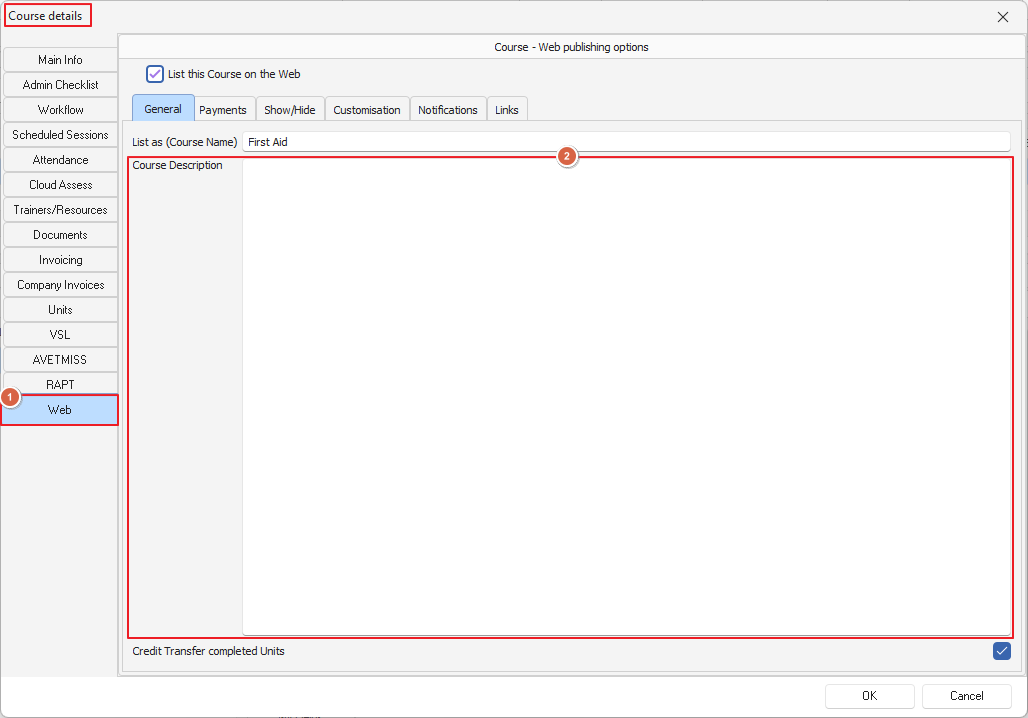
To add a link/s in your online course go to the Course Description field under Course Details
If you need to add a workbook or any other document for the clients to read prior to enrolment, you can create links in here as well
Example: https://powerprorto.com.au
<a href="https://powerprorto.com.au"> Click Here</a>
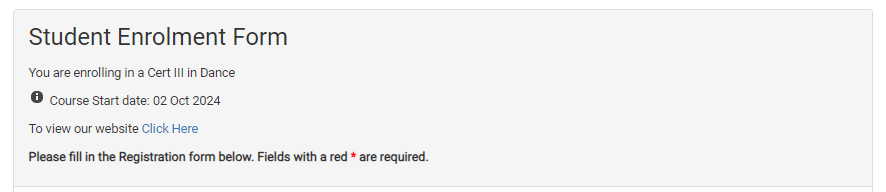
you could add: To view our website <a href="https://powerprorto.com.au"> Click Here</a>
It will look like the below example:
Please note HTML support is outside of our support scope, this is just an example showing how you can use it to