It is recommended to perform a live paid enrolment to test any gateway integration
The steps for this process are identical regardless of which payment gateway is configured (EWay, PinPayments, etc)
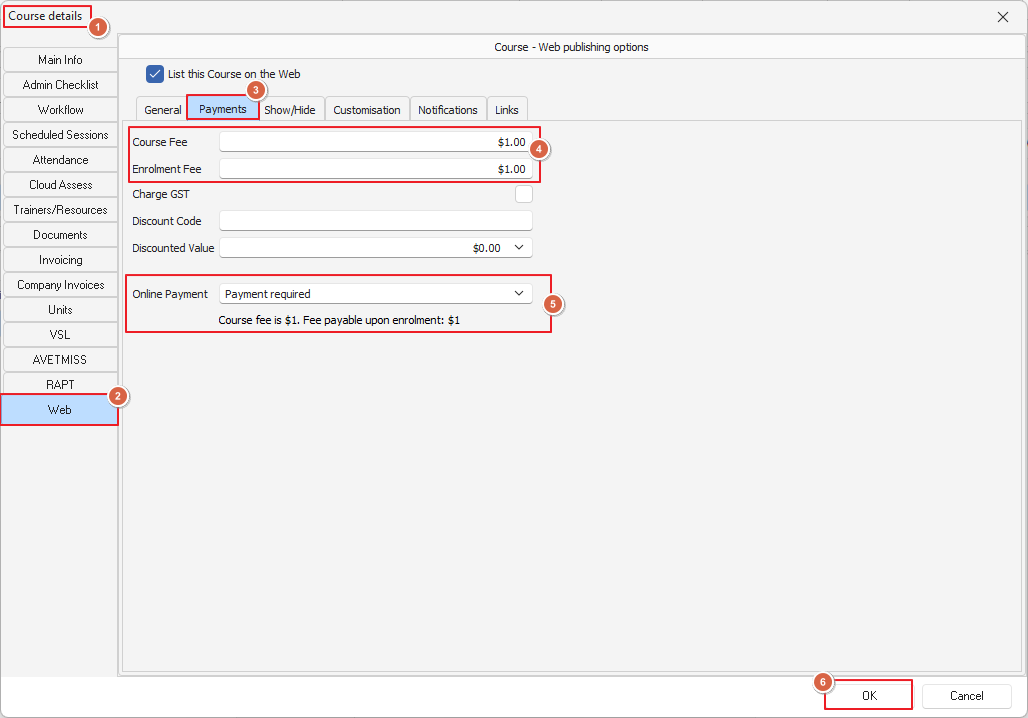
Create a $1 course that requires online payment and ensure that course is not open/visible to the public
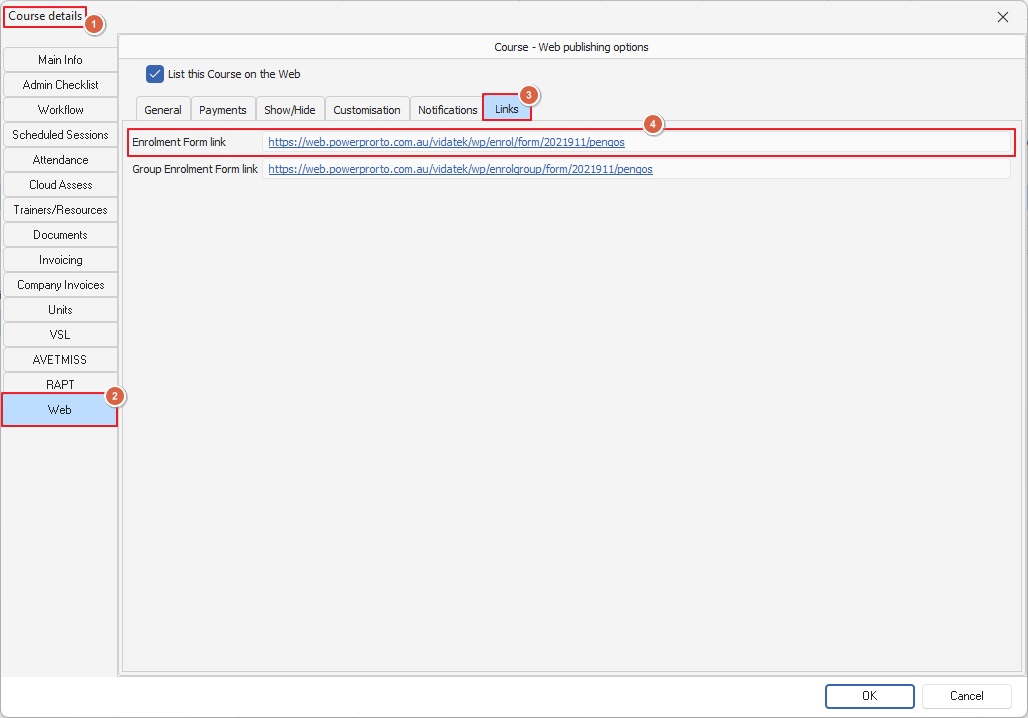
1. Identify a course in PowerPro to be used for this purpose (Accredited Courses Area) You may need to create a temporary course for this purpose
2. Adjust the Web settings as per below screenshot
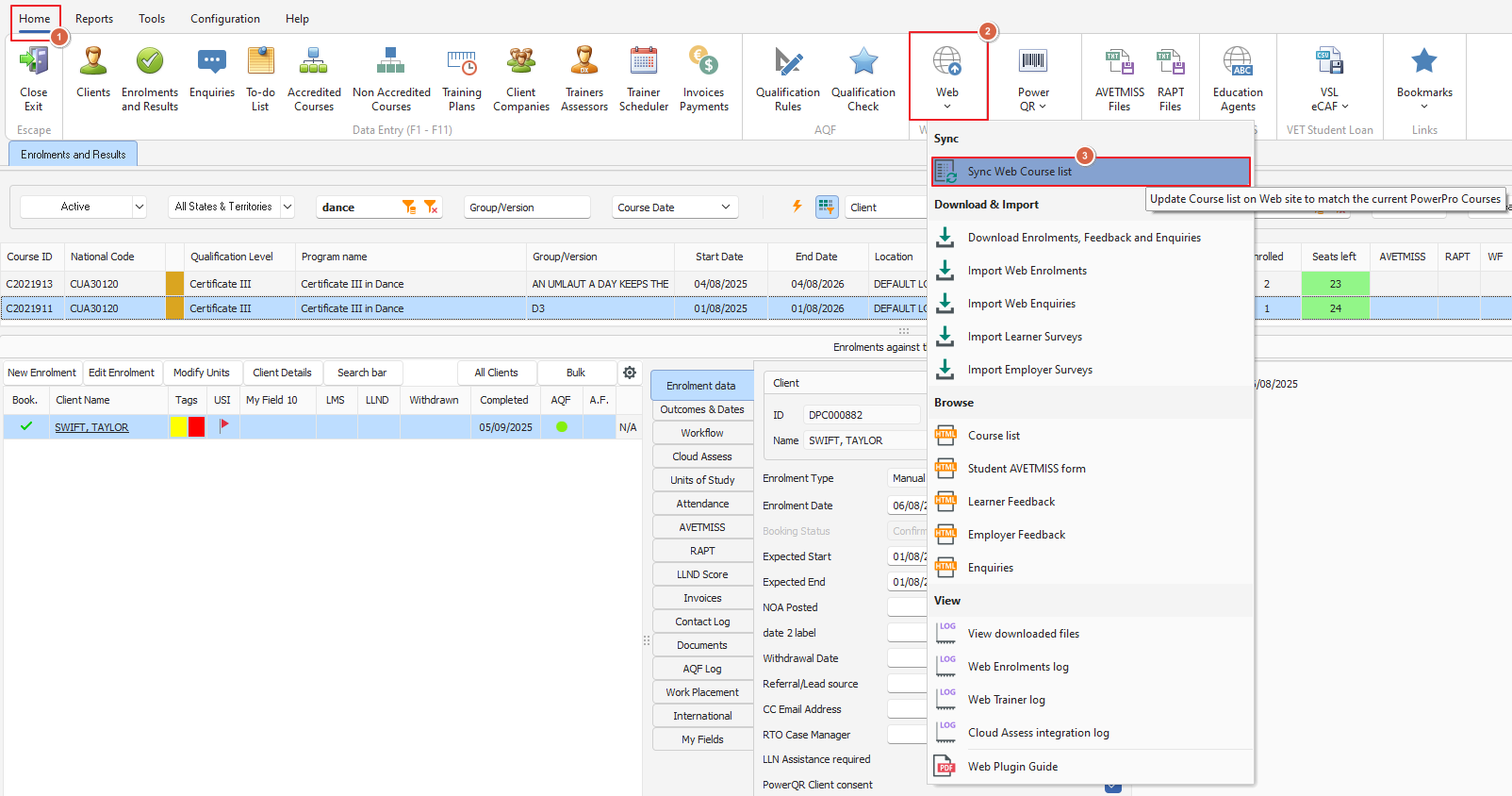
3. After setting up the test course, you need to perform a Web Sync from PowerPro
4. You can now use the direct link to test the payment