

The course listing on the web can be sorted by any column, sorting by Course Start Date (or by End Date) however, will not work if at least one course is set not to show dates - as per image below:
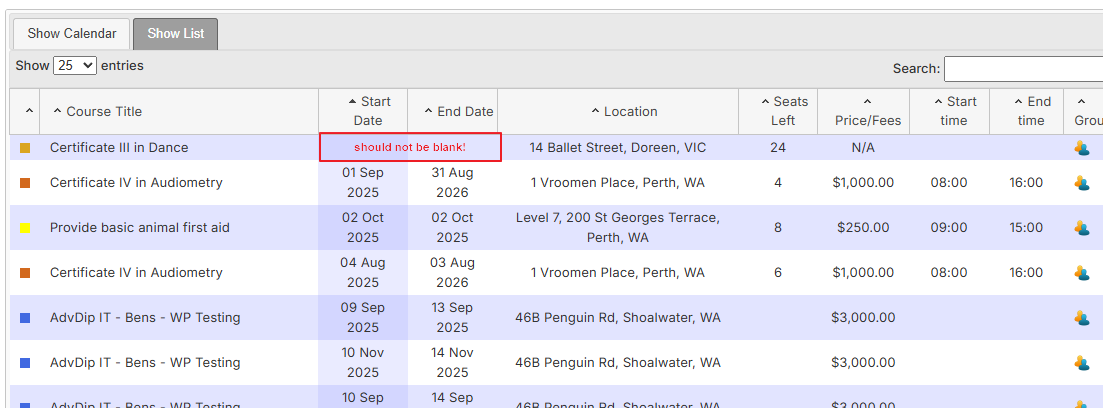
To fix this issue, please ensure the relevant course has the following flag set:
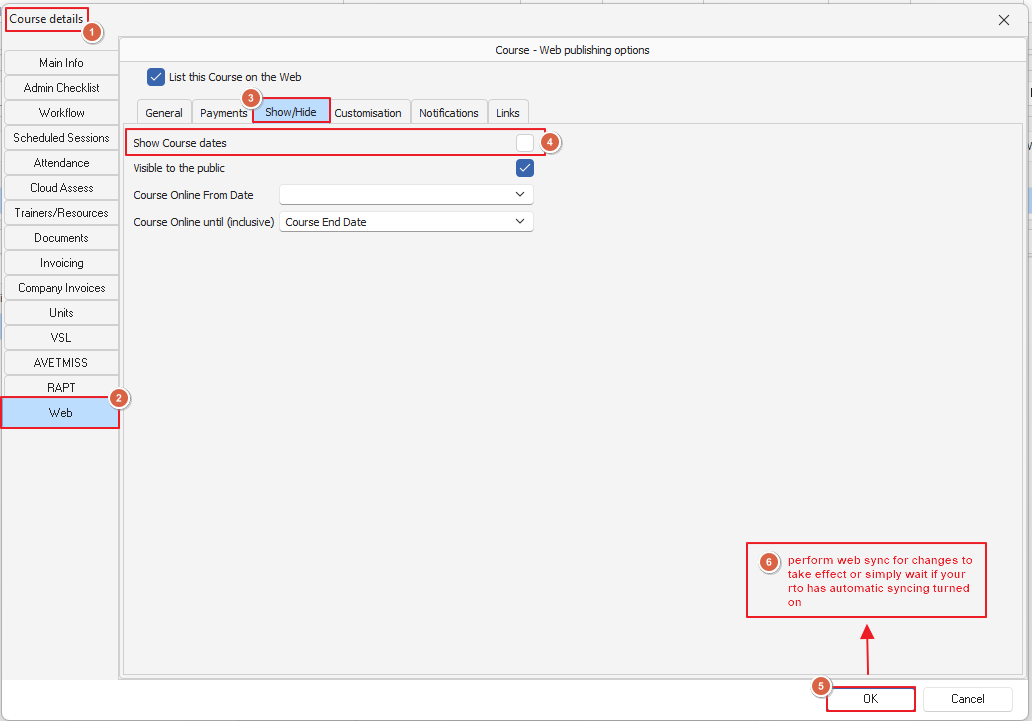
Once this is saved, a quick web sync will show the course dates and fixing the date sorting issue
Important Note: If a particular course has rolling intakes, we suggest setting the start date of the course to the start of the calendar year and the end date of the course to the end of the calendar year