Let's go into some details for how to do this:
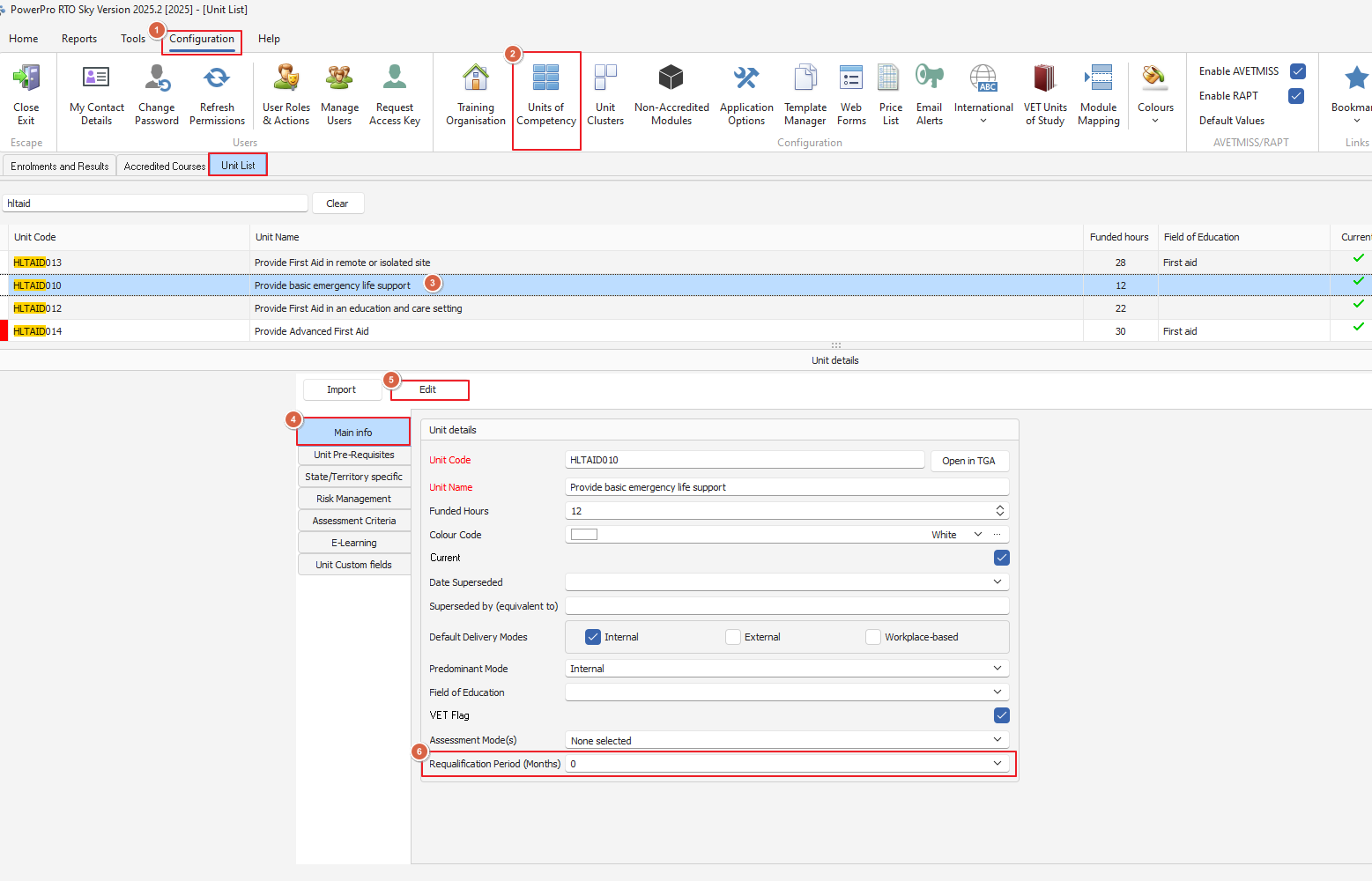
For the Refresher mode to work, please ensure the relevant units and modules have the requalification period set as per example below:
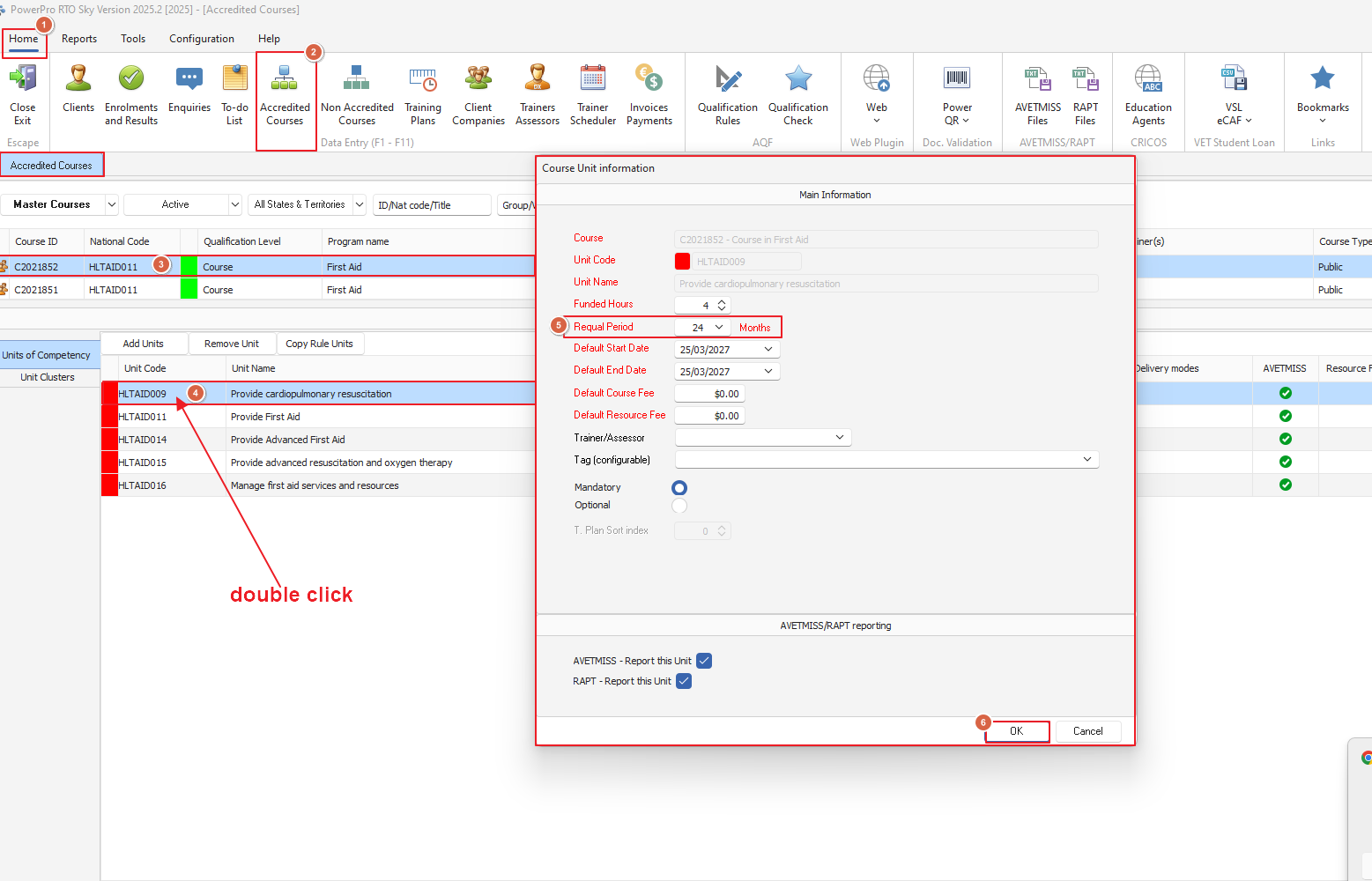
Alternatively you can also do it from 'Accredited Courses' (Make sure you do your Master Courses for any future cloning)
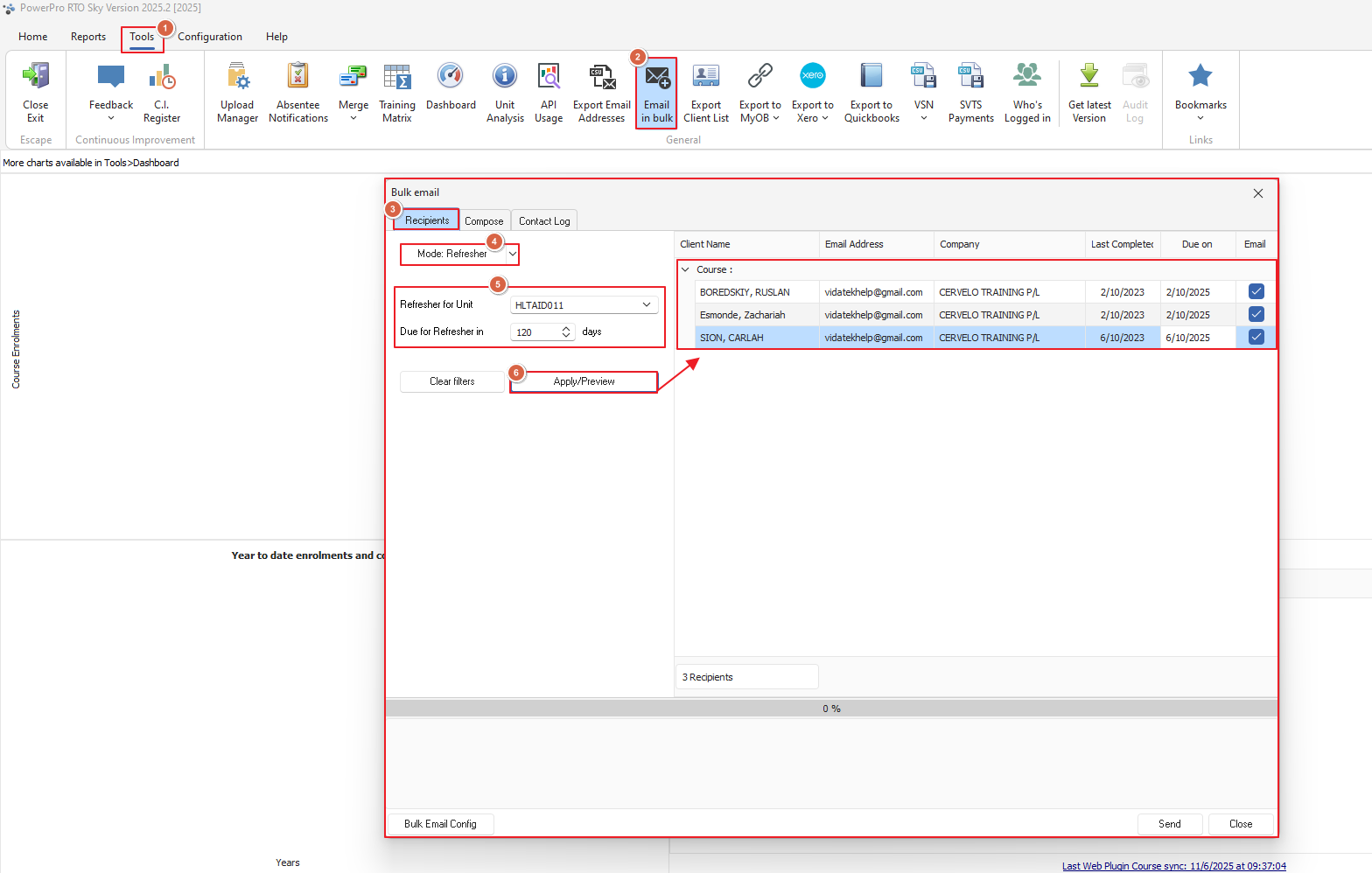
Okay! Now we have our requal periods set and our SMTP set-up we'll go to 'Tools > Email in Bulk' (please note you will need to have SMTP emailing setup for this to work find the FAQ for this here)
from the window that opens we're going to change the Mode to 'Refresher' and select the unit we're looking for in 'Refresher for Unit:' we're using HLTAID011 for our example and hit 'Apply/Preview' to generate our list
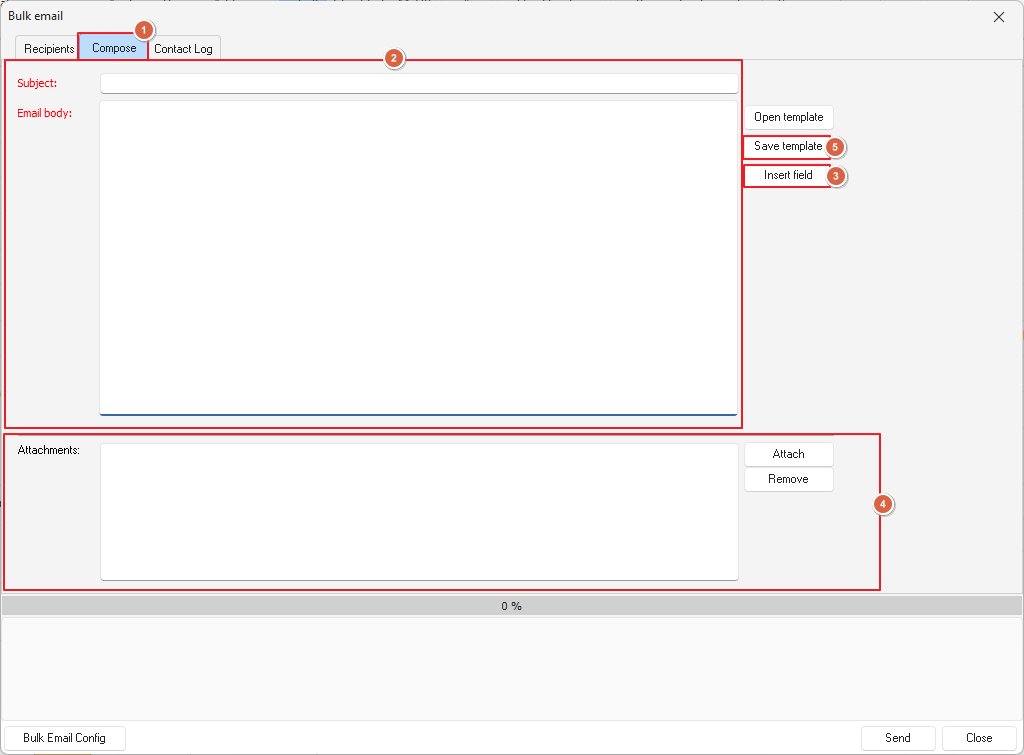
Now we're not going to hit 'Send' yet! Let's got to Compose next, here we can write our email including using insert fields to generate the information needed from PowerPro such as names, unit name and dates completed
We highly recommend having a template for these so you've once you've got your email typed up with your fields inserted click 'Save Template' so you don't have to redo it every time
Add any attachments if required
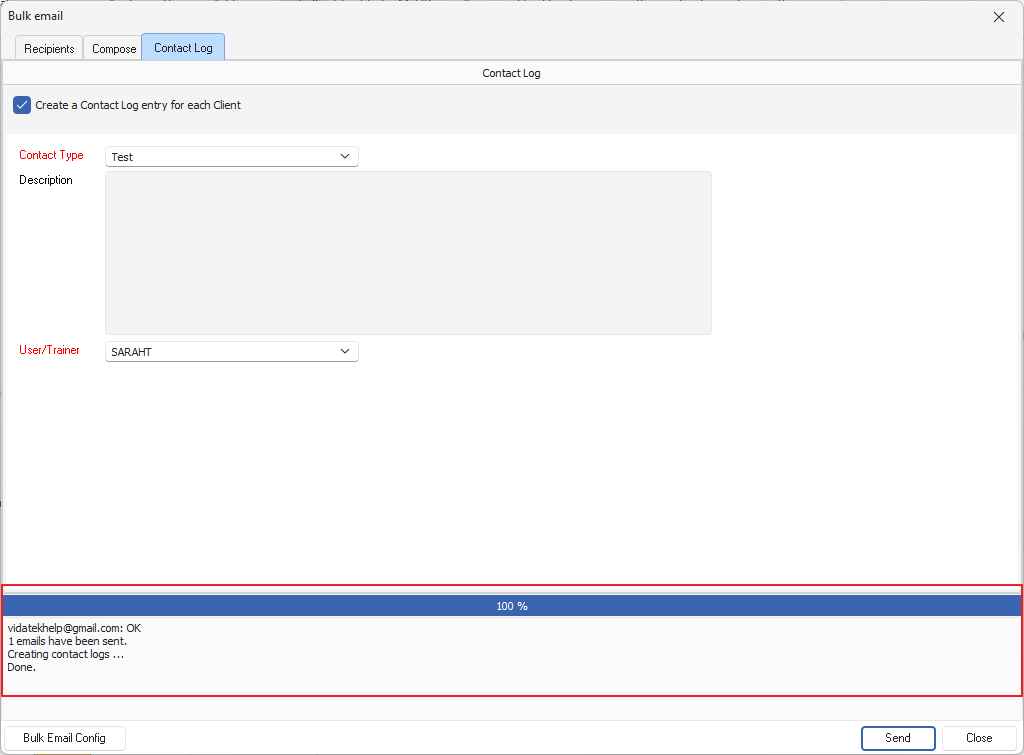
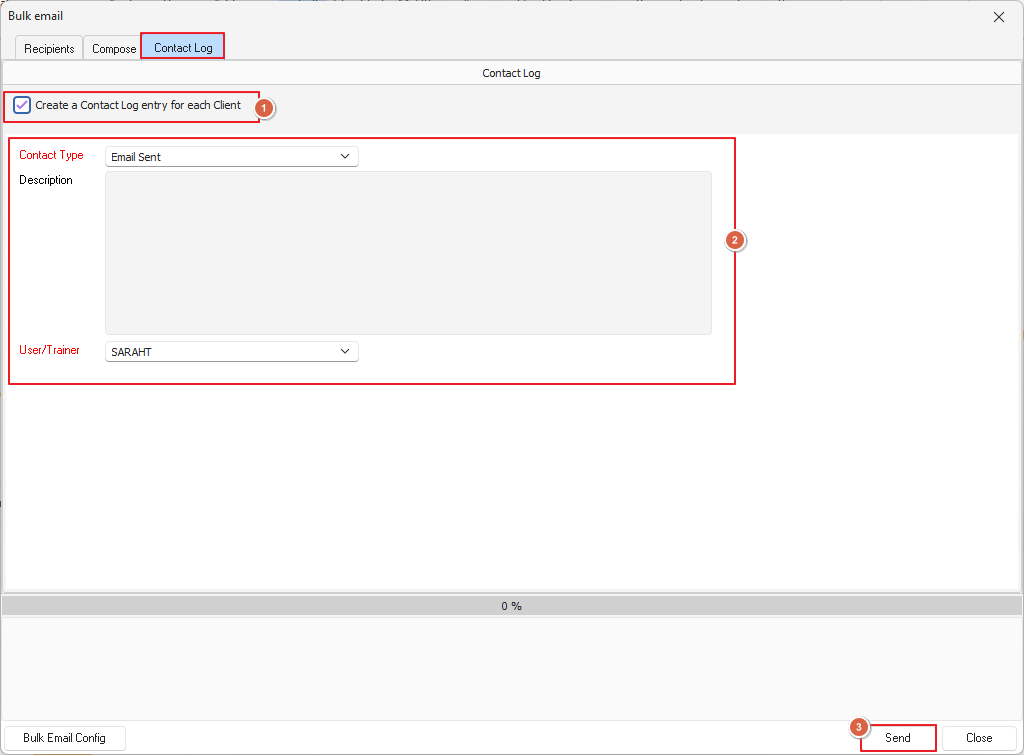
And lastly before we send this off, we need to choose if we want to save this as a contact log (we recommend yes) just select your contact log type and you're ready to hit 'Send'
The final screen will look like this:
This shows us 100% completion and the log tells us the email/s have been successfully sent, job well done!