In order to reset a specific competency for a client please follow these steps:
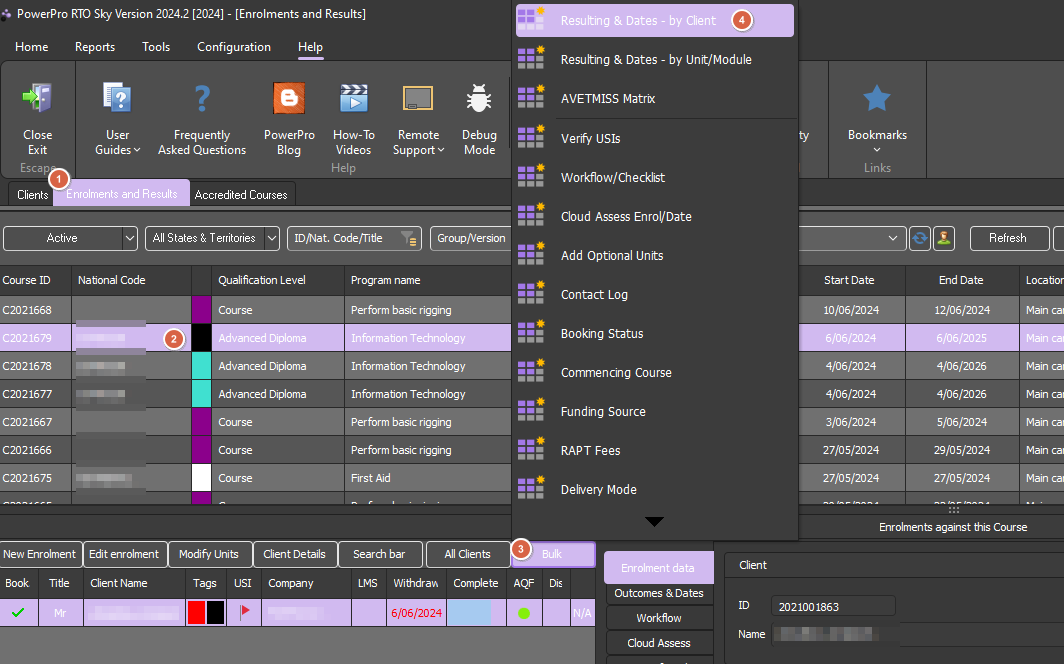
Open the Enrolments and Results window
Highlight the relevant Course (top list) and the relevant Client (bottom left list)
Highlight the relevant Client (bottom left list)
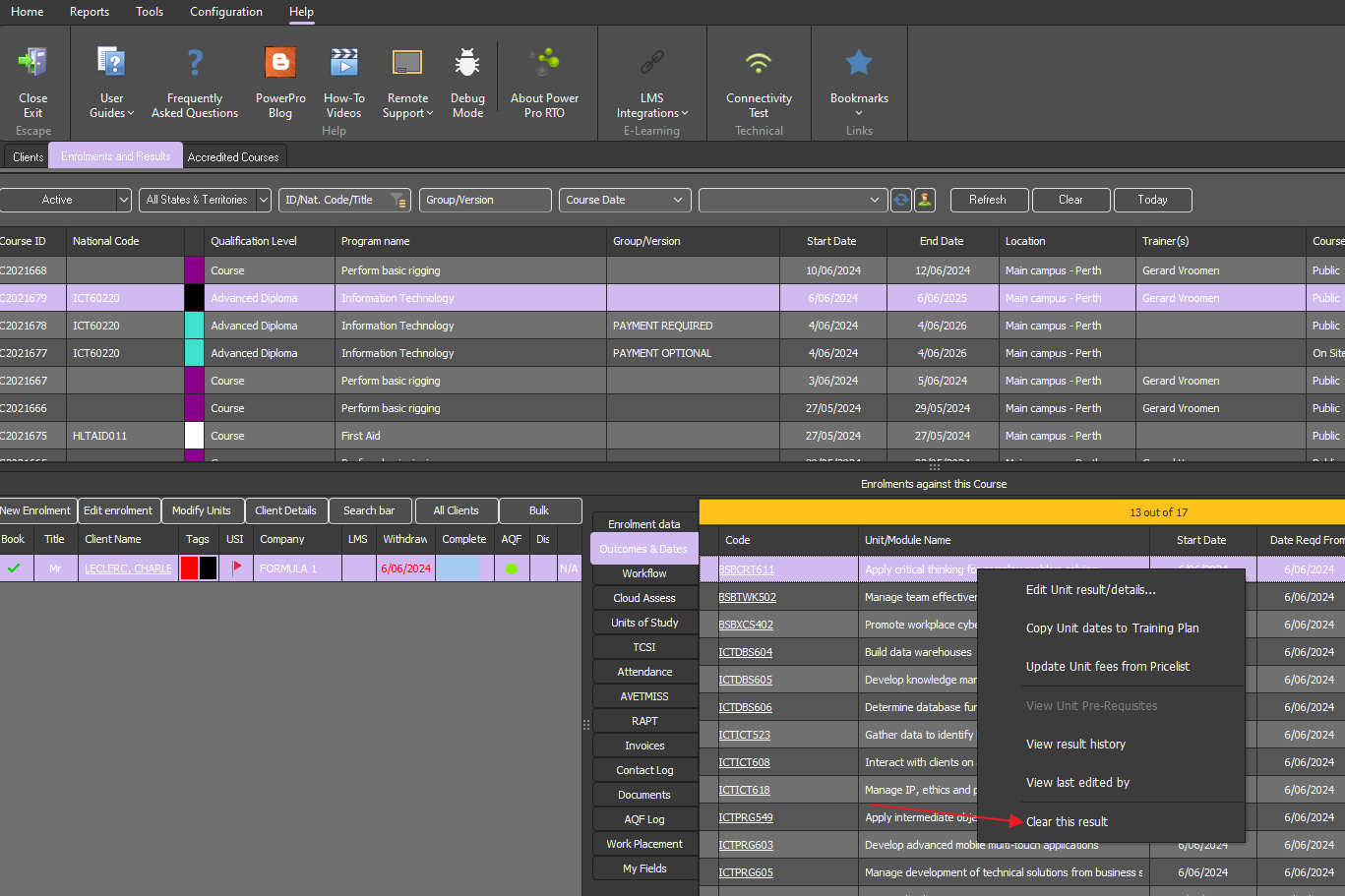
Right click on the relevant Unit (under Outcomes and Dates)
Click on Clear this result
Done!
You can also do this in bulk (more than one unit for a Client) if needed, follow below steps on how to do so:
Open the Enrolments and Results window
Highlight the relevant Course (top list)
Highlight the relevant Client (bottom left list) and click on "Bulk"
Click "Resulting & Dates - by Client"
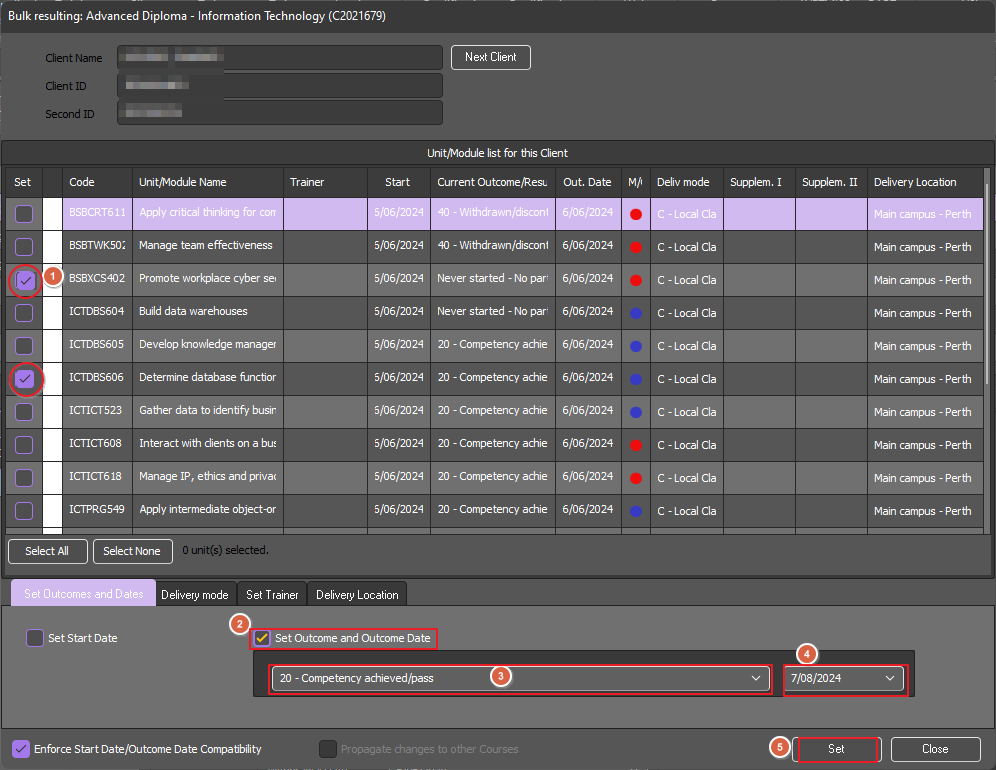
Tick the Unit boxes for Units that need to be cleared and tick "Set Outcome and Outcome Date"
In the drop down box of results, select "<Clear Result>" and a date if it needs to be changed, and then click "Set"
Done!