

Need to see who did what? You can use the 'Audit Log'!
IMPORTANT NOTE: The Audit Log is only accessible via the RTOADM user
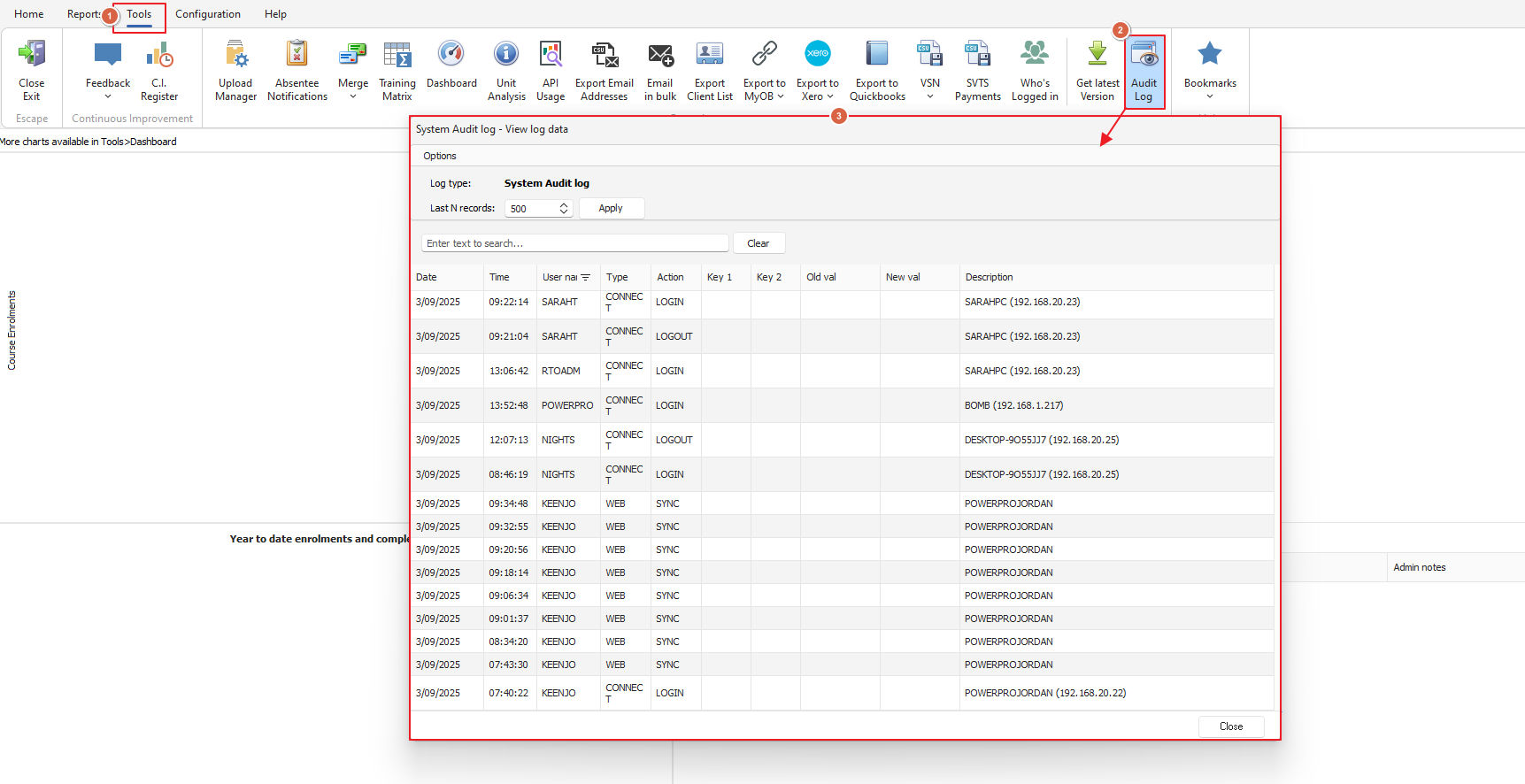
The 'Audit Log' is found under the 'Tools' menu in PowerPro
From here you can view a very basic log of user activity including:
Clients - deleted, new and updated
Connections - logins/logouts
Contact Log - delete
Course - updates
Enrolments - deleted
PowerQR - credit top-ups
Results - updates
Units - imported
Web - syncs
Web Enrolments - enrolments
Your Audit Log might look like the below example:
Please reach out to the friendly PowerPro support team if you need any further assistance!