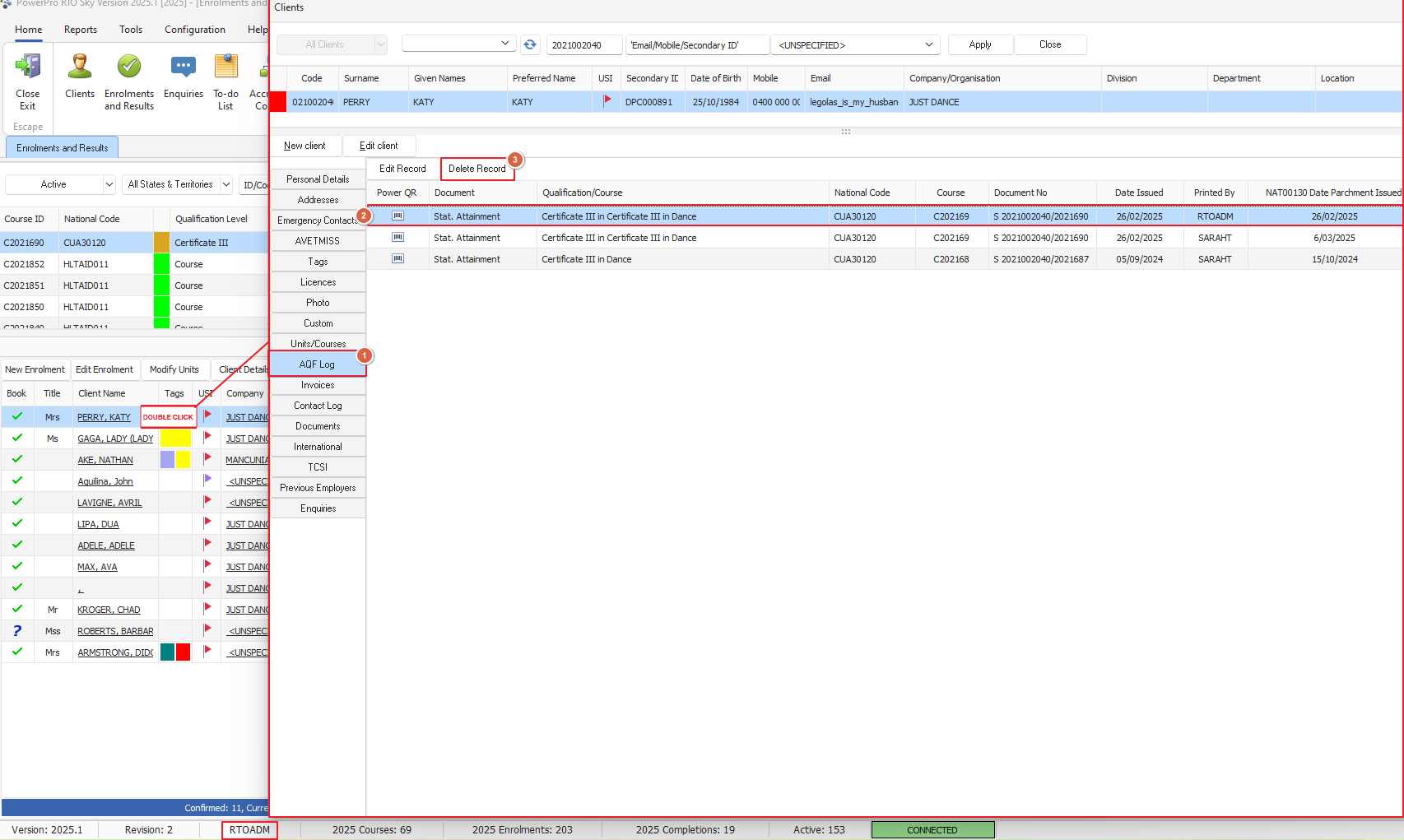
When an AQF parchment is printed, a log (as well as an actual copy of the parchment document) is attached to the Student (Client) record
The AQF print logs area is what the system looks at when generating the NAT00130 (Program Completed) on the AVETMISS files
Only completions of Full Qualifications will appear on the NAT00130
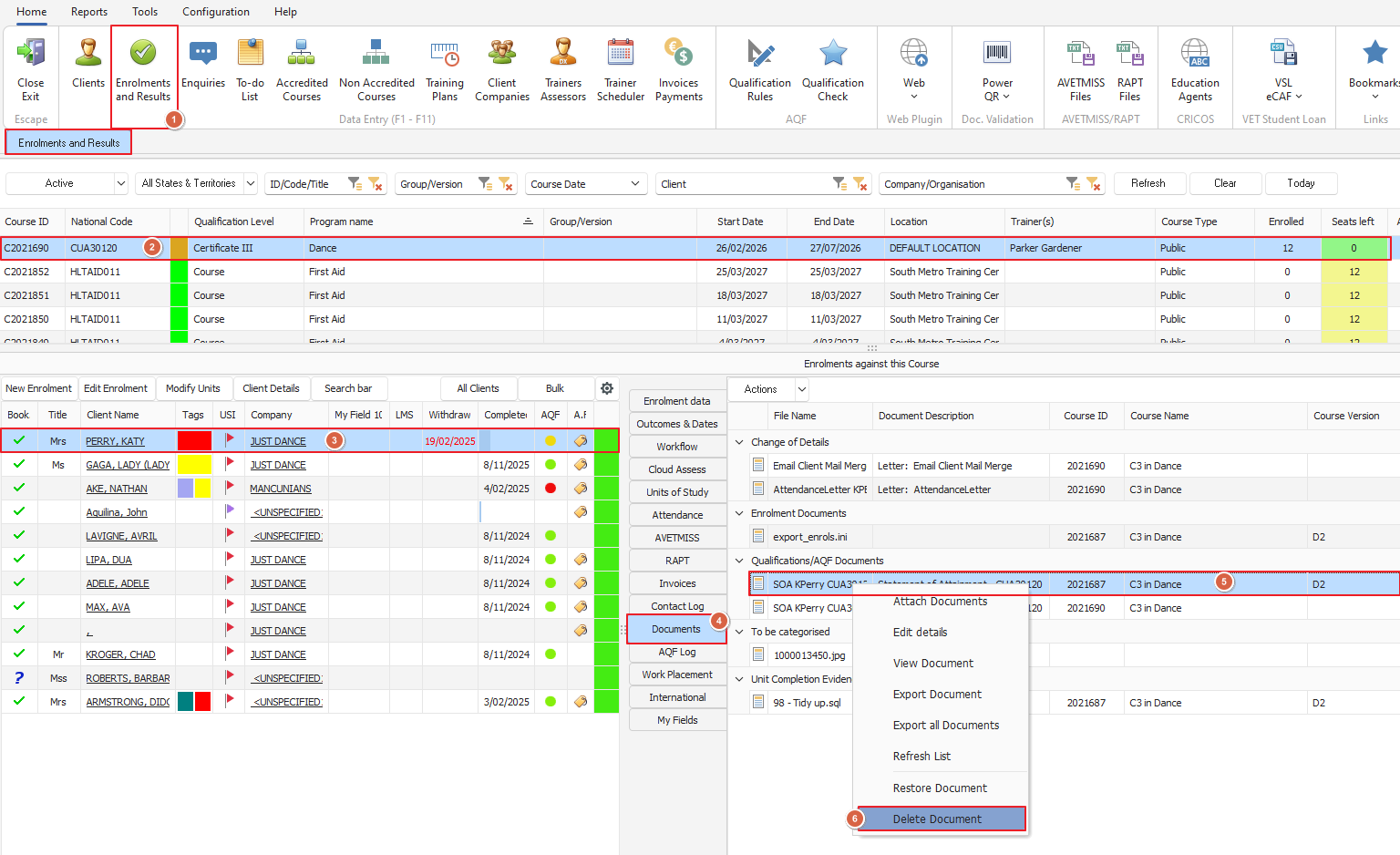
Example: To delete a clients certificate due to a template issue or certificate issued in error, please use the follow steps:
To delete a document, any user with permission to perform this action can do so
In the Enrolments and Results window, locate the relevant course
Locate/highlight the Client whose document needs to be deleted
Select the "Documents" tab and delete the relevant document from the list
To delete an AQF log requires the User "RTOADM" to login to perform this action
Ensure you are logged in as "RTOADM"
In the Enrolments and Results window, locate the relevant course
Locate/highlight the Client whose log entry needs to be deleted
Double click to open the client or press client details button and proceed to the "AQF Doc Printed" tab
RTOADM is able to delete any log entry selected