Imagine you have students’ activities in 'Quality Check' on Cloud Assess for the last unit of their qualification
You need to leave one unit open in PowerPro until a later agreed end date
How can you achieve this?
You can approve the activities in Cloud Assess while keeping the PowerPro outcome as "Continuing Activity"
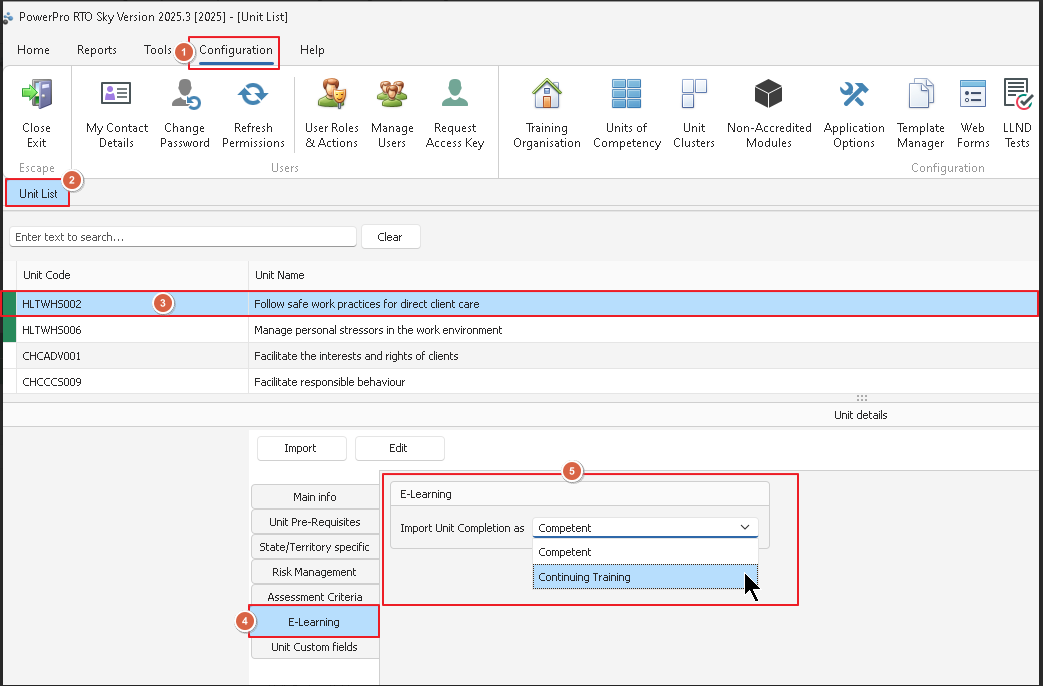
In PowerPro, leave the Enrolment Completion Date blank and set the E-Learning Completion Import to Continuing Training see example image: