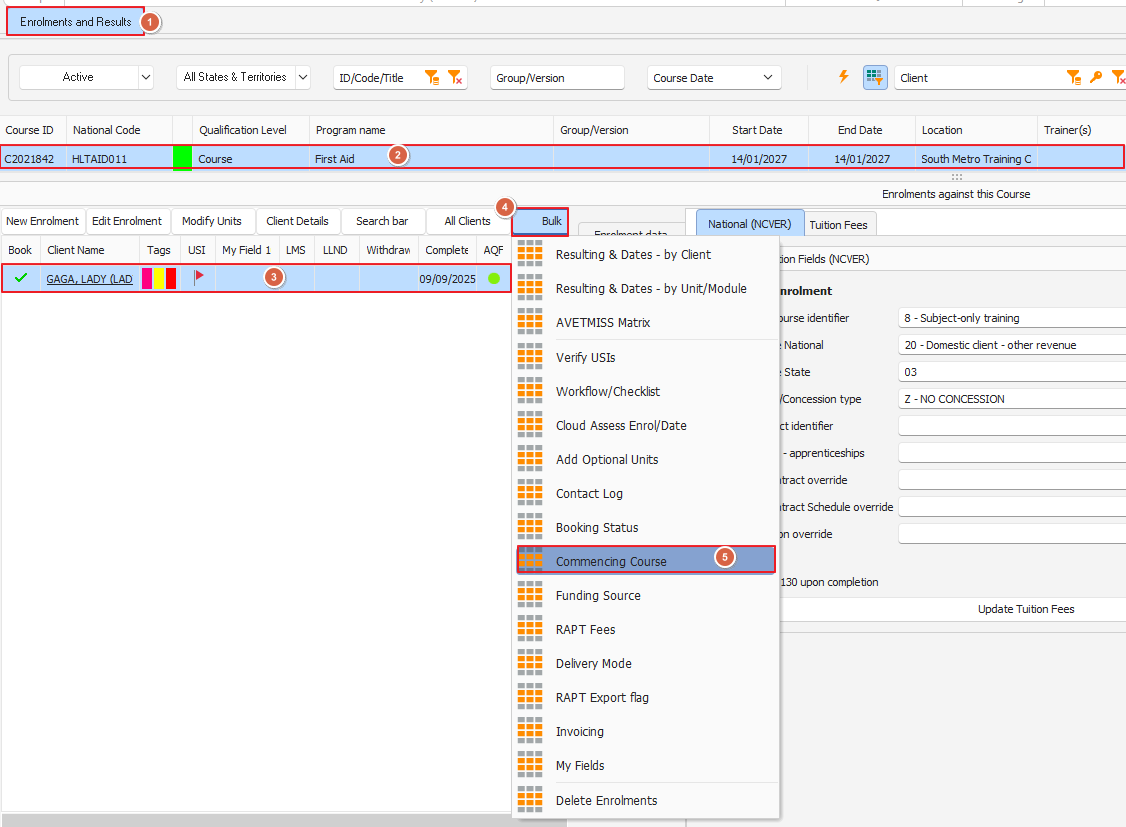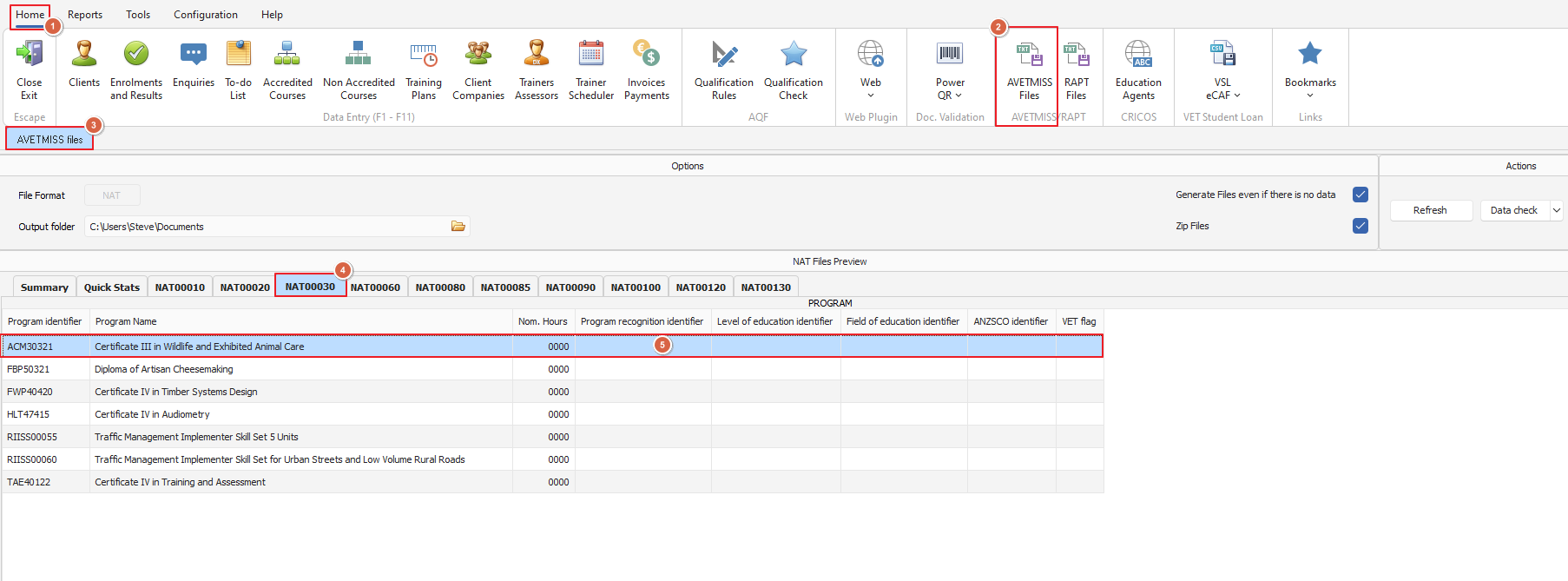
This happens when reporting a short course (not a full qualification) with the Enrolment Commencing Course Identifier type set to '3 - Commencing training in a program'
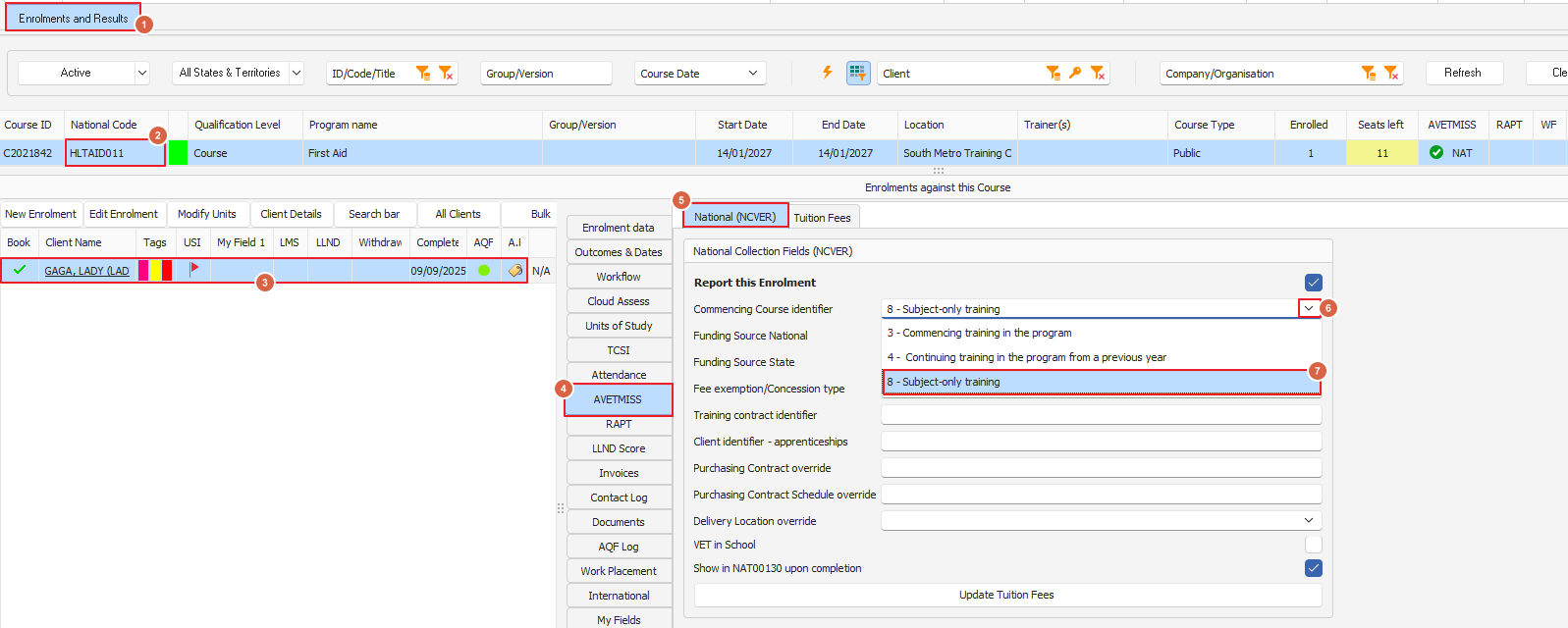
To fix this issue, set the Commencing Course Identifier to '8 - Subject-only training ' (for each enrolment in the course) as per image below
To find which student is causing this error, open Enrolments and Results and filter the data on the relevant 'Program Identifier' - in this example it is 'HLTAID003', see below:
Use Bulk>Set Commence Course (image below) should you need to adjust this field for more than one participant in the group: