Have you done a Qualification Check expecting to see an option for printing a Record of Results for your students but it's not there?
If your course is set up in the related Qualification Rule as a Skillset this will be the option that comes up for your certificates.
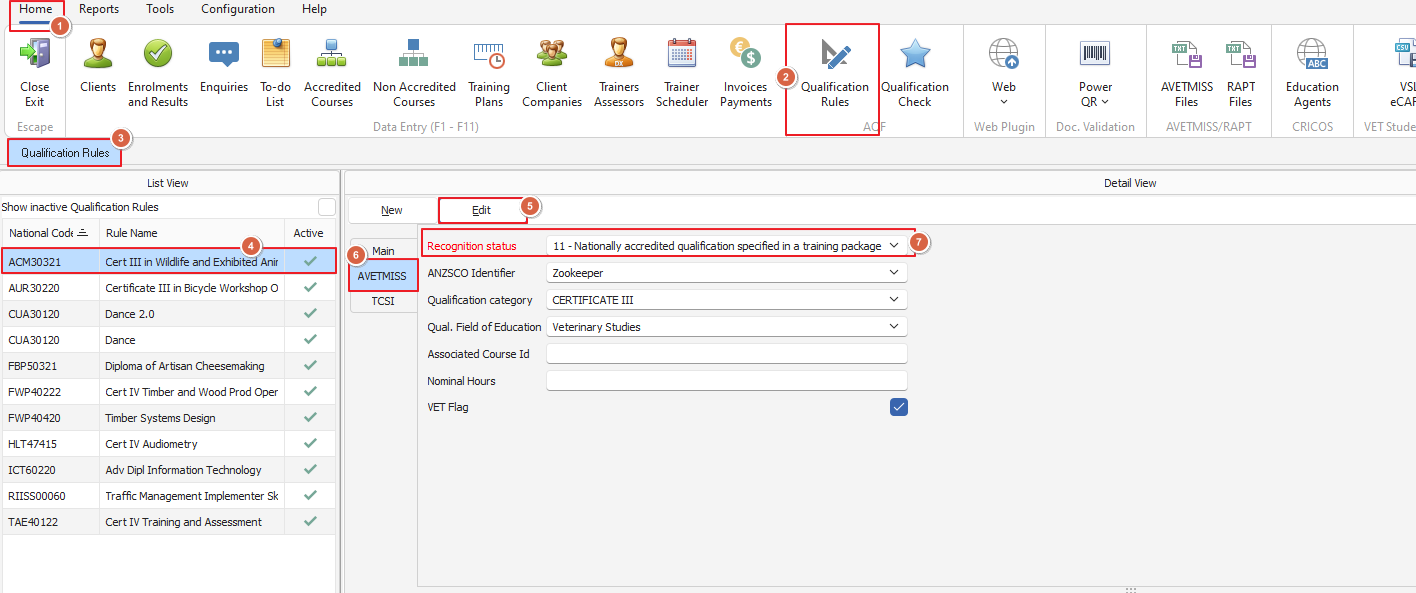
We will show you in the following screenshot where this is set, if the recognition status is not correct you will not get the right options for printing your certificates.
If the correct recognition status is set you can still print the certificate you need, if we go to the course in Enrolments and Results and perform a qualification check
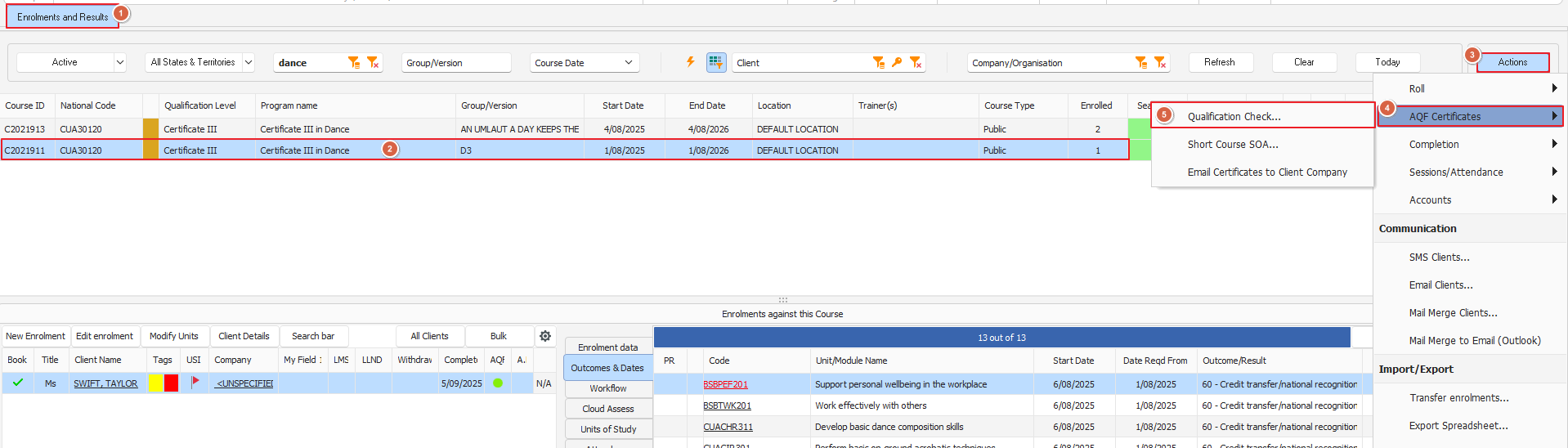
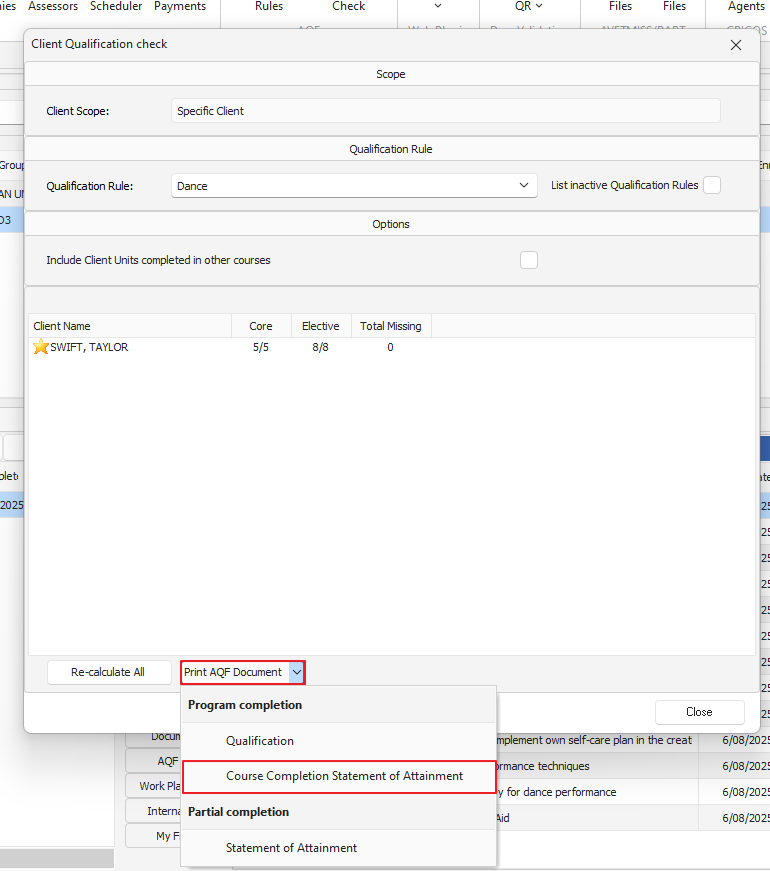
From here this opens the Client Qualification Check window seen below and we're going to select the Course Completion Statement of Attainment which will open a new window and then you'll need to select the clients you want to print certification for
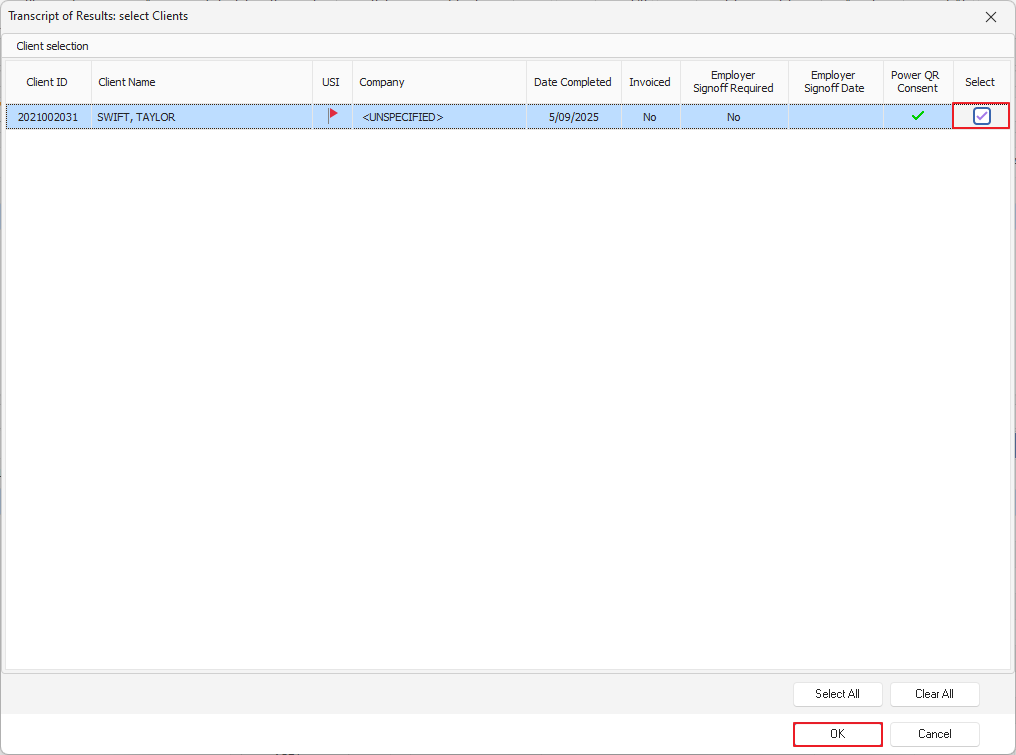
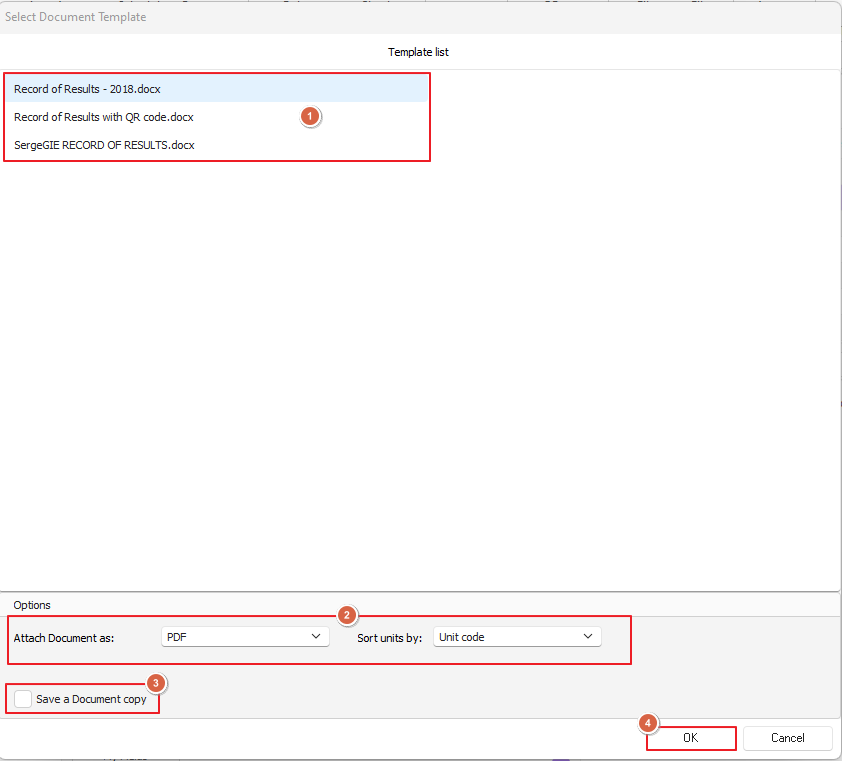
Once you've selected your clients you'll need to select the correct document template, check our options for attaching the document (certificate) as either a PDF or MS Word document and whether you want a copy saved locally
You'll see here we still have the option to use our Record of Results templates
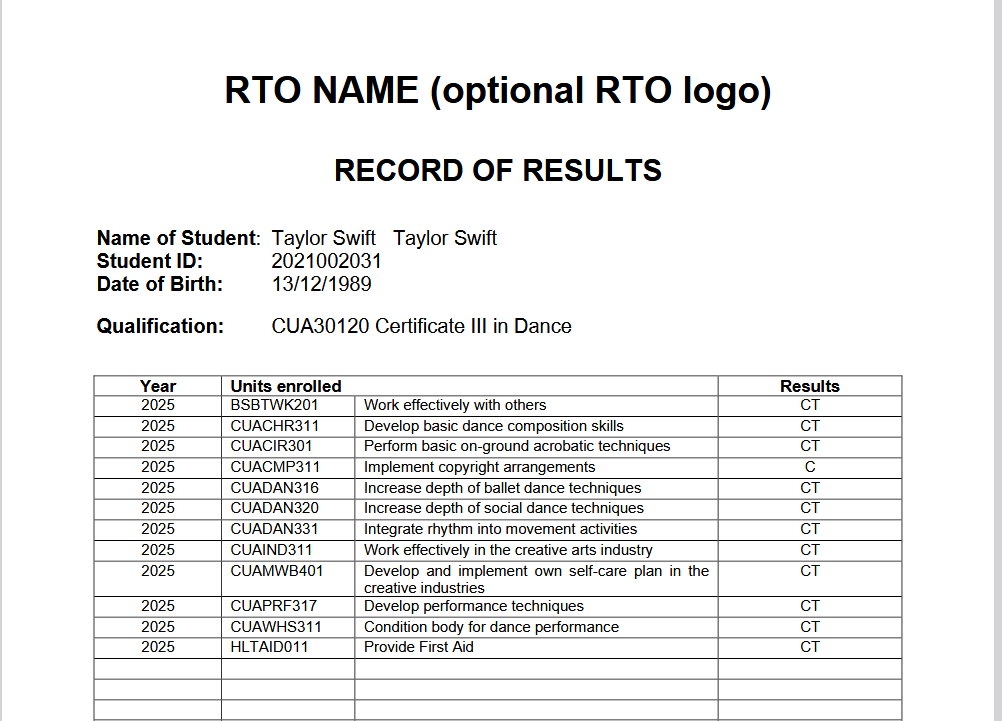
Once we've selected our options and hit okay our certificate will appear in our chosen format (we've gone with PDF) looking like the below sample:
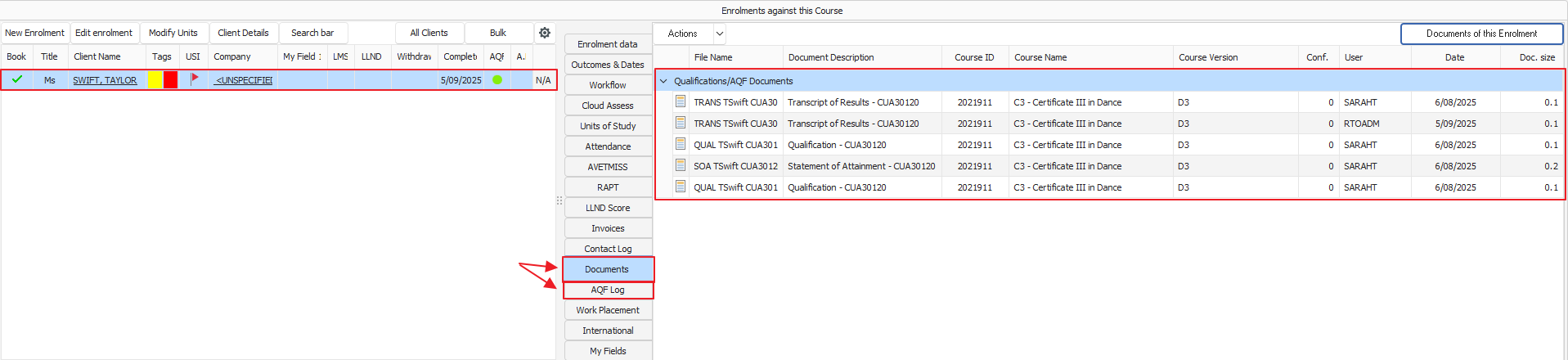
Your certificate will also appear in your clients details on the Enrolments and Results screen under Documents & AQF Log