

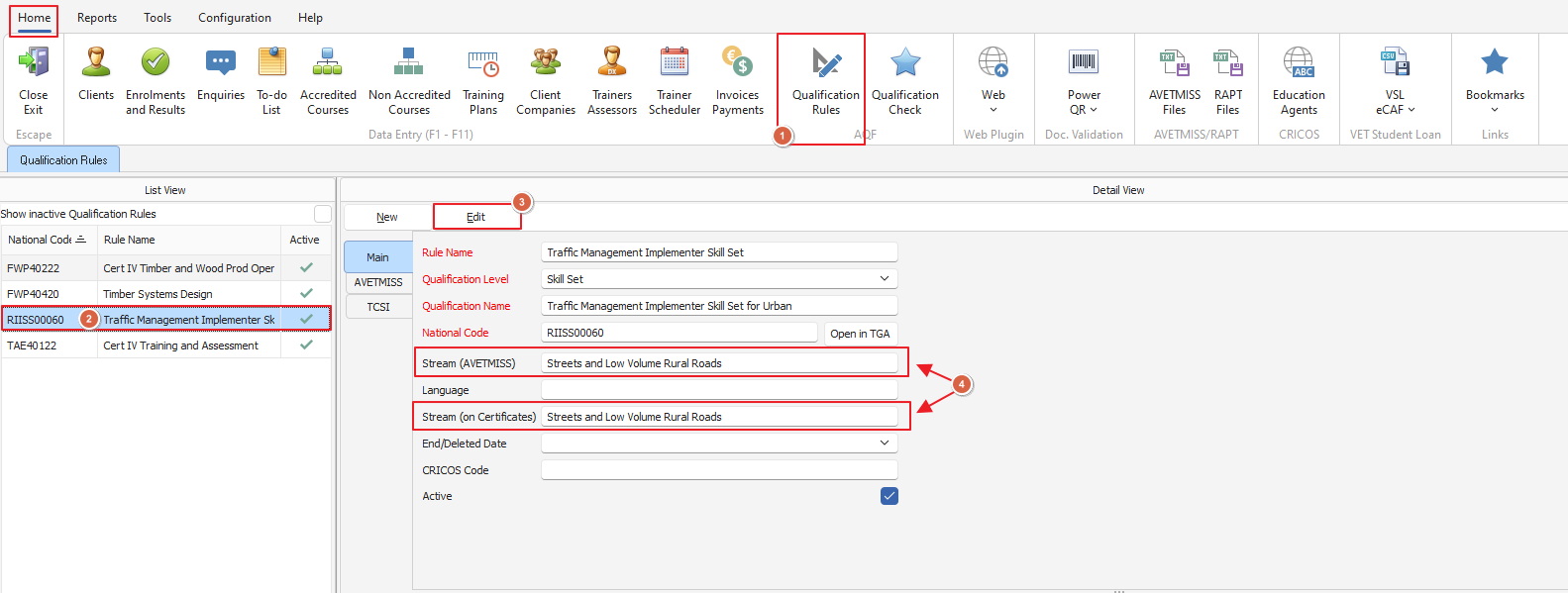
For this example we're going to use the skillset: RIISS00060 Traffic Management Implementer Skill Set for Urban Streets and Low Volume Rural Roads
To make sure the full skillset name appears on your certificates and AVETMISS reporting we need to use the Stream field found in the 'Qualification Rules' tab (more about setting up Qualification Rules here)
From the homepage of PowerPro we're going to select the 'Qualification Rules' tab once this is open we'll select our Skillset Qualification Rule and click 'edit' we will then type the name into the 'Qualification Name' field and what does not fit we will continue on in the 'Stream (AVETMISS)' and 'Stream (on Certificates)' fields
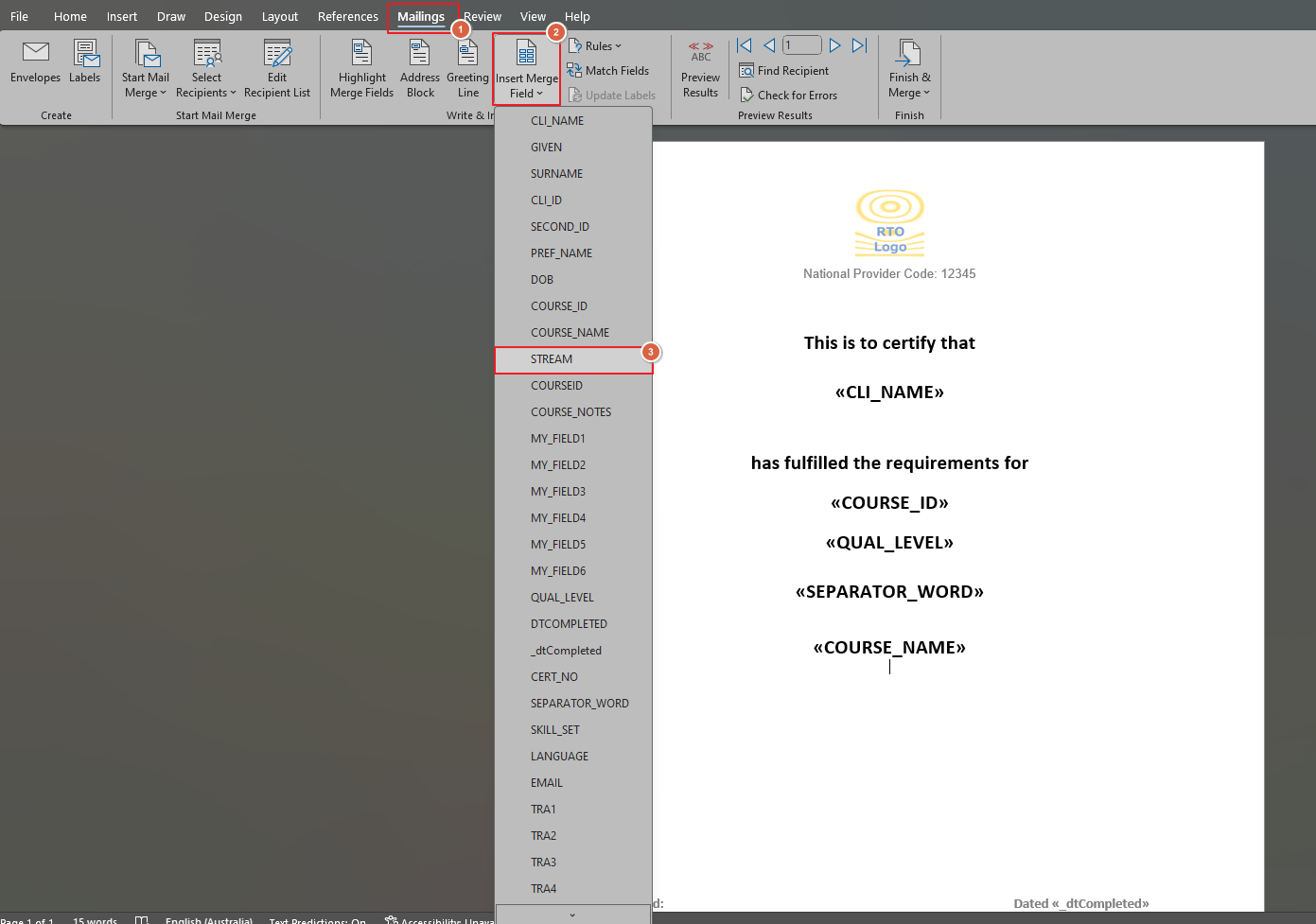
Important Note: You will need to update your qualification certificate to include the 'STREAM' merge field to properly list the qualification name
Please note if you have the 'STREAM' merge field added to a qualification it will only pick up on this if it applies when you generate the certificate - so if you use the same template for multiple courses/skillsets etc it will not show unless valid in the qualification rules
As always if you need any further assistance feel free to call the friendly PowerPro support team on 08 9511 1040