

The Merge Clients function in PowerPro merges two client records into one
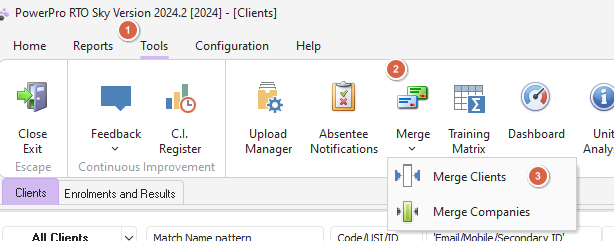
This function is found in Tools > Merge > Merge Clients as per image below:
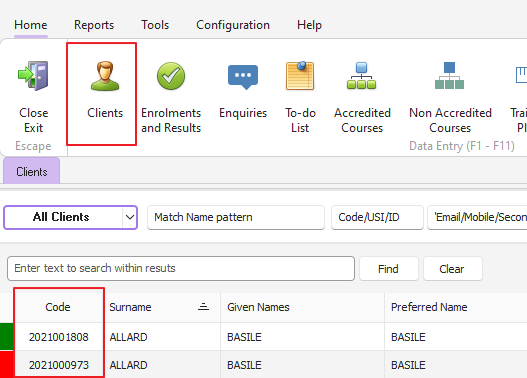
Before merging the two clients, jot down their Client IDs/Codes (you will need these for the next step)
The Merge Clients function will prompt you for a Client ID to keep and a Client ID to discard. Normally the Client record to keep is the one with the most accurate contact details. However, the Check button (as per below image) may assist in your decision:
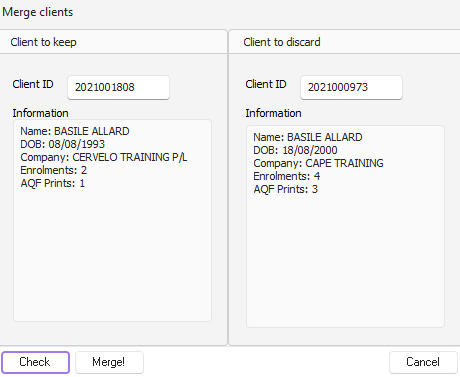
IMPORTANT NOTE: The Client Merge procedure merges everything. This includes enrolments, invoices, AQF Documents printed, contact logs, attached documents, Client Licences and the USI.
Once you are happy click the Merge! button and your two client records will merge into a single record with the Client ID you decided to keep.