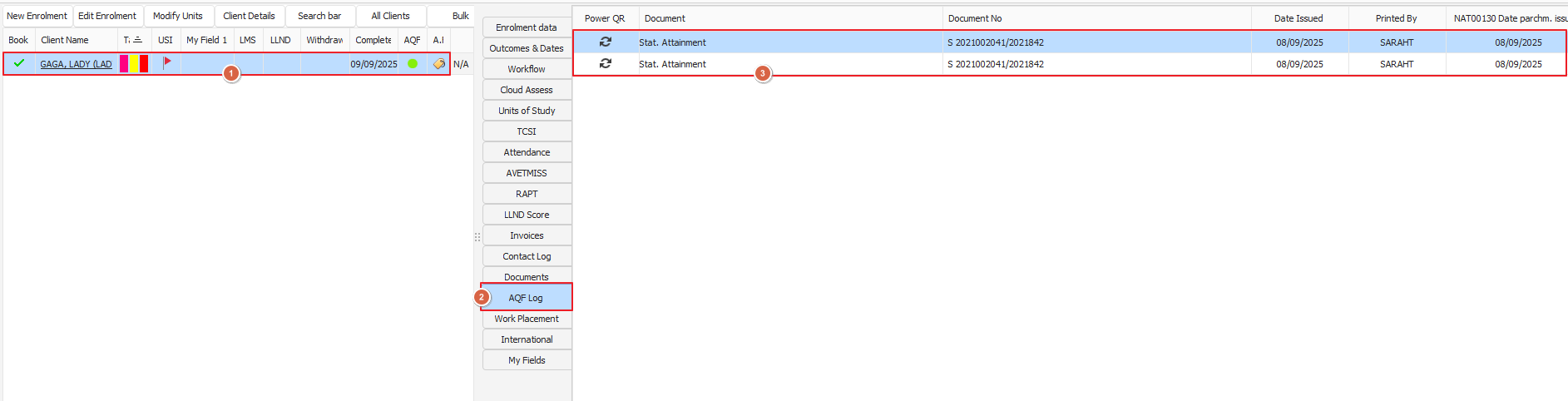
Please follow the steps outlined as per the screenshots below
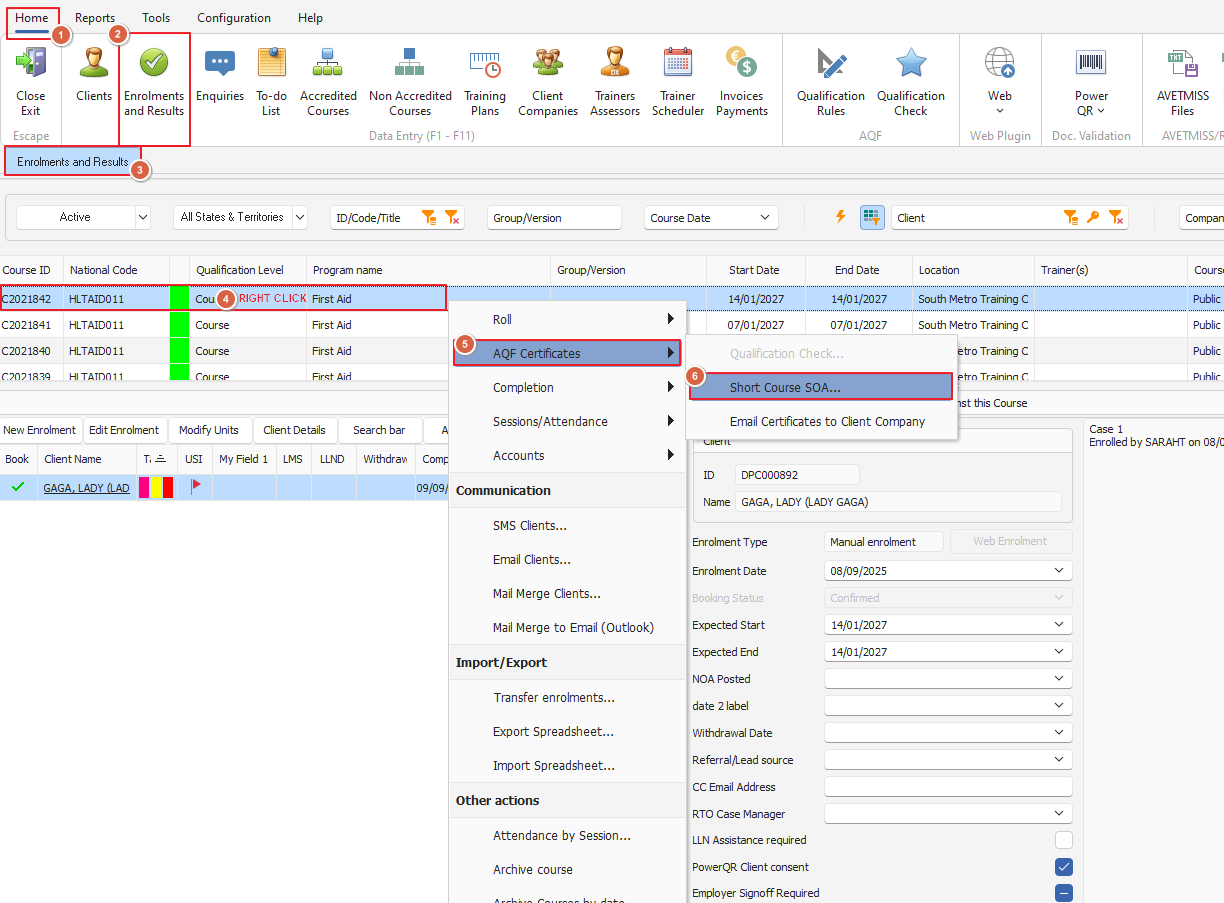
From the Enrolments and Results tab right click on your desired course and select AQF Certificates then click short course on the mini menu
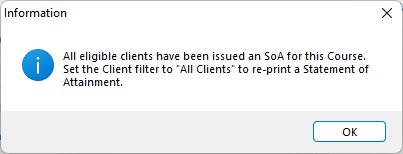
You may see the below pop-up - click OK to proceed
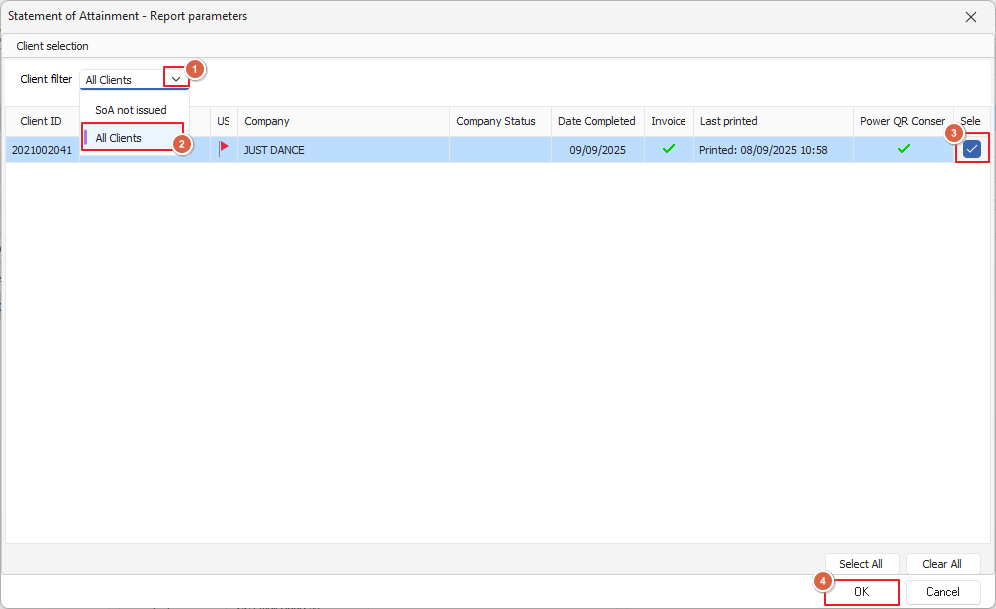
From there the Statement of Attainment window will open, you can filter by clients with SOAs not issued or all clients (if you ever need to reprint one, this is handy!)
Select the desired student/s and click OK
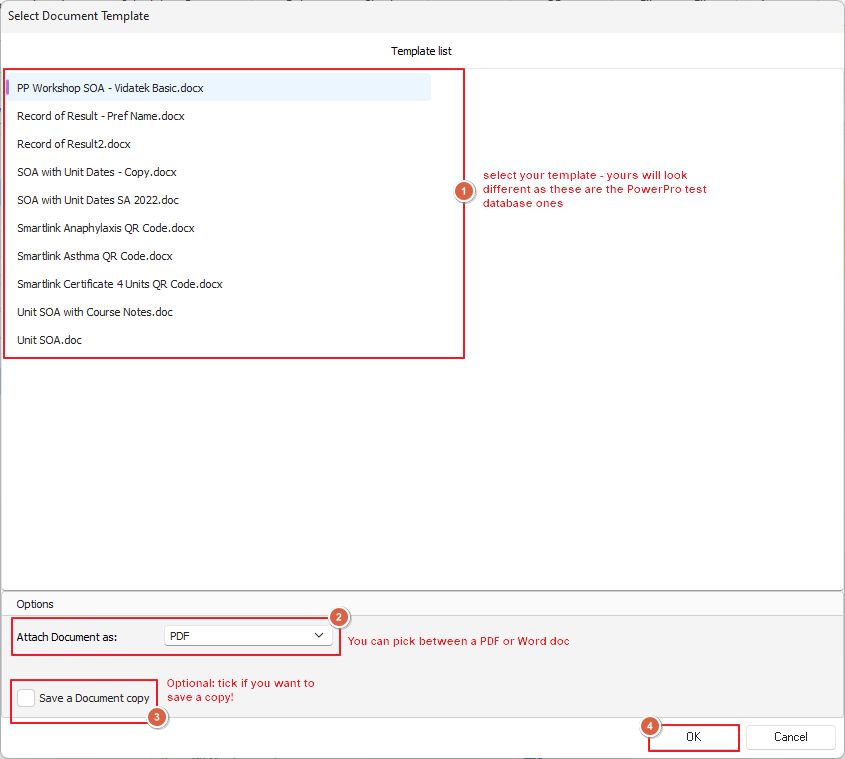
From here you will need to select your template for printing the SOA, tick the left hand bottom box if you want to save a copy
You can also choose what format you want the certificate in (PDF/Word)
Click OK and your certificate will generate and open in a new window
From here you can now access the certificate through the enrolments and results screen as below if ever needed