

Sometimes an invoice is created for a client when it should have been created for a company, and vice versa
RTOs can easily convert client invoices to company invoices and vice versa within PowerPro
The action is triggered using the “Invoice Actions” drop-down list in the invoice window (as below)
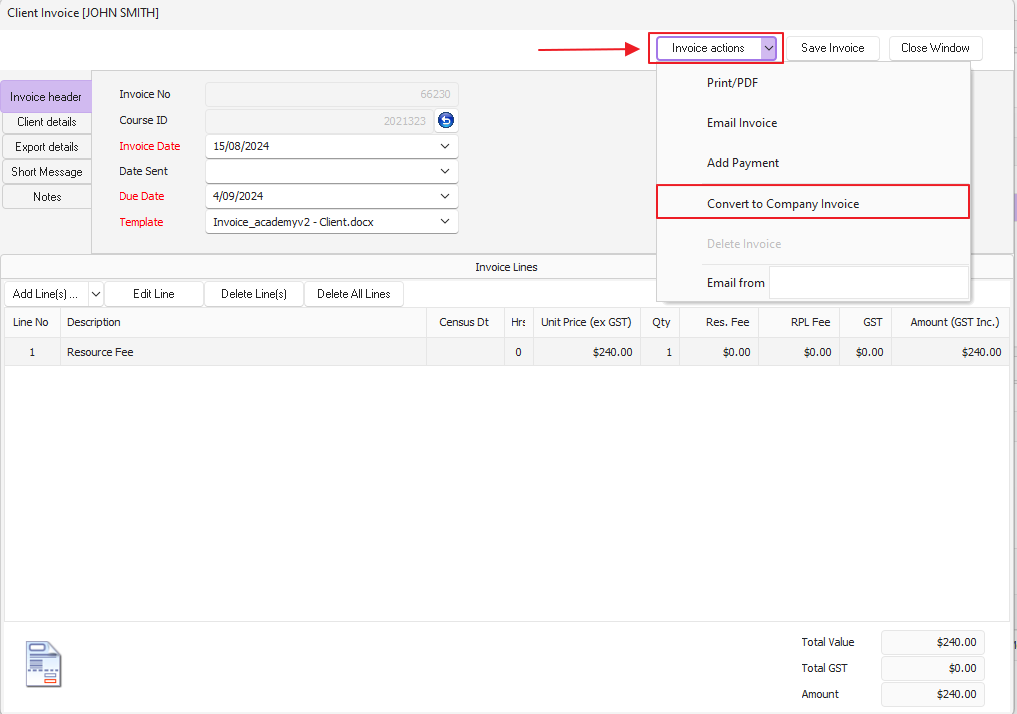
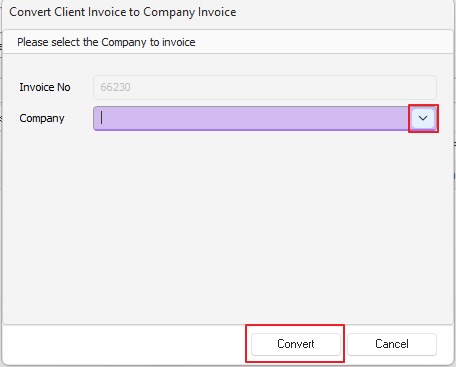
After selecting Convert to Company Invoice, the conversion pop-up box is displayed where the company should be selected (as seen below)
Select the relevant company, click on the convert button and the invoice will be converted to a company invoice
Alternatively, when converting a company invoice to a client invoice the conversion pop-up box will look like the following:
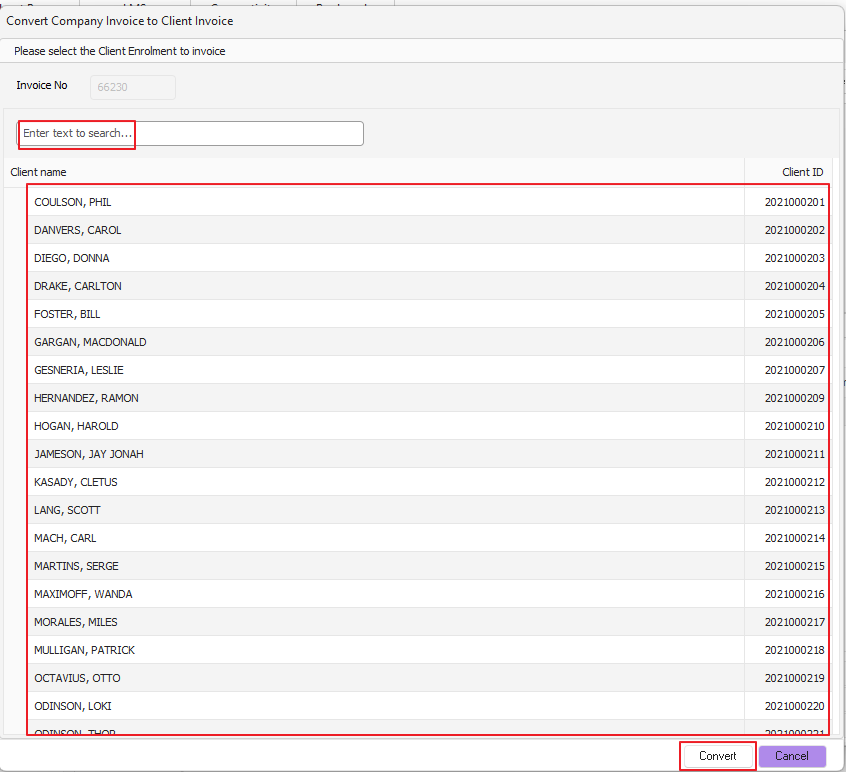
IMPORTANT NOTE: that the RTO can select any client in any course but the original course in question will be listed first