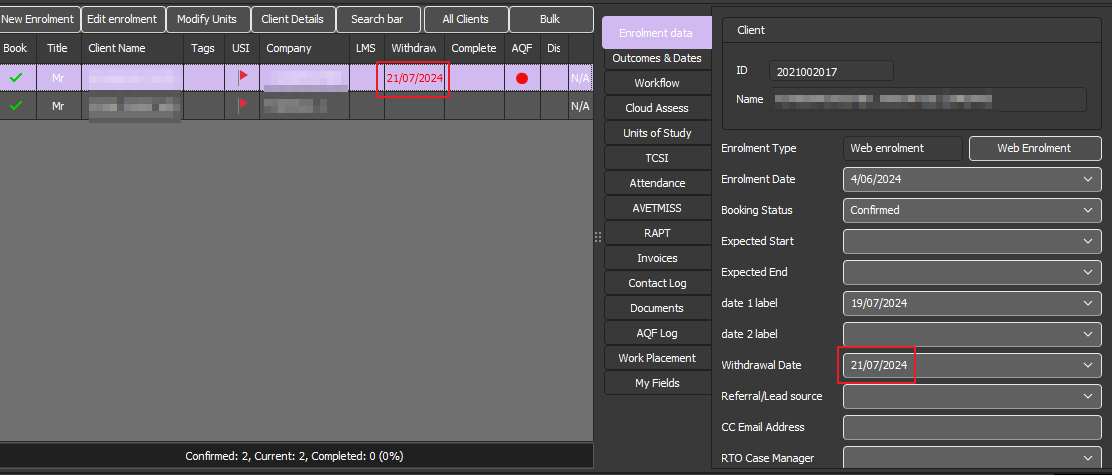
It is recommended that a final result is entered for all units even if the student withdraws from the course.
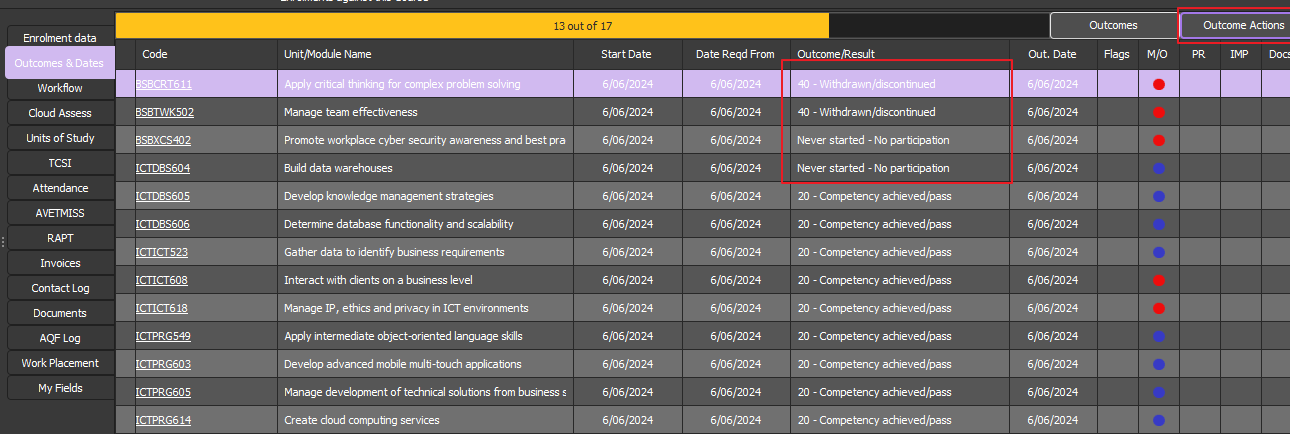
Please result the student units as follows using the Outcome Actions option in Powerpro
Units that the student withdrew from (the student engaged in training but the unit but was not completed)
Outcome: "40 - Withdrawn/Discontinued"
Units that the student did not commence (the student has NOT engaged training in that unit)
Outcome: "Never started - No participation"
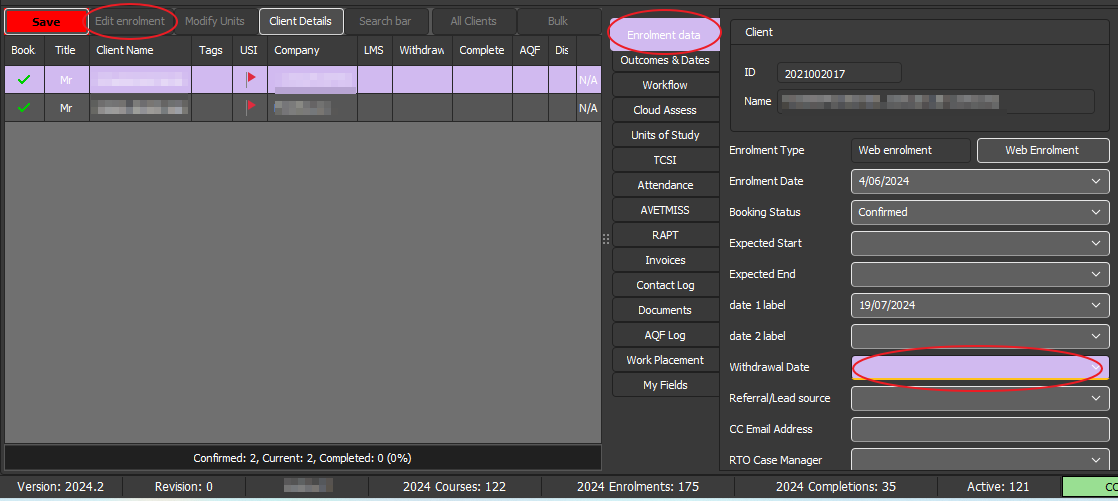
It is also recommended to flag the withdrawal at the Enrolment level by entering the withdrawal date:
Click on "Edit Enrolment"
In the "Enrolment Data" tab set the Withdrawal date
Press "Save"
Below you can see the withdrawn date is set correctly in the field, and the date is showing on the enrolment grid.