Certificates of Attendance are issued to students who've completed a Non-Accredited Course
To generate Certificates of Attendance in PowerPro please follow these steps:
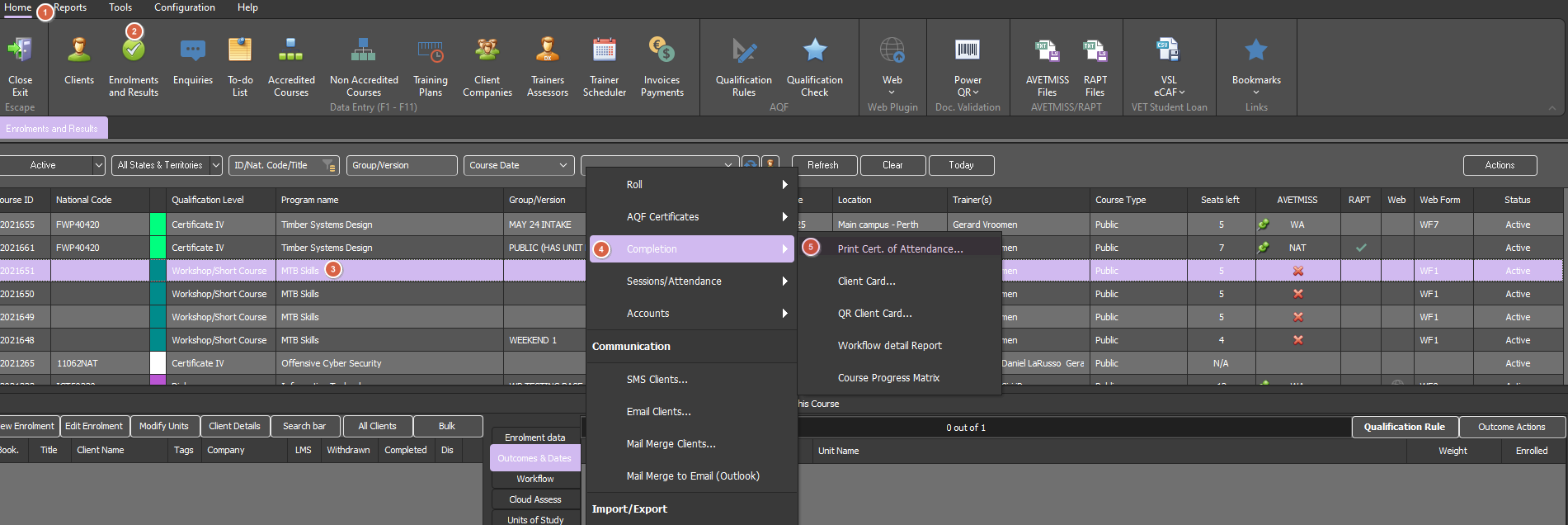
Open 'Home' menu > 'Enrolments & Results' view
Right click on the Course (as per image below)
Select 'Print Certificate of Attendance' as per image below
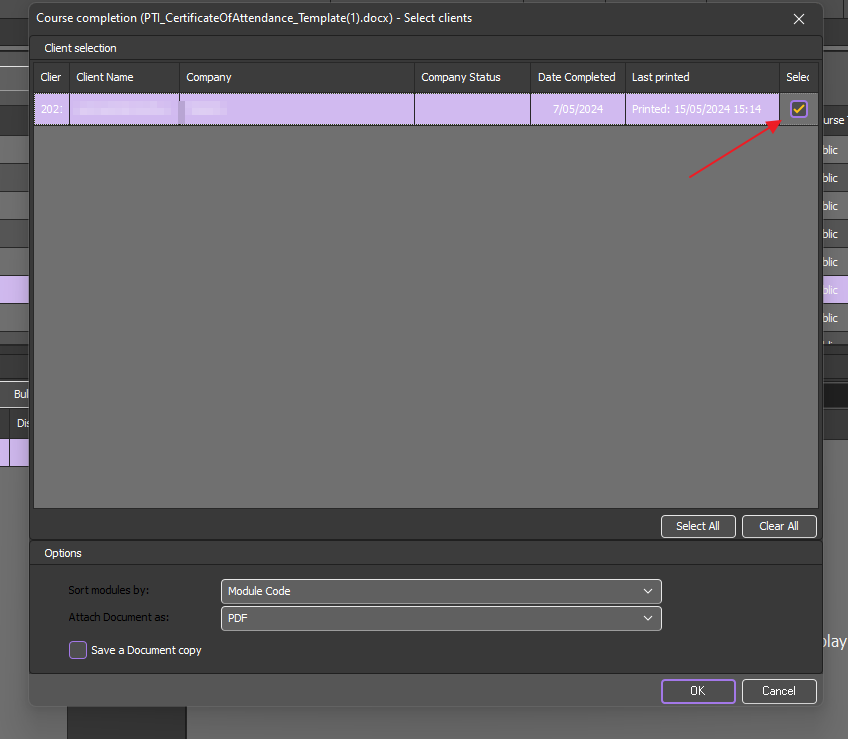
You will then be prompted to select the Students (provided they have completed the Course) along with a couple more options:
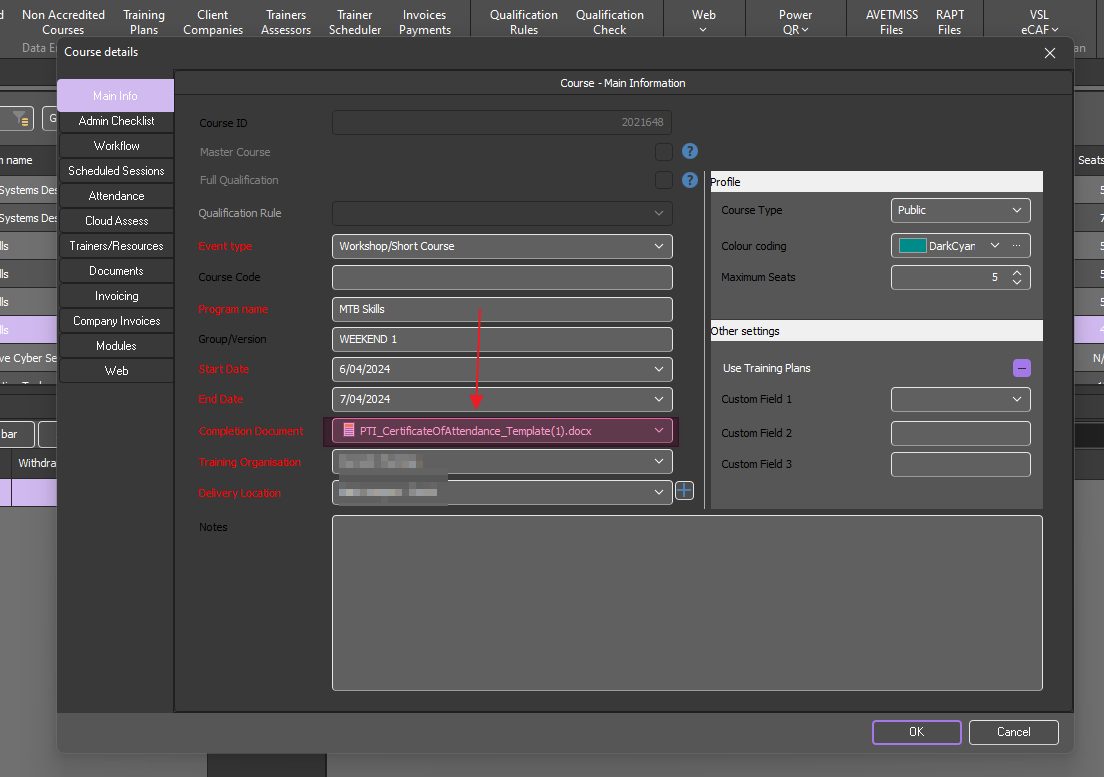
Please note the MS Word template used to generate the certificate is the one specified in the course details window as below: