

To issue parchments for Qualifications, Skill Sets and Accredited Courses follow these steps:
1. Open the 'Enrolments and Results' window
2. Highlight the relevant course
3. Click 'Actions' at the top right of the window
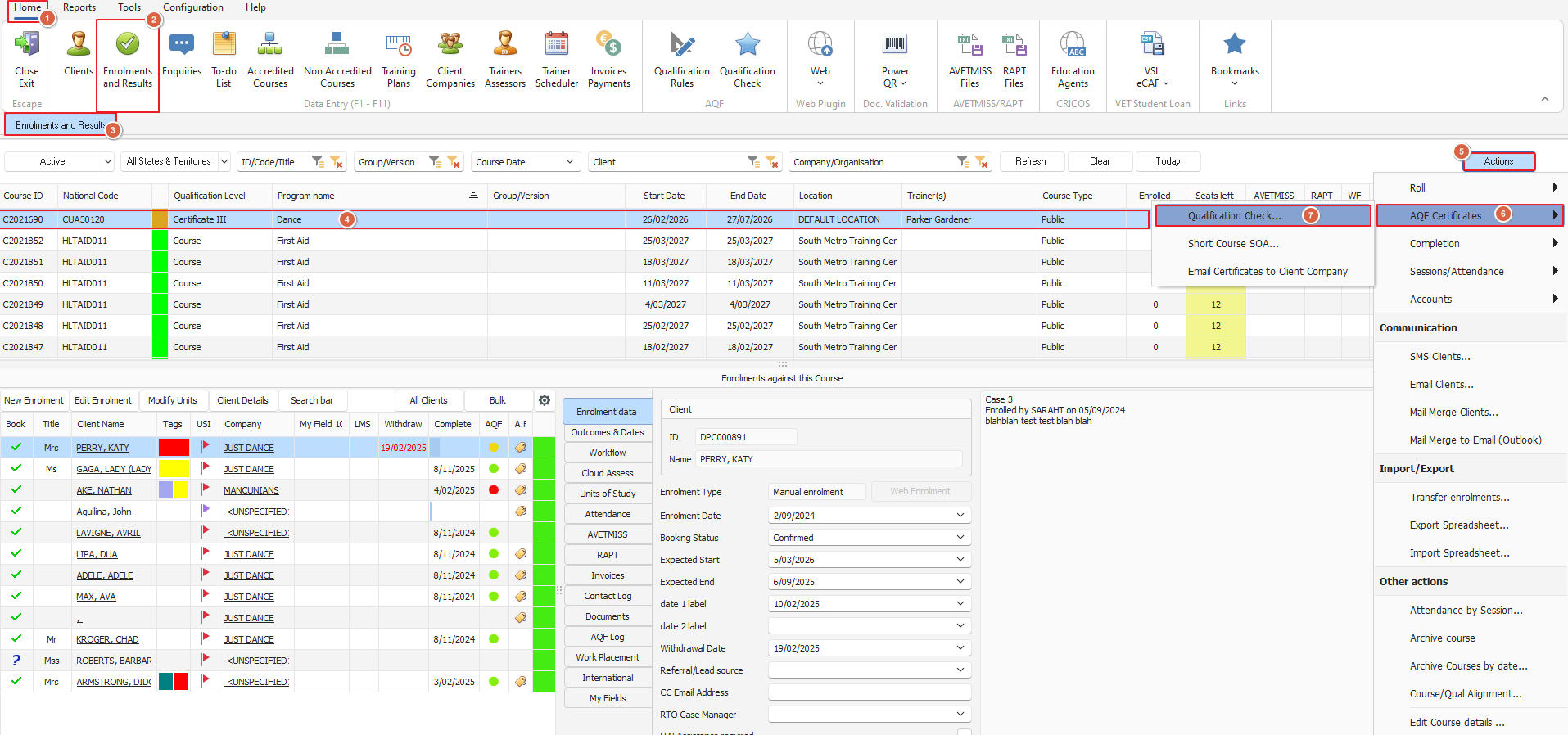
4. Using the 'Actions' menu, choose 'Qualification Check' - it will open a new window
5. In this window click on the 'Print AQF Document' button and select either 'Qualification, Record of Results or Statement of Attainment'
(you can print both 'Qualification' and 'Record of Results' but you must do one at a time) see below example:
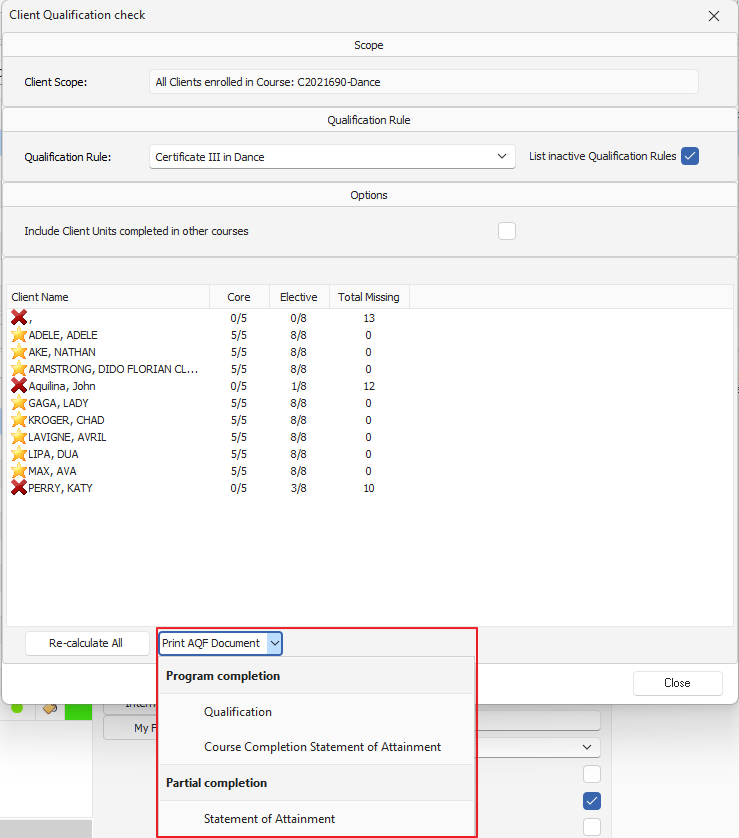
6. A window listing eligible students will prompt your selection, choose the relevant students. Note: only students with a verified USI can be selected
7. Now a new ("Select Document Template") window prompts you for template selection (among other options - see image below)
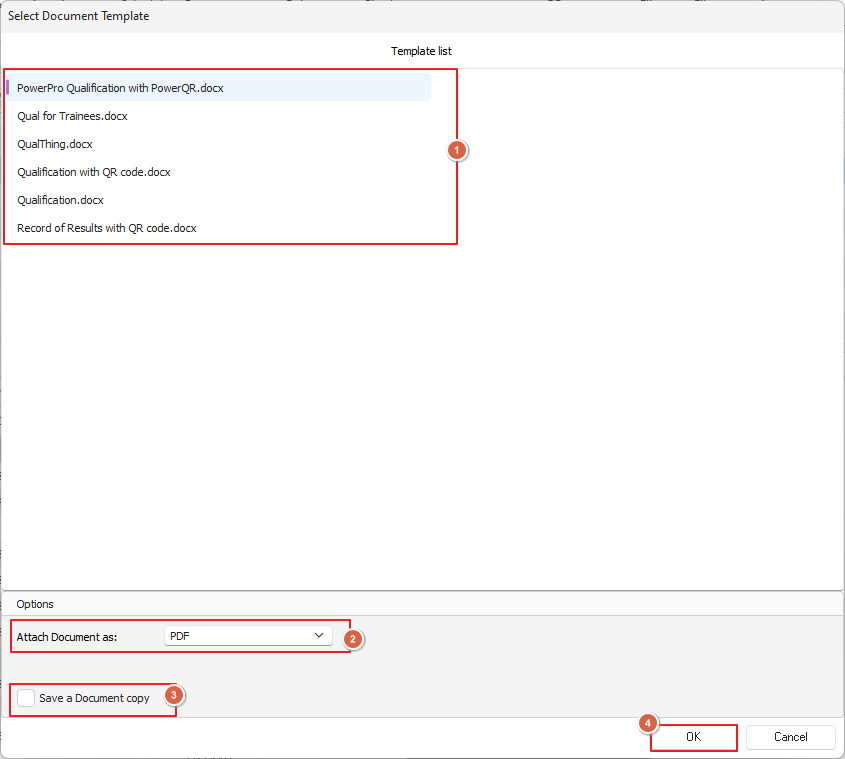
8. Click OK and you're all done!