
Logo

Find step-by-step guides, troubleshooting tips, and feature explainers to get the most out of our platform.

How can I modify the Enrolment Date for a student?

Enrolments and Results

How can I modify the Enrolment Date for a student?

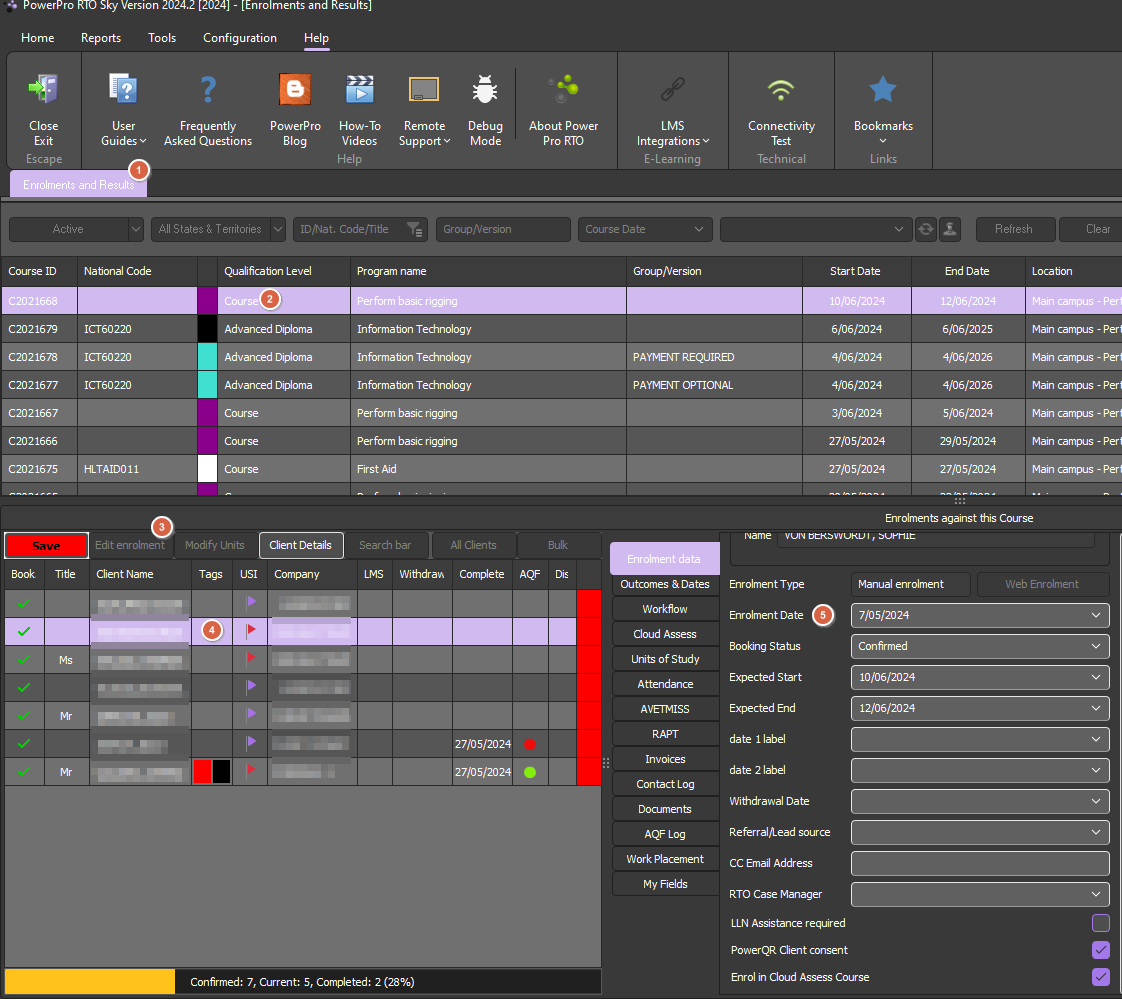
Enrolment > Edit enrolment > Enrolment date

Last updated on 08 Aug, 2024

1. In "enrolments and results" find and select the relevant course and student

2. Then click on "edit enrolment" to have access to the enrolment fields 

3. You can now adjust the enrolment detail fields for this student such as enrolment date, withdrawal date, expected start date, etc

4. Once done with your changes press "Save" to apply and save your changes 

All done, the enrolment date has now been updated!
Image
Did you find this article helpful?
Previous

Can I import students/results into PowerPro RTO?

Next