
Logo

Find step-by-step guides, troubleshooting tips, and feature explainers to get the most out of our platform.

How can I check which version of PowerPro is installed?

Licensing and Installation

How can I check which version of PowerPro is installed?

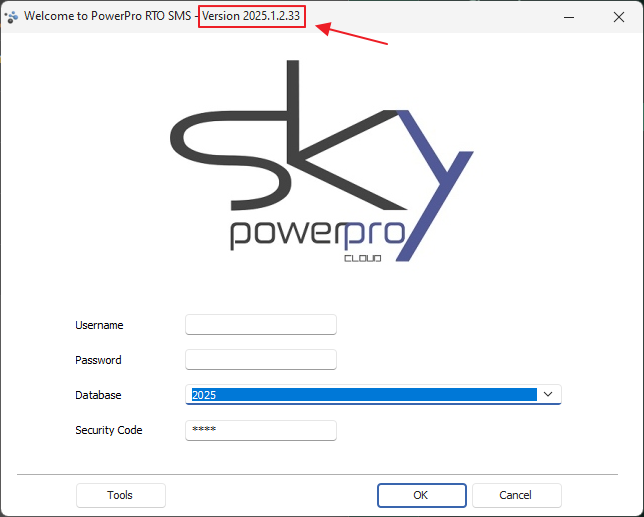
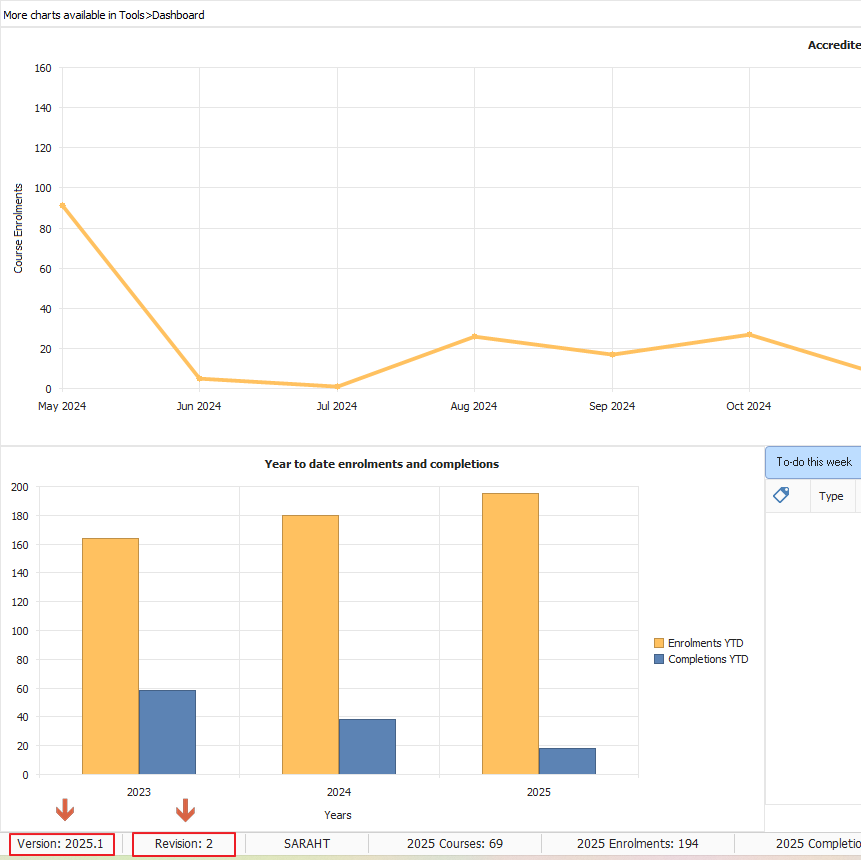
Check your version at login or anytime from the main window, in the bottom left corner.

Last updated on 09 May, 2025

The PowerPro version will be a string of numbers with the following format: YYYY.BB.2.0

Where YYYY is the year of the release and BB is the build number for that year. (see image below)
You can check the Version and Build as shown below:                                                                                                                                      
Image


In the example above the year release is 2025 and the build version is 1.2.33


Alternatively, you can grab the same information from the bottom left corner of the main window as per image below:
Image


Did you find this article helpful?
Previous

Do you have a simple step by step installation guide to help move the database from one system to another?

Next